- Pros & Cons of SafePal
- First Impressions & Unboxing
- Initial Setup & User Experience
- Safepal Wallet Security Features
- Supported Cryptocurrencies & Tokens
- Connectivity & Compatibility
- Safepal Wallet Advanced Features
- Pricing & Value for Money
- SafePal Products
- Who is SafePal Best Suited For?
- Conclusion & Final Verdict
- FAQs (Frequently Asked Questions)
SafePal Review 2026

- When you click links on this page, we may earn an affiliate commission. By using this website you agree to our terms and conditions and privacy policy.
- Participation in online gambling may be illegal in your country and is subject to age restrictions (18, 19, or 21, depending on the jurisdiction). Verify legality and age requirements before participating. Learn more
If you have a substantial portfolio or simply want to improve your cryptocurrency security, then cold wallets are powerful tools. They keep private keys/seed phrases used to unlock and recover the wallet offline, while featuring special physical protections, such as security chips and anti-tamper mechanisms, that enhance security.
SafePal is a leading manufacturer of affordable and highly secure hardware wallets. It produces three products that provide the same essential functionality (securely receiving, storing, and sending cryptocurrency) at three different price points, ensuring it caters to a broad range of users.
This SafePal review will examine the S1, S1 Pro, and X1 in detail, comparing them against each other and popular alternatives. We'll provide a guide on setting up the wallets, highlight their security features, detail any limitations, and help users make an informed decision on which is best. Let's get started.
Key Takeaways
- SafePal's range of hardware wallets is affordable and highly secure, making them strong options for budget-conscious investors.
- While the S1 and S1 Pro sign transactions by scanning QR codes, the X1 uses Bluetooth, which eliminates its air gap.
- SafePal wallets are highly versatile, supporting thousands of assets across 200+ blockchains. Users can also seamlessly connect to dApps via WalletConnect.
- While the setup process is slightly more involved than some other wallets, SafePal's devices are easy enough for a complete beginner to use.
Pros & Cons of SafePal
Pros
- Excellent price-t0-performance ratio
- Highly secure EAL6+ secure element
- The S1's D-pad and the X1's keypad systems both make navigation straightforward and convenient.
- Users can enhance their device's security by enabling a PIN and setting a passphrase (secret wallet)
- Signing transactions is quick and easy, regardless of which SafePal hardware wallet you choose.
Cons
- The regular SafePal S1 is mostly constructed from plastic, which makes it feel less premium.
- SafePal wallets lack multi-sig capabilities.
First Impressions & Unboxing

Hardware wallets store your investments, so you need to trust them. A poor unboxing experience and lackluster anti-tamper protections make it far easier for a bad actor to modify a hardware wallet without the buyer knowing, so they're essential considerations.
Packaging

SafePal wallets are shipped in plain packaging to prevent supply-chain attacks (where a bad actor modifies the wallet during transit). The device is in a solid, branded box with the accessories stored beneath the hardware wallet. The unboxing experience is solid; it doesn't feel particularly premium or cheap.
The best hardware wallets typically feature anti-tamper protections, and SafePal devices are no exception. They feature special SafePal-branded tamper-evident stickers sealing the product's box. If the seal is broken or the stickers are missing, you should contact SafePal for assistance.
While SafePal's packaging is reasonably secure, and the tamper-evident stickers make it much more challenging to access the wallet clandestinely, it would be nice to see a branded plastic seal covering the box and stickers added to the device's USB-C port.
What's in the box?

Regardless of which SafePal wallet model you buy, you will receive essentially the same extras in the box; the only difference is the hardware wallet included. Each device comes with:
- S1, S1 Pro, or X1 hardware wallet
- 3x mnemonic phrase (seed phrase) cards
- 2x stickers
- 1x USB-C to USB-A cable
- 1x cleaning cloth
- 1x user manual
- 1x app download card
SafePal includes everything an investor needs to secure their holdings with a hardware wallet, along with a few accessories, which makes the device feel more premium. The clearing cloth, in particular, is a nice-to-have tool that's not commonly included with other hardware wallets I've looked at.
Build Quality
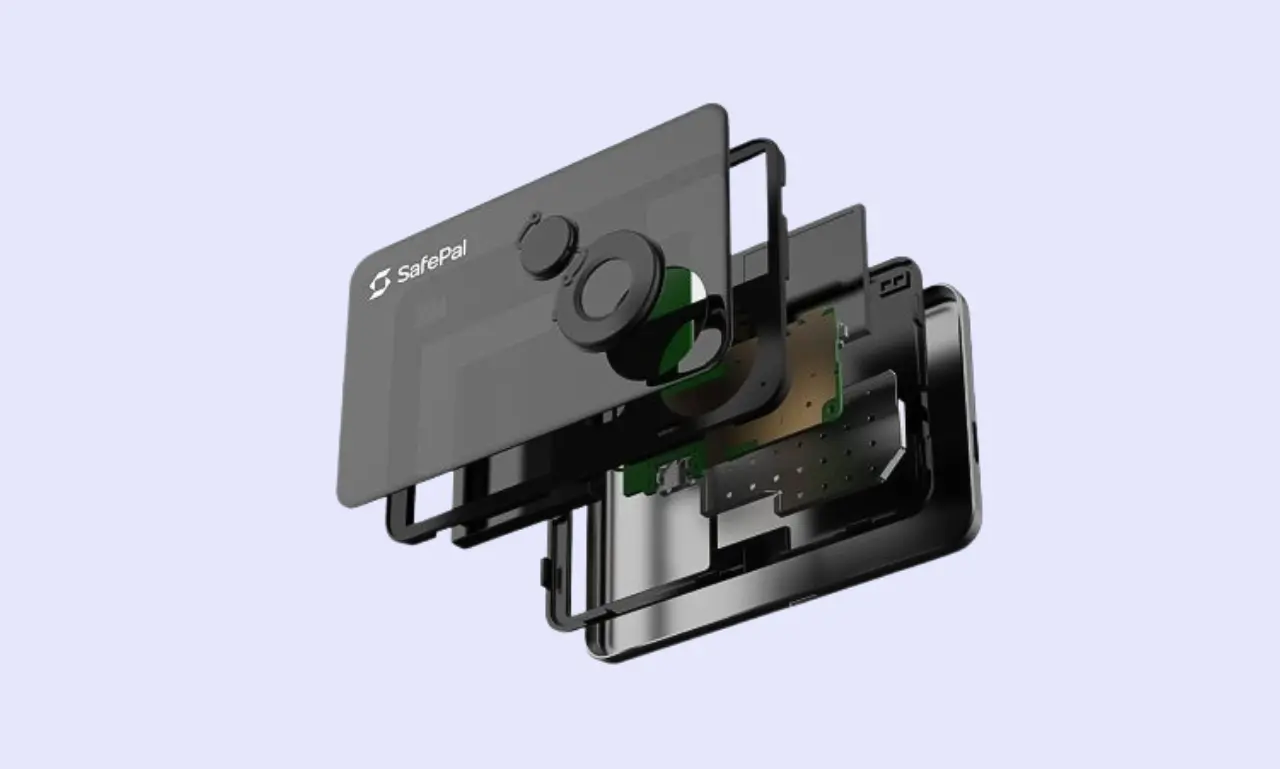
Build quality is a key factor when conducting a hardware wallet review. While not as important for entry-level devices, premium options should feel robust and be made from high-quality materials such as steel, aluminum, and glass.
The SafePal S1 and S1 Pro look largely the same, but the build quality differs significantly. The S1 uses ABS plastic, while the S1 Pro features an aluminum alloy with tempered glass.
Both hardware wallets have a 1.3-inch display and a d-pad for navigation. The devices are roughly the size/shape of a credit card, which makes them highly portable (although they won't fit into a wallet.
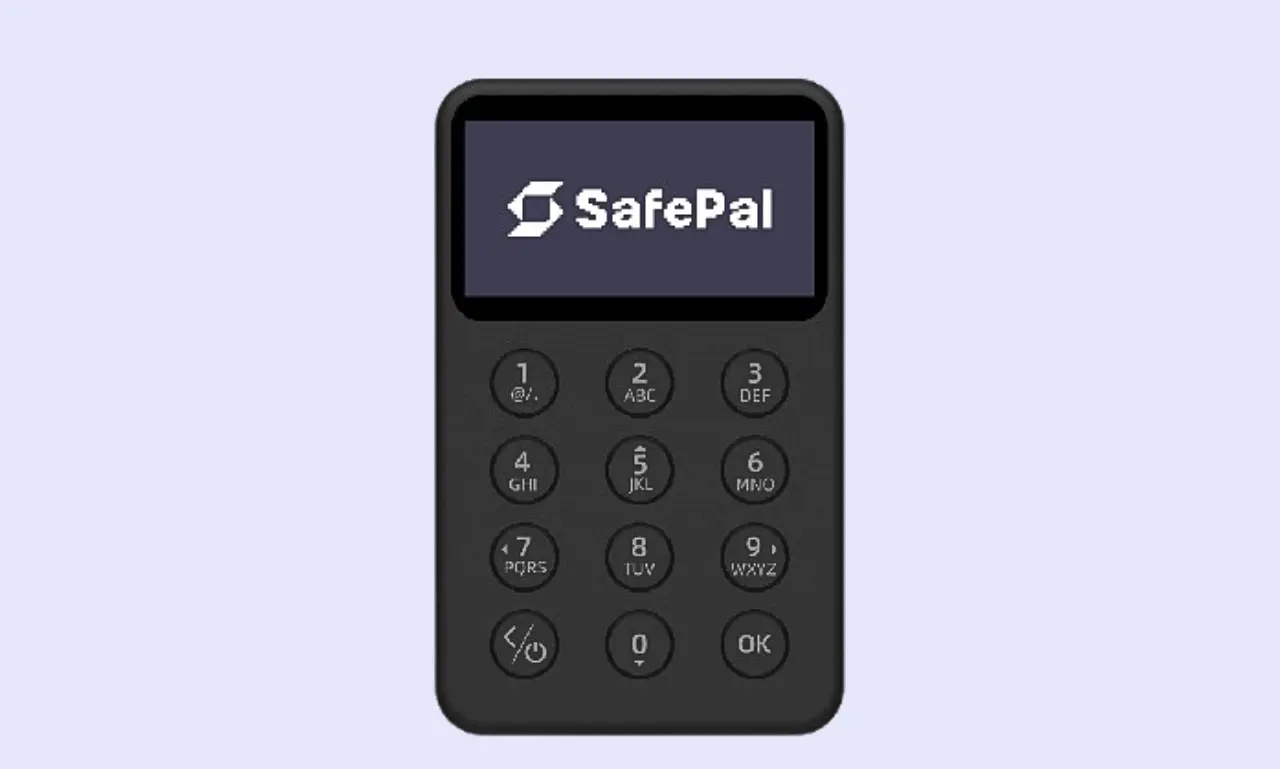
The SafePal X1 differs significantly from the S1 and S1 Pro. It's oriented vertically rather than horizontally and features a 12-key numeric keypad, making it easier to enter PINs. It features a larger 1.8-inch display and the same ABS plastic housing as the S1.
The build quality of SafePal's wallets is solid and appropriate for the price tag. While the S1 Pro felt the most durable and premium thanks to its glass and aluminum construction, the S1 and X1 are suitable for anyone looking for a high level of security at an affordable price.
Initial Setup & User Experience
The user experience is essential for a hardware wallet. Even the best device will likely go unused if essential features like receiving crypto, sending transactions, and connecting to dApps are too inconvenient for daily use.
How to Set Up Safepal Wallet
As the process is more involved than with some other wallets, it can be helpful to have a SafePal setup guide to hand for easy reference. Below, we outline the key steps:
Step 1: Authenticate SafePal Wallet
First, you'll need to authenticate your SafePal wallet to verify its authenticity. After turning on your SafePal device and selecting a language, you'll need to scan a QR code and enter the number displayed on your device. After confirming authenticity, you can activate your wallet, which takes a couple of minutes.
Step 2: Create Wallet
Next, you need to set up your wallet. You'll have to pick between creating a new wallet or recovering an existing one via the seed phrase.
Step 3: Backup Seed Phrase
Investors use their seed phrases to recover their wallets, so it's crucial to back them up securely. Use the included seed phrase sheet to write your seed down. Never store it digitally. Afterward, you'll have to set a PIN and give the wallet a name.
Step 4: Pair with the SafePal Mobile App
Lastly, download the SafePal mobile app, configure security settings following the on-screen instructions, then add a hardware wallet to the app. To pair your wallet with the app, you'll need to scan a QR code on your mobile, then one displayed on your SafePal wallet. Once complete, your wallet is ready.
Ease of Use
SafePal wallets are beginner-friendly and easy to use. There's no WiFi or NFC; just a wired connection and a camera for scanning QR codes. Because SafePal took this approach, people can scan QR code wallet addresses, which prevents accidental misinputs.
The setup process is straightforward, and SafePal guides you through it with on-screen instructions, making it suitable for anyone, even those without prior crypto experience. Similarly, scanning QR codes to sign transactions is quick and easy, making SafePal wallets highly convenient for daily use.
Display & Buttons/Touchscreen
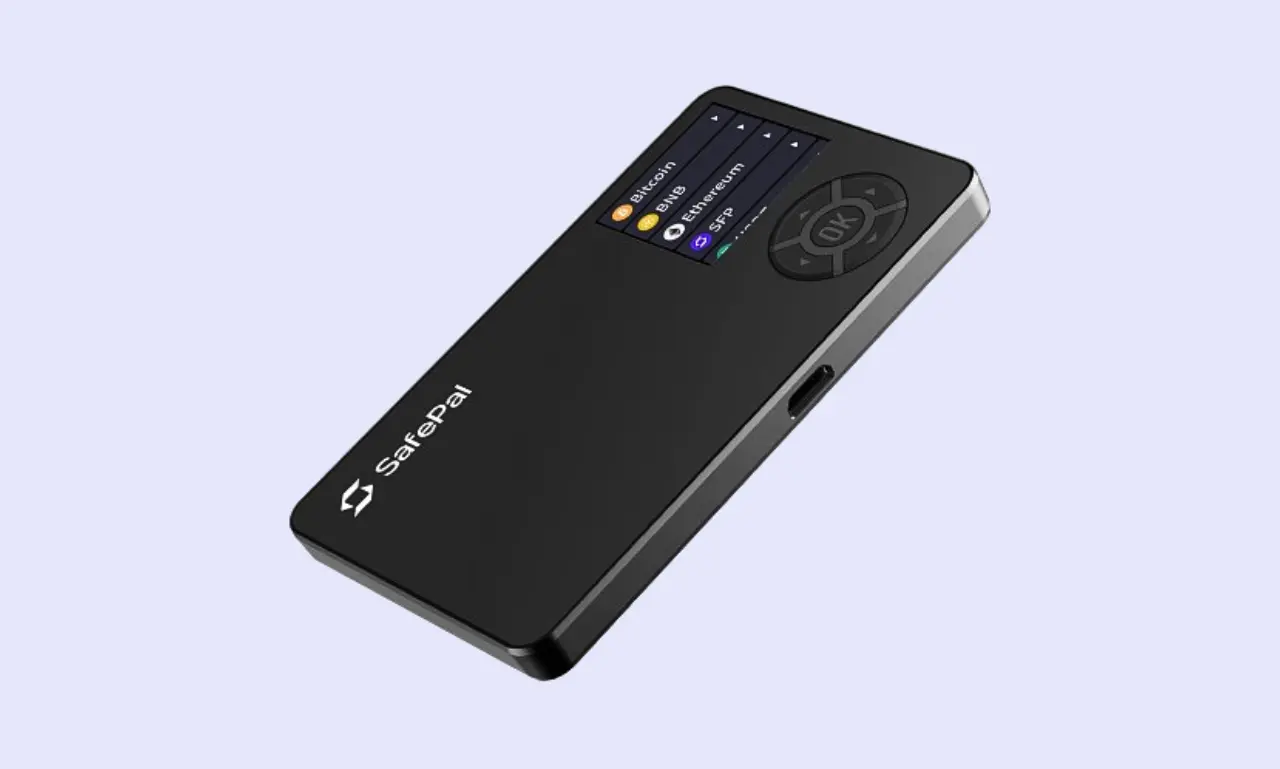
While the SafePal S1 and S1 Pro both feature a 1.3-inch color display, the X1 has a larger 1.8-inch monochrome display. I found both devices easy to read and clear, as supported by SafePal reviews from other users.
While the devices lack a touchscreen, the S1 features a simple 5-button D-pad, and the S1 Pro uses a similar 5-button D-pad, though with a slightly different feel. In contrast, the X1 uses a 12-button keypad, which makes inputting PINs or other numerical data extremely convenient compared to small touchscreens.
Safepal Wallet Security Features
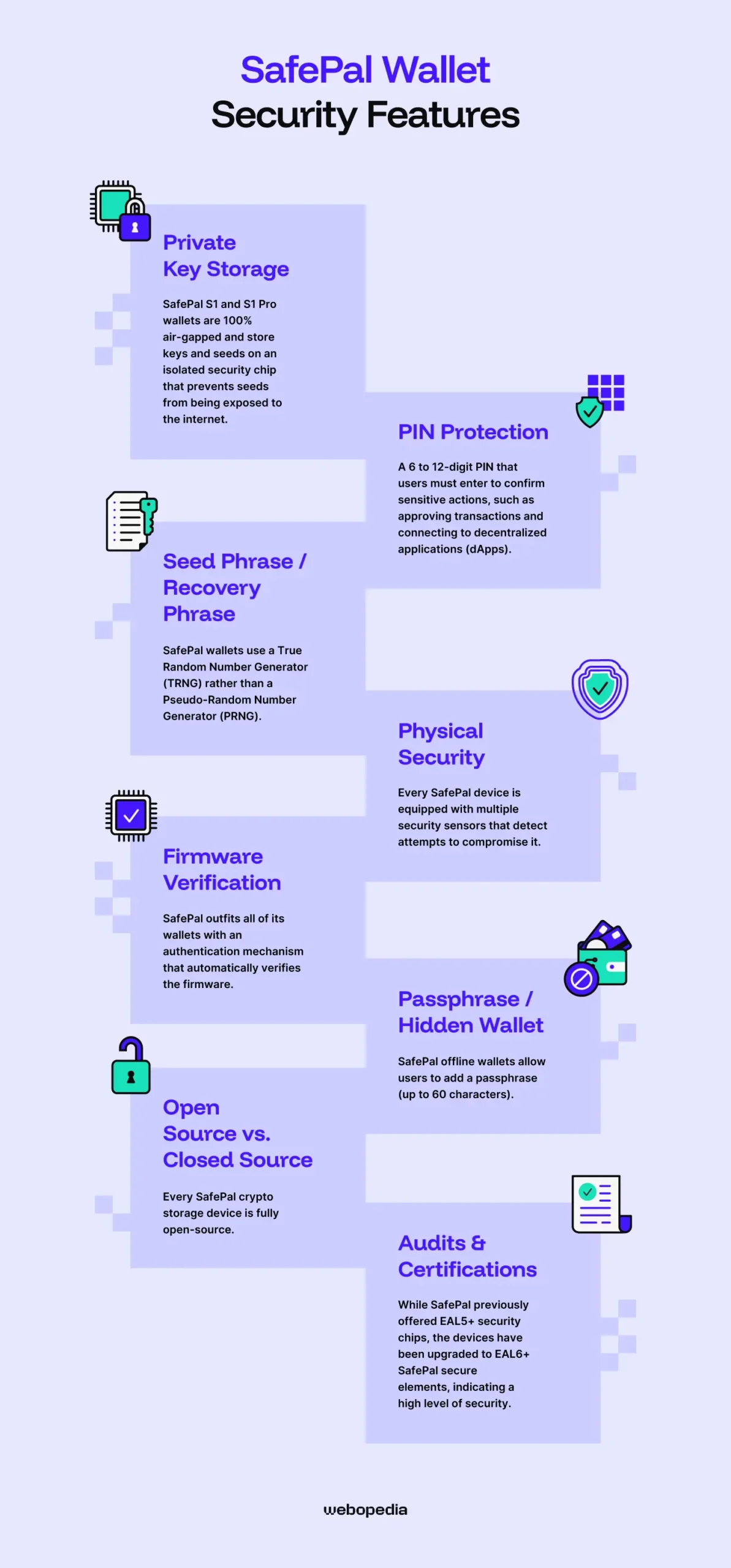
Is SafePal safe? The primary purpose of a hardware wallet is to keep your assets secure. To achieve this goal, they use a blend of physical and software-based protections to keep funds protected and enable users to sign transactions safely.
Private Key Storage
SafePal S1 and S1 Pro wallets are 100% air-gapped and store keys and seeds on an isolated security chip that prevents seeds from being exposed to the internet. While attempts to physically access the chip and extract the seed are possible, SafePal employs a range of anti-tamper measures to combat these attacks.
A wallet derives the seed phrases (used for wallet recovery) from private keys (used to sign transactions). As both elements are crucial to security, the wallet must keep them offline, which is why it's essential to never store a seed phrase online; doing so eliminates the main advantage of a hardware wallet.
PIN Protection
SafePal features a PIN system that allows users to set a 6- to 12-digit PIN they must enter to confirm sensitive actions, such as approving transactions and connecting to Decentralized Applications (dApps).
Moreover, SafePal's PIN system protects against brute force attacks. After someone enters the PIN incorrectly multiple times, the device will automatically wipe itself and revert to factory settings. If this occurs, you must recover the wallet using the seed phrase.
SafePal advises users to set a memorable but secure PIN. Avoid your birthday or common sequences like '123456' or '000000'. It's crucial to remember that SafePal doesn't manage PINs. If you forget a PIN, using the seed phrase is the only way to recover the wallet.
Seed Phrase / Recovery Phrase
Secure seed phrase generation is essential for digital asset protection. Some older wallets have had issues with bad entropy (randomness), allowing people to determine the generation sequence and guess seed phrases.
To prevent entropy-related issues, SafePal wallets use a True Random Number Generator (TRNG) rather than a Pseudo-Random Number Generator (PRNG), unlike some other products. TRNGs generate entropy from random physical sources, such as radio noise and background cosmic radiation.
The TRNG chip SafePal uses is certified to the USA's FIPS PUB 140-2 and Germany's AIS31 standards. Using a TRNG with these certificates signals a high level of entropy and significantly enhances user trust. Although easy to overlook, it's always worth checking how a hardware wallet generates its seed phrases.
SafePal crypto cold storage devices utilize the BIP39 standard, meaning they generate seed phrases from a specific list of 2048 words. It also leverages BIP44, which enables wallets to manage multiple accounts and assets simultaneously.
Seed phrases are used to recover a wallet and its stored assets. There's no way to recover a hardware wallet without the seed phrase, and anyone with the seed can access the wallet it's linked to.
As such, it's essential to securely back up seed phrases. Avoid digital methods, such as images or text files, because they're vulnerable to viruses. Instead, use analog methods like pen/paper or a metal seed phrase storage solution (the SafePal Cypher is available for $44.99).
Physical Security
While SafePal's packaging could benefit from additional anti-tamper mechanisms, the company protects its devices from physical attacks in other ways.
Every SafePal device is equipped with multiple security sensors that detect attempts to compromise it. These sensors include:
- High/Low Voltage Detection: Protects against voltage and extreme temperature attacks.
- Light Sensor: Detects when a bad actor opens the SafePal's case, wipes RAM data, and enters protection mode, preventing subsequent attacks.
- Temperature Sensor: Checks for unusual temperatures that electronic attacks may cause.
- Metallic Shield: Detects electromagnetic attacks.
These sensors, along with encryption and other security measures, protect SafePal hardware wallets against physical attacks. If tampering is detected, SafePal's self-destruct mechanism triggers, which erases all wallet data. However, users can still recover the wallet using the seed phrase.
Firmware Verification
When you're learning how to use a SafePal wallet, it's important to take time to familiarize yourself with the firmware verification process, which confirms that the hardware wallet is running genuine software.
SafePal outfits all of its wallets with an authentication mechanism that automatically verifies the firmware. When you first use the device, the authentication process occurs before you can initiate setup. If the device doesn't display the authentication interface, it may have been used or modified, so you should contact SafePal support.
Passphrase/Hidden Wallet
In addition to the PIN system, SafePal offline wallets allow users to add a passphrase (up to 60 characters). While a PIN acts as an unlock code, passphrases effectively add an extra word to the seed phrase, creating a secret wallet.
After you unlock a SafePal device using the PIN, you'll have access to the wallet. However, if a PIN is enabled, a second wallet is created. Funds do not co-mingle; each wallet is separate. You must input the passphrase to access the second wallet. Each passphrase creates a new secret wallet.
While passphrases are optional, we recommend setting one up as it provides a valuable layer of protection in emergencies. You can keep a small amount in the main wallet and the bulk of your holdings in the secret wallet, protecting against attempts to force you to unlock your SafePal.
Open Source vs. Closed Source
Every SafePal crypto storage device is fully open-source. Users can view and independently audit the code for the S1, X1, and SafePal app on the official SafePal GitHub repository. However, some security researchers indicate that certain aspects of SafePal's code may be unavailable.
Whether open or closed-source crypto wallets are better is up for debate. There are pros and cons to both approaches. Open-source wallets are transparent and crowdsource bug fixing by letting anyone review the code. Conversely, closed-source code is proprietary, making it more difficult to reverse-engineer and find exploits.
I prefer open-source wallets. They're completely transparent, and anyone can confirm that nothing malicious is hidden in the code. However, there's nothing wrong with a closed-source wallet as long as it's issued by a trustworthy company and a third-party firm has independently audited it.
Audits & Certifications
While SafePal previously offered EAL5+ security chips, the devices have been upgraded to EAL6+ SafePal secure elements, indicating a high level of security and placing them above older wallets like the Ledger Nano X (EAL5+) and on par with other leading wallets, like the Trezor Safe 5 and the BitBox02 Nova.
Evaluation Assurance Level (EAL) ratings are standardized certificates that measure the security of IT products, including secure elements used in hardware wallets. While some highly secure hardware wallets use unrated chips, I typically prefer EAL6+ wallets, as you can trust that your device was designed with security at the forefront.
SafePal is open source, so anyone can audit its code independently. However, dedicated security firms like Kraken Security Labs and CertiK have audited SafePal. Findings were largely positive, and SafePal responded to and fixed any critical flaws.
Supported Cryptocurrencies & Tokens
Versatility is important for a crypto wallet. There are thousands of cryptocurrencies divided across dozens of networks that they must store. Moreover, NFTs use specialized token standards, and dApps require wallets to implement WalletConnect (or a similar protocol). So, having an all-in-one wallet is immensely convenient.
Native Support
The SafePal S1, S1 Pro, and X1 are all multi-asset wallets that support thousands of cryptocurrencies across over 200 blockchains. While it covers almost every popular asset, you can visit SafePal's supported coin list to check whether the specific assets you own are compatible.
Some of the assets that users can store include:
- Bitcoin (BTC)
- Ethereum (ETH)
- Solana (SOL)
- XRP
- USDT
While SafePal wallets are highly versatile and support a wide range of assets, a few popular assets remain incompatible with them. For example, Monero (only Solana-wrapped XMR is supported). Users can store other assets, including Hedera (HBAR) and Hyperliquid (HYPE), in SafePal wallets, but not buy or swap them.
ERC-20 Tokens & Other Standards
When evaluating SafePal-supported coins, it can help to understand the differences between types of crypto assets. Coins are unique assets on their own network, like Ethereum or Bitcoin. Tokens are assets built on top of an existing network. For example, Chainlink or Polygon.
Token standards are sets of rules that define a token's properties on a given network. For example, tokens conforming to the ERC-20 standard are built on Ethereum and issued on the Ethereum network.
During my SafePal review, I found that the S1, S1 Pro, and X1 wallets support more than 200 blockchains. As such, SafePal wallets can store assets created using numerous token standards, including ERC-20, SPL, and BEP-20.
NFT Support
While NFT support is mixed amongst hardware wallets, SafePal supports buying, selling, receiving, storing, and sending them.
Users can store NFTs built on Ethereum (ERC721 and ERC1155), Binance Smart Chain, and TON, making SafePal relatively versatile compared to wallets like the BitBox02, which must be connected to third-party wallets for NFT support, and Trezor, which only supports Ethereum Virtual Machine (EVM)-compatible networks.
Thanks to its WalletConnect integration, SafePal users can easily connect their devices to NFT marketplaces like OpenSea and Rarible. Therefore, it's relatively easy to purchase or sell NFTs using a SafePal wallet.
Integration with Wallets/dApps
Even if a wallet offers relatively few features, its capabilities are greatly enhanced when it supports Decentralized Applications (dApps). These platforms allow users to connect a crypto wallet and participate in activities like staking, buying/selling crypto, or voting on proposed project updates.
As we mentioned, SafePal wallets feature WalletConnect integration, which allows users to seamlessly connect to dApps, Decentralized Finance (DeFi) platforms, Decentralized Exchanges (DEXs), and NFT marketplaces.
The SafePal app also includes a built-in dApp browser, enabling users to easily and securely connect to popular platforms without manually searching for them, which helps reduce the risk of phishing attacks. The SafePal browser extension will automatically connect to dApps as you switch between tabs.
Connectivity & Compatibility
The way a hardware wallet connects to a management device (mobile, laptop, or desktop) directly and significantly affects convenience and compatibility. If a wallet doesn't support your preferred device, using it day to day will become tiresome. Likewise, a wallet that seamlessly fits into your lifestyle will deliver a superior experience.
Connection Type
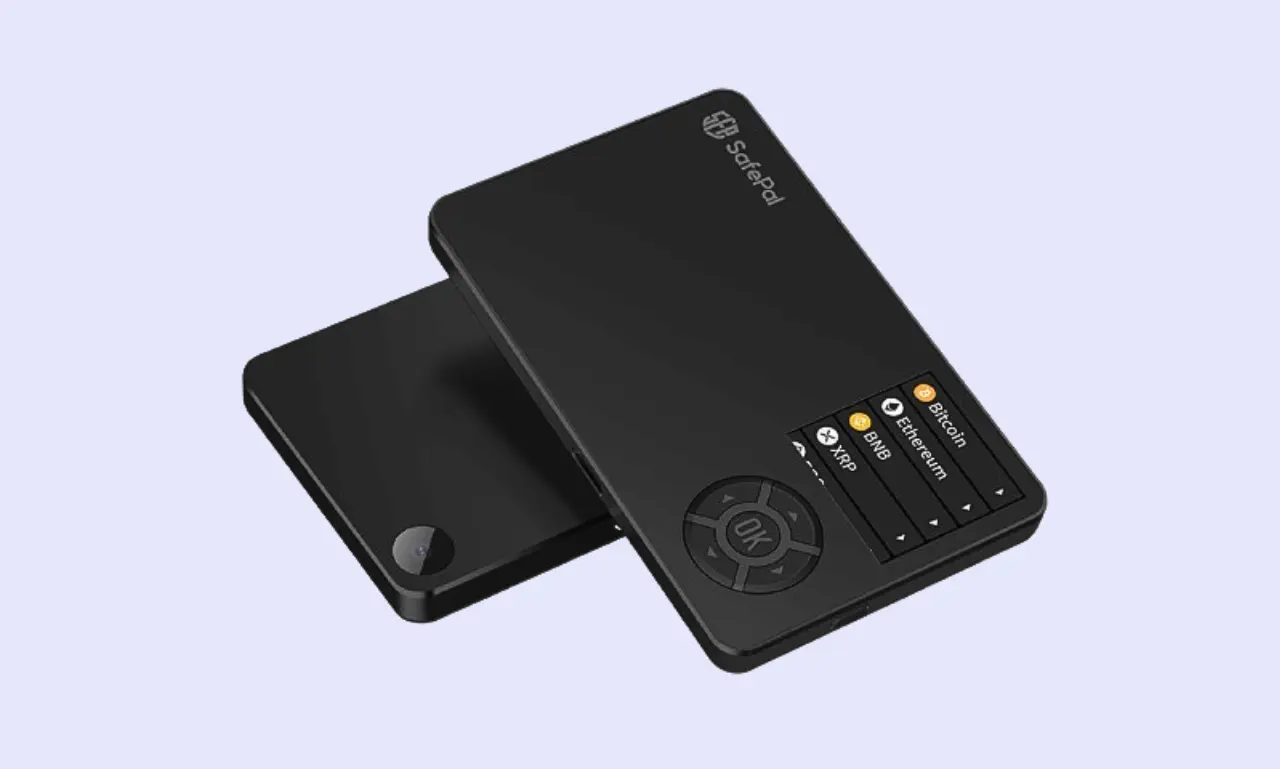
SafePal equips its devices with a USB-C charging port (a USB-A adapter is included). However, the S1 and S1 Pro do not require a wired connection for communication. Instead, people sign transactions using SafePal's integrated camera units, which scan QR codes displayed on the mobile app, enabling fully air-gapped use.
The SafePal X1 also features a USB-C port for connecting to laptops/desktops. However, it uses Bluetooth instead of a camera to connect to mobile devices and sign transactions, which can be more convenient than NFC because it has more lenient distance requirements.
While it only supports a couple of connection types, I found it easy to connect to SafePal devices, regardless of which device you own. Using QR code wallet addresses doesn't require special connectors, making the approach device-agnostic. Additionally, USB-C chargers are highly popular, and the USB-A cable makes support near-universal.
Device Compatibility
While wallets like the Trezor Safe 5 lack iOS support and other options, like Tangem, can only be used with mobile devices, SafePal wallets are much more versatile. A browser extension app is available for Chrome, Firefox, and Edge, while the SafePal mobile app supports iOS and Android devices.
SafePal wallets connect to computers (the SafePal browser extension) via USB and to mobile devices via the camera unit to scan QR codes. Each method is tailored to the device type and leverages its characteristics to streamline connectivity.
Companion App/Software
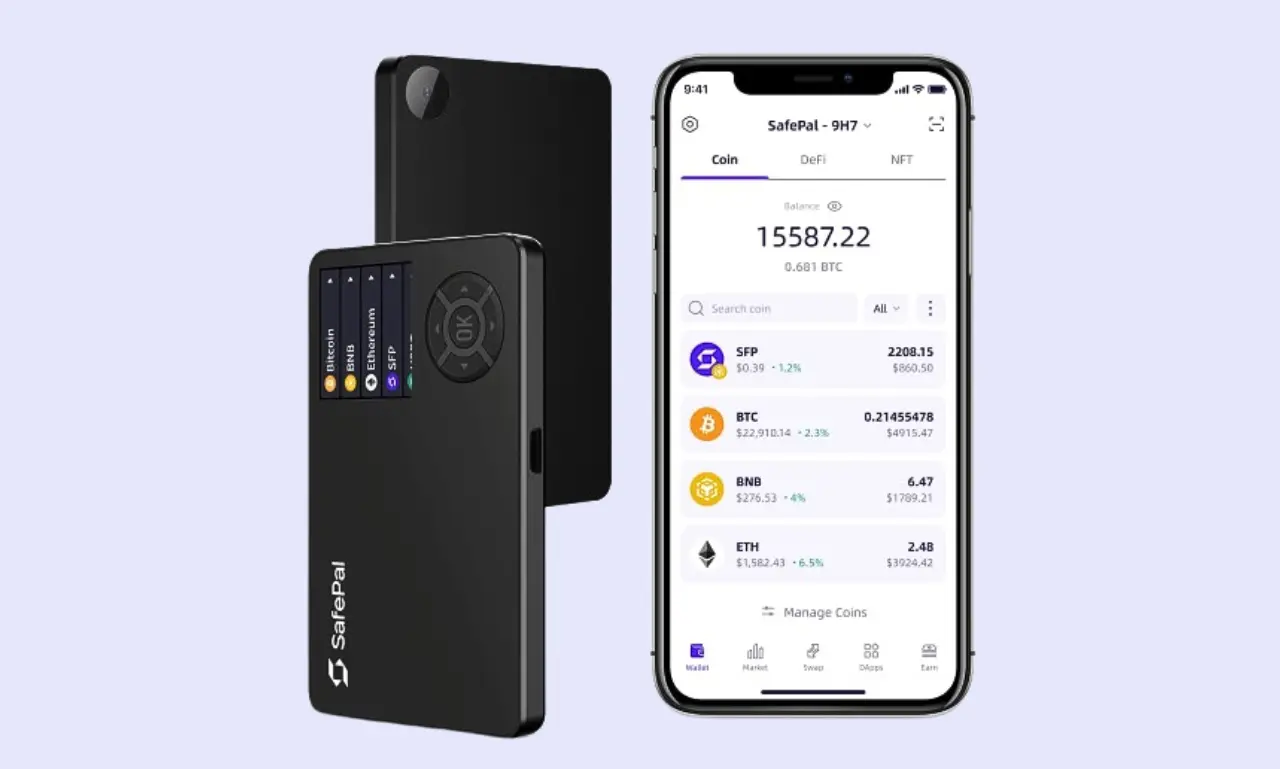
Almost every hardware wallet is managed via companion software that users install on their mobile phone or desktop/laptop computer. Typical features include a portfolio-tracking chart and basic buy/sell capabilities.
Despite SafePal's price, the app and browser extension are packed with interesting features, including the ability to buy, sell, exchange, and bridge crypto assets. SafePal also provides a staking tool and basic asset data (price, volume, 24-hour change), helping people understand the market at a glance.
During my SafePal review, I found both the browser extension and the mobile app to be well-rounded and easy to use. Both offer a good variety of features, providing trading capabilities and the ability to earn rewards via staking, covering the typical demands of traders.
Safepal Wallet Advanced Features
Regardless of whether you opt for a SafePal, Trezor, or BitBox hardware wallet, the essential features are relatively similar. Outside of the interface and how transactions are signed, there are only so many ways to receive, store, and send crypto. So, advanced features are what set a wallet apart.
Staking & DeFi Integration
SafePal users have a couple of options for earning rewards on their holdings:
SafePal Earn is a beginner-friendly tool that lets people generate rewards from their investments. Nine popular assets are supported, including Ethereum (2.5% APR), Solana (5.91% APR), and USDT (3.49% APR).
SafePal also integrates Binance Earn (Binance is an investor in the company), which lets people stake more niche assets (such as BAND or RLUSD) with flexible terms. It's easy to access, with Binance Earn and SafePal Earn located side-by-side.
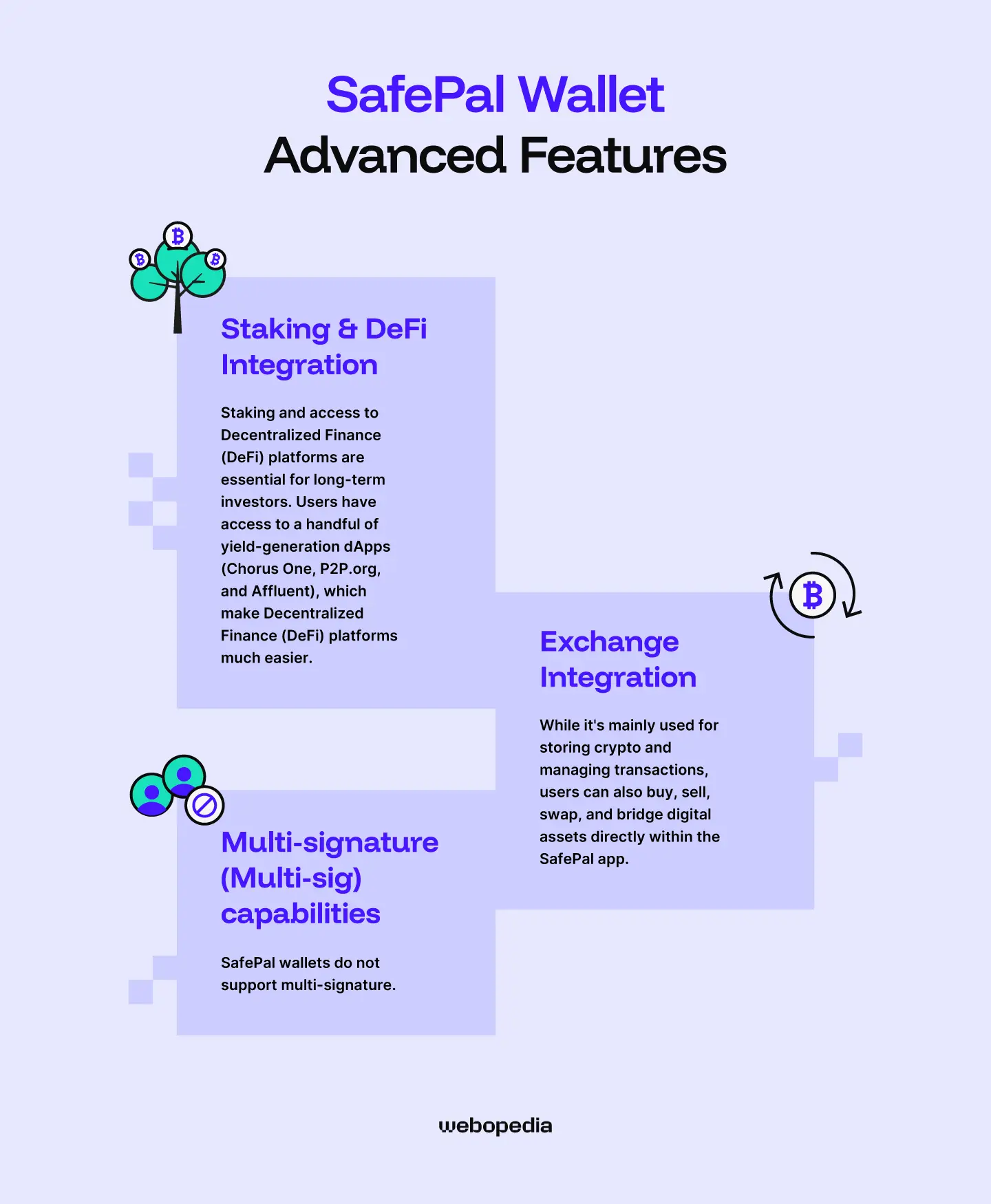
Users have access to a handful of yield-generation dApps (Chorus One, P2P.org, and Affluent), which make Decentralized Finance (DeFi) platforms much easier and more secure to use. People can also stake SafePal's native SFP token to earn various airdrops.
Staking and access to Decentralized Finance (DeFi) platforms are essential for long-term investors. These features enable people to earn relatively consistent rewards while holding crypto, effectively boosting overall return. Staking APRs are typically 5% to 10%, which is a significant advantage over extended periods.
Exchange Integration
While it's mainly used for storing crypto and managing transactions, users can also buy, sell, swap, and bridge digital assets directly within the SafePal app. The service is provided by either Binance or MoonPay. Based on testing during my SafePal review, the Binance integration is moderately cheaper in most cases.
In addition to the fiat on/off-ramp, SafePal users can use the swap tool for crypto-to-crypto swaps across both Centralized Exchanges (CEXs) like MEXC and Decentralized Exchanges (DEXs), including Bridgers. It also features a bridge tool that enables users to transfer assets across different networks.
In addition to straightforward trading tools, the SafePal app features the 'CEX Mini-Program', which provides in-app access to Binance (spot, futures, savings), MEXC (spot and futures), and Bitget (futures). Links to DEXs like PancakeSwap are also present, streamlining dApp interactivity and reducing the chance of accidentally interacting with a malicious platform.
Multi-signature (Multi-sig) capabilities
Multi-sig wallets are ideal for applications where multiple people need access to the same pool of funds, such as a company treasury or a Decentralized Autonomous Organization (DAO). Unfortunately, SafePal wallets do not support multi-signature. If you're looking for a wallet that does, consider a BitBox or Trezor device.
Pricing & Value for Money
Aside from people who want the very best, most crypto enthusiasts aim to minimize non-essential costs so they can allocate more funds to investing. If that sounds like you, SafePal's devices could be a perfect fit.
Current Price
If you want to buy a SafePal wallet, price is an important consideration. While budget-friendly and suitable for anyone seeking a hardware wallet, SafePal's devices are available at three different prices:
- SafePal S1 ($49.99): Budget-friendly, but mostly plastic.
- SafePal X1 ($69.99): Adds Bluetooth but sacrifices the camera and the air gap.
- SafePal S1 Pro ($89.99): Offers the same capabilities as the S1 but adds an aluminum alloy case and a tempered glass display.
What's included
When you buy a SafePal wallet, it comes with everything you need to get started (charger, seed recovery sheets, etc). Users also benefit from unrestricted access to the SafePal mobile app and browser extension.
While it's possible to receive and store cryptocurrency for free, users will still have to pay network fees for crypto transfers. Likewise, there will be fees for allocating assets to Binance Earn, buying/selling crypto, and conducting crypto-to-crypto swaps, so it's worth keeping these extra charges in mind.
Is it worth it?
The short answer is yes, SafePal wallets deliver some of the best price-to-performance in the industry. Despite the S1 costing $49.99 (less than Trezor or Ledger's cheapest options), it packs an EAL6+ chip, a clear display, air-gap support, and compatibility with computers/mobile devices, making it exceptionally versatile.
Few devices can compete with the value the SafePal S1 offers. However, the S1 Pro and X1 offer slightly worse value, as their security features are similar, but the costs are considerably higher.
SafePal Products
As we mentioned, SafePal offers three unique hardware wallets. Each option offers roughly the same security features. However, they differ significantly in design, cost, and build quality.
SafePal S1

The SafePal S1 is the manufacturer's cheapest option at just $49.99. However, despite its price tag, the device is highly capable. It's open-source, air-gapped, and EAL6+ certified. The main disadvantage is that the device is primarily constructed from ABS plastic, which feels slightly cheap in the hand.
If you're looking for a budget-friendly wallet that doesn't sacrifice security, the SafePal S1 is an excellent choice.
SafePal S1 Pro
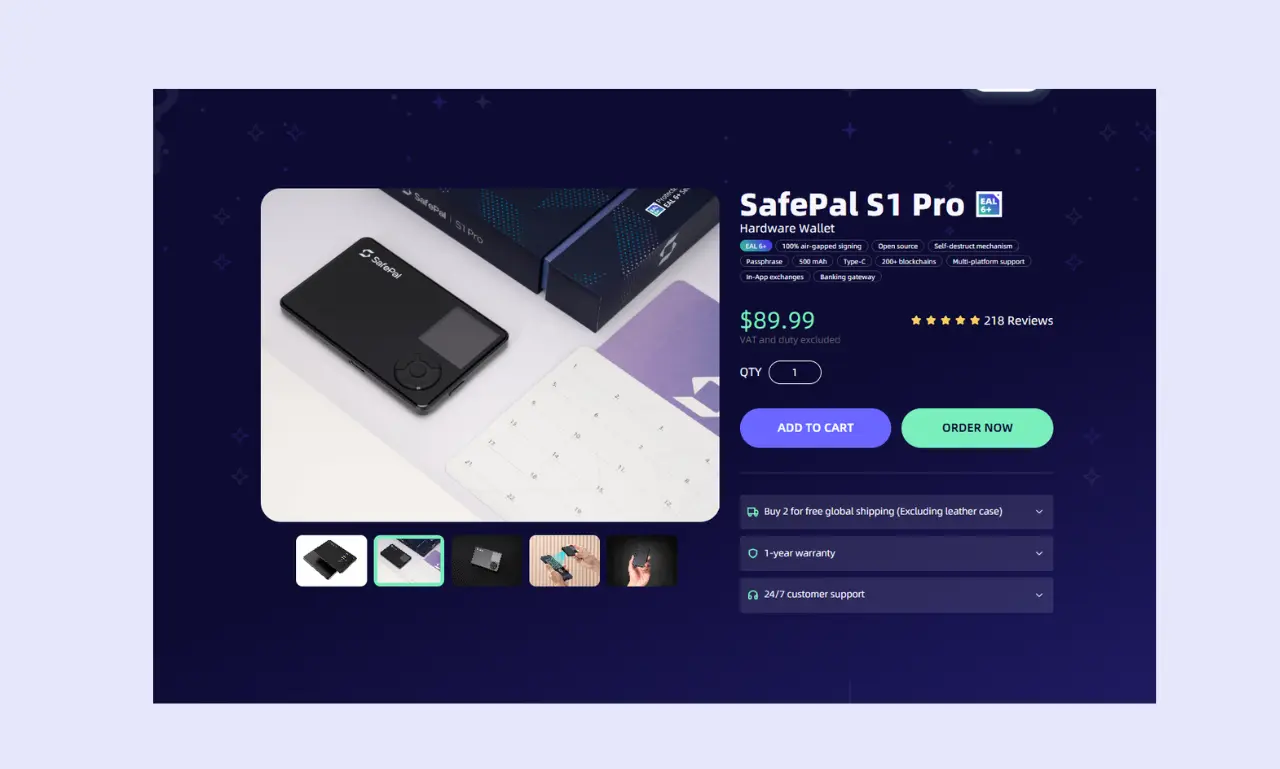
The SafePal S1 Pro offers largely the same features as the regular S1, including support for over 200 blockchains and an integrated dApp browser. However, it provides a 25% larger battery (400 mAh vs. 500 mAh) and an aluminum alloy/tempered glass construction.
While it offers several advantages, the S1 Pro is significantly more expensive ($89.99) than the regular S1. As such, it's better suited to people seeking a premium device.
SafePal X1
The SafePal X1 differs fairly significantly from the S1 and S1 Pro. It's priced roughly in the middle of the two S1 devices at $69.99. While it has the same EAL6+ chip, it features a monochrome display and doesn't support air-gapped transactions as it uses Bluetooth for mobile connectivity.
Instead of a D-pad, the X1 features a 12-key system, which makes it far easier to enter a PIN daily. The X1 is a strong choice for people who like the S1's features but would like a little more convenience.
SafePal Hardware Wallets - Compared
| Wallet Name | SafePal S1 | Safepal S1 Pro | SafePal X1 | Trezor Safe 5 | Tangem |
|---|---|---|---|---|---|
| Security Architecture | Open source, EAL6+ secure element, air-gapped | Open source, EAL6+ secure element, air-gapped | Open source, EAL6+ secure element | Open source, EAL6+ secure element | Mixed Open/closed source, EAL6+ secure element |
| Supported Assets | 10,000+ (Over 200 blockchains) | 10,000+ (Over 200 blockchains) | 10,000+ (Over 200 blockchains) | 8,000+ | 15,000+ |
| Price | $49.99 | $89.99 | $69.99 | $129 | $54.90 |
| Ease of Use | Straightforward | Straightforward | Larger display and 12 buttons make it beginner-friendly | Suitable for beginners | NFC requires some getting used to |
| Connectivity | USB-C, camera | USB-C, camera | USB-C, Bluetooth | USB-C | NFC |
| Display | 1.3-inch color | 1.3-inch color | 1.8-inch monochrome | 1.54-inch color | N/A |
| Advanced Features | Staking, spot/futures trading, cross-chain bridge, dApp support | Staking, spot/futures trading, cross-chain bridge, dApp support | Staking, spot/futures trading, cross-chain bridge, dApp support | Crypto on/off-ramp, staking, passphrase system, dApp connectivity | Create multiple wallet accounts, hide balances, buy/sell crypto |
| Build Quality | Durable plastic, but feels relatively cheap. | Aluminium and tempered glass for a premium build | Durable plastic, but feels relatively cheap | Plastic, aluminum backplate, gorilla glass screen delivers a premium feel | Durable plastic, IP67K certified, 25-year warranty, no moving parts |
| Customer Support | Support center, ticket system | Support center, ticket system | Support center, ticket system | Support center, ticket system | Support center, ticket system |
- While Tangem is ideal for long-term storage, the S1, S1 Pro, and X1 are more convenient for daily use, as they feature displays and physical buttons.
- The SafePal S1 and Tangem wallets offer the best value for money, while the S1 Pro and Trezor Safe 5 deliver a premium experience.
- Although the feature is missing from SafePal and Tangem's wallets, the Trezor Safe 5 offers multi-sig support.
Who is SafePal Best Suited For?
There are three models of the SafePal wallet. While each caters to a slightly different type of investor, they're designed for largely the same group: regular people with diverse portfolios and limited capital to spend on a hardware wallet.
SafePal wallets are general-purpose, making them suitable for long or short-term investors, DeFi enthusiasts, people who enjoy exploring Web3, and those who regularly interact with dApps.
If you want to store a specific asset, a dedicated Ethereum wallet or a specialized Bitcoin wallet supporting Lightning Network transactions, like Blockstream Jade, is better. Likewise, if money is no object and you want the best possible user experience, the Trezor Safe 7 or the Ledger Stax is a superior choice.
Conclusion & Final Verdict
SafePal's range of hardware wallets delivers impressive performance at highly competitive prices. Regardless of whether users purchase the S1, the S1 Pro, or the X1, they benefit from the same security features and companion app. As such, it comes down to preference when deciding which option is best.
If you're looking for an affordable, versatile hardware wallet, you'll struggle to find a better option than the SafePal S1. For its $49.99 price tag, users benefit from an EAL6+ secure element, air-gapped transaction signing, native on-ramp/trading/staking features, and support for a wide range of devices.
If you're willing to spend a little extra, the SafePal delivers a more premium experience thanks to its aluminum shell, while the X1 delivers a more tactile experience. However, the SafePal S1 remains our top pick for most people.
FAQs (Frequently Asked Questions)
Can I use SafePal with my phone?
People can use SafePal wallets with mobile devices running iOS or Android. The app is well-designed and feature-rich. Users can buy/sell or swap crypto with minimal effort. Users can even manage their wallet within Telegram via the SafePal Mini app.
What happens if I lose my SafePal?
Even if you lose your hardware wallet, it’s still recoverable as long as you have your seed phrase. Simply enter it into any compatible hardware or software wallet during setup, and you can recover your wallet and assets.
Can SafePal freeze my wallet?
SafePal’s hardware wallets are entirely non-custodial (also known as self-custody). This means that users have complete control over the wallet, including its private keys and seed phrases. As such, neither SafePal nor any other authority or intermediary can freeze your S1, S1 Pro, or X1 wallet.
How do I update my SafePal's firmware?
SafePal’s firmware update process is less convenient than that of other hardware wallets. Users must enter their device’s serial number to download the updated firmware from the official SafePal website, then plug their SafePal into a computer, enter upgrade mode, and copy the update file to the device.