- Pros & Cons of Blockstream
- First Impressions & Unboxing
- How to Set Up Blockstream Jade
- Blockstream Wallet Security Features
- Supported Cryptocurrencies & Tokens
- Connectivity & Compatibility
- Blockstream Wallet Advanced Features
- Pricing & Value for Money
- Blockstream Jade Products
- Blockstream Hardware Wallets – Compared
- Who is Blockstream Best Suited For?
- Conclusion & Final Verdict
- FAQs (Frequently Asked Questions)
Blockstream Review 2026

- When you click links on this page, we may earn an affiliate commission. By using this website you agree to our terms and conditions and privacy policy.
- Participation in online gambling may be illegal in your country and is subject to age restrictions (18, 19, or 21, depending on the jurisdiction). Verify legality and age requirements before participating. Learn more
Hardware wallets are special devices that introduce physical security measures into cryptocurrency storage. Instead of relying on code, they utilize anti-tamper mechanisms and secure element chips to store seed phrases and private keys offline.
Blockstream is a leading manufacturer of one of the best crypto wallets. In addition to the Blockstream Green App, it has developed the Blockstream Jade hardware wallet. It’s affordable and highly secure, but only supports Bitcoin and Liquid Network assets, which severely limits its usability for most investors.
Throughout this Blockstream review, we’ll take a detailed look at Blockstream Jade’s pricing, security features, ease of use, and advanced features to help prospective buyers determine whether it’s the best option for their needs. Let’s get started.
Key Takeaways
- Blockstream Jade wallets are designed exclusively for the Bitcoin ecosystem. It supports Bitcoin, the Lightning Network, and Liquid Network assets.
- Instead of physical security chips, Blockstream Jade wallets feature virtual secure elements that prevent attempts to physically extract a seed phrase or private key, like the duress mode and stateless mode.
- The Jade Classic ($79) provides a similar level of security, but the Jade Plus ($149-$169) offers a vastly enhanced build quality.
- You can build a DIY hardware wallet using Blockstream Open-Source firmware, but it can’t be compared to buying the product itself.
- If you’re looking for a wallet that’s specifically tailored to Bitcoin, then the Blockstream Jade Classic and Jade Plus are solid choices. However, people wishing to build a diverse portfolio should consider an alternative.
Pros & Cons of Blockstream
Pros
- Available at two different price points: affordable and premium.
- Users can set up a login PIN, a duress PIN, and a passphrase wallet, providing additional layers of security.
- Jade Classic and Jade Plus devices are available in a variety of colors. There’s also a radioless (no-Bluetooth) version, affording users some customization options.
- The firmware for the Jade hardware wallets and the Blockstream App is fully open-source and available on GitHub.
- Blockstream Jade wallets offer multiple forms of connectivity, including USB-C, Bluetooth, QR code, and microSD (Jade Plus-only)
- You can connect with other wallets apart from the Green App
Cons
- Blockstream Jade users can only store Bitcoin. Assets such as Ethereum and Solana are not supported.
- Blockstream wallets do not offer dApp connectivity, and users cannot sell crypto on the Blockstream App.
First Impressions & Unboxing
First impressions are essential when you’re conducting a hardware wallet review. You have to use the devices to store your investments, so if you’re suspicious about a particular wallet, it’s probably worth avoiding. In my experience, it’s worth thoroughly researching a hardware wallet before purchasing, to avoid surprises.
Packaging
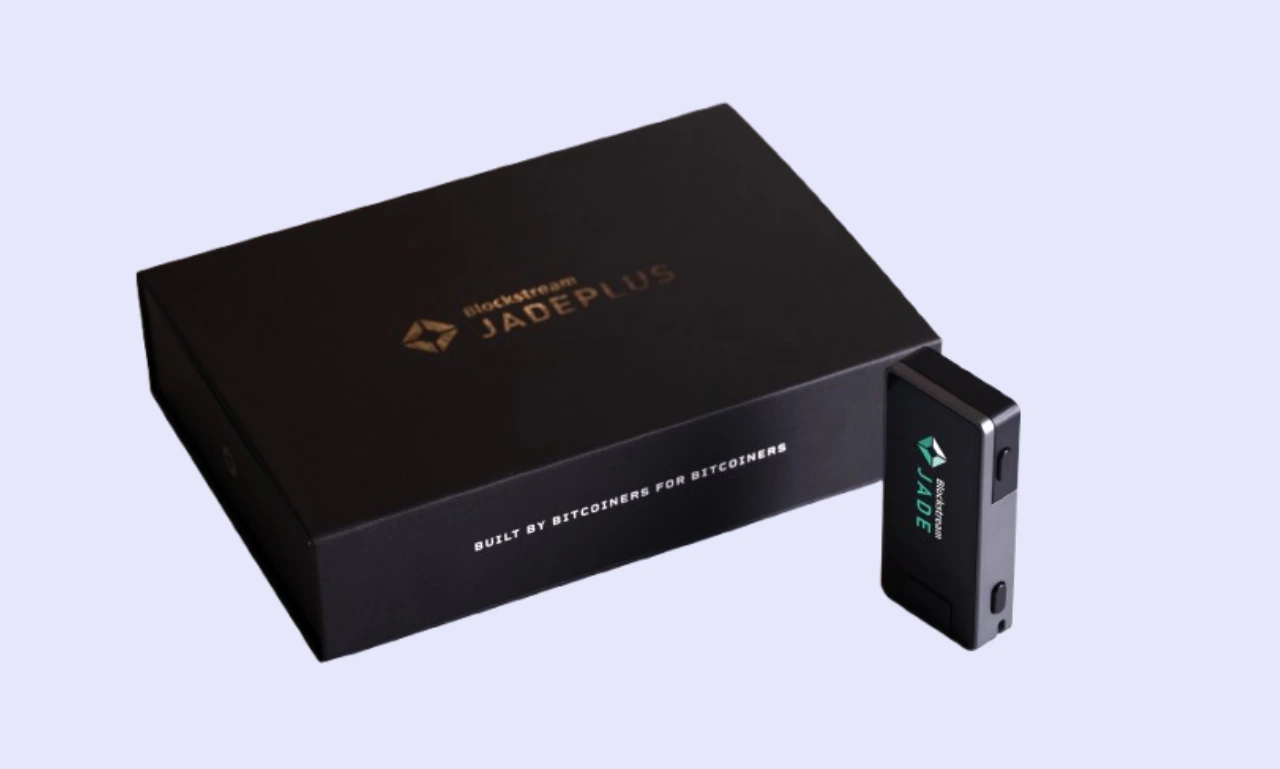
The Blockstream Jade and Jade Plus both come in similar packaging. Blockstream ships them in a plain box, which helps to combat supply-chain attacks. The devices are double-boxed and sealed with plastic film and tamper-evident holographic stickers with the Blockstream logo.
It would be nice to see some Blockstream logos added to the plastic film to make replication more challenging, along with additional anti-tamper stickers, particularly over Jade’s USB-C port. However, the packaging currently protecting Blockstream devices is still highly secure.
If a manufacturer packs a device poorly, it’s far easier for a bad actor to intercept and clandestinely modify it, compromising the wallet and stealing funds. Always check the anti-tamper protections before using a hardware wallet. If any look suspicious, contact Blockstream customer support to organize a replacement.
What’s in the box?
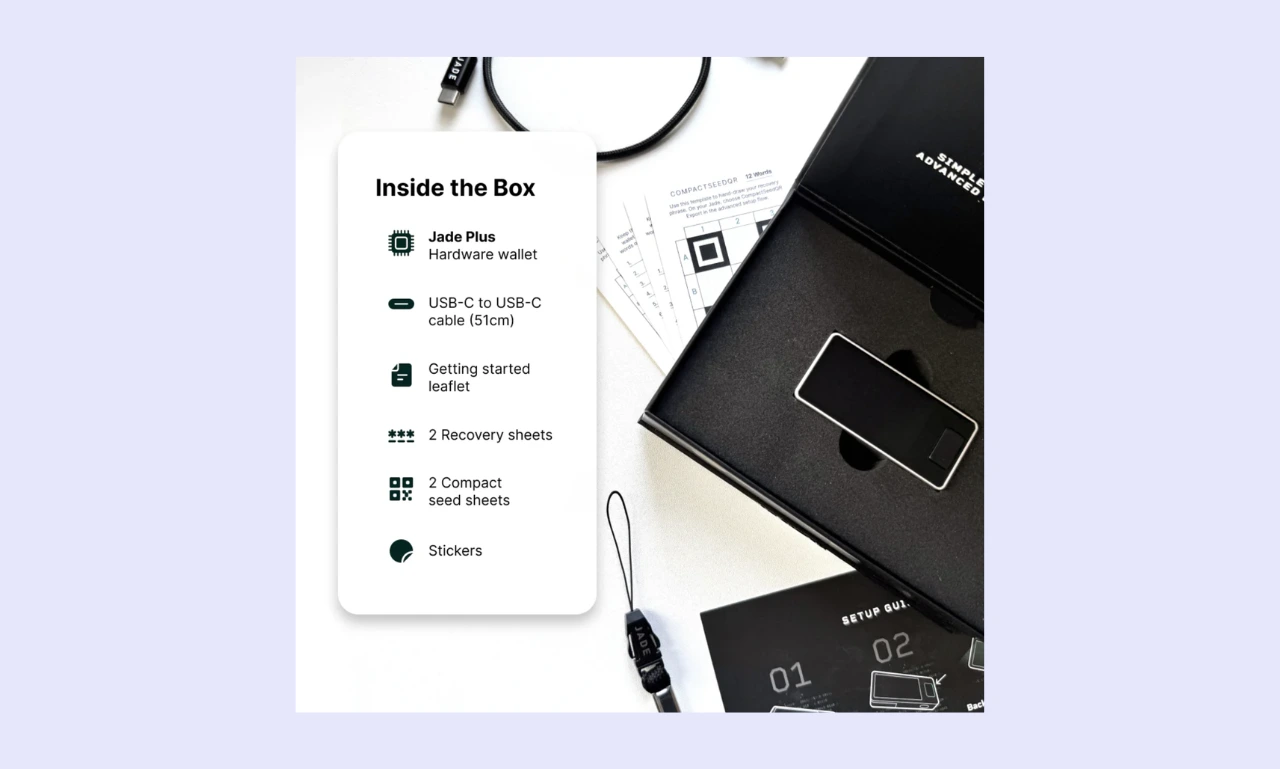
The following items are included in the box when you buy a Blockstream hardware wallet:
- 1x Hardware wallet (Jade Classic or Jade Plus)
- 1x USB-C to USB-C Cable
- 1x Getting started guide
- 3x Recovery sheets (2x with the Jade Plus + 2x compact seed sheets)
- Stickers (Jade Plus-only)
While manufacturers like Ledger and BitBox include lanyards, branded stickers, and other accessories, Blockstream sticks to the essentials. It includes everything a user needs to get started with crypto cold storage.
Build Quality
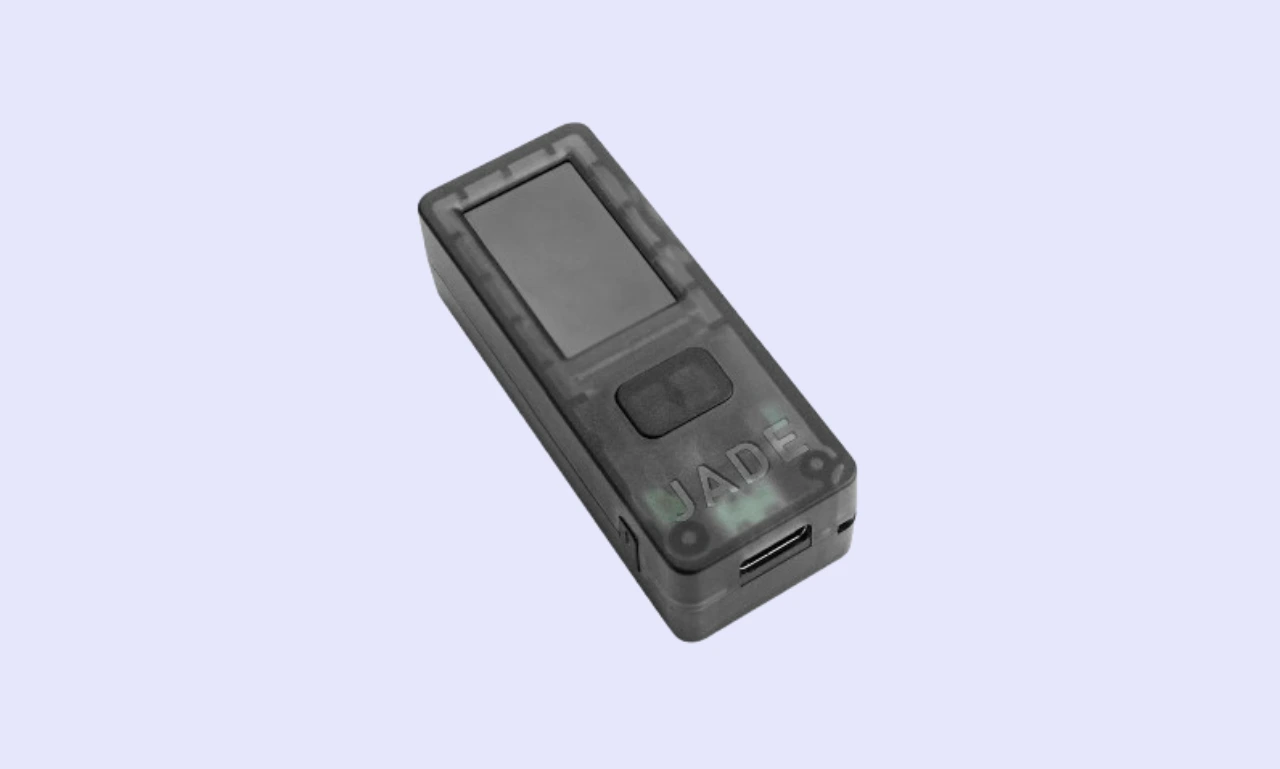
The Blockstream Jade Classic feels robust in the hand despite weighing in at just 21 grams. It’s predominantly plastic, but Blockstream has included a textured finish that makes it easier to grip.
It’s worth noting that there are two options for the Jade Plus’s construction: metal ($169) or plastic ($149). The functionality between each option is the same. However, metal variants feel considerably more premium/durable. That said, at 30 grams, it’s difficult to tell apart from the Jade Classic by weight alone.
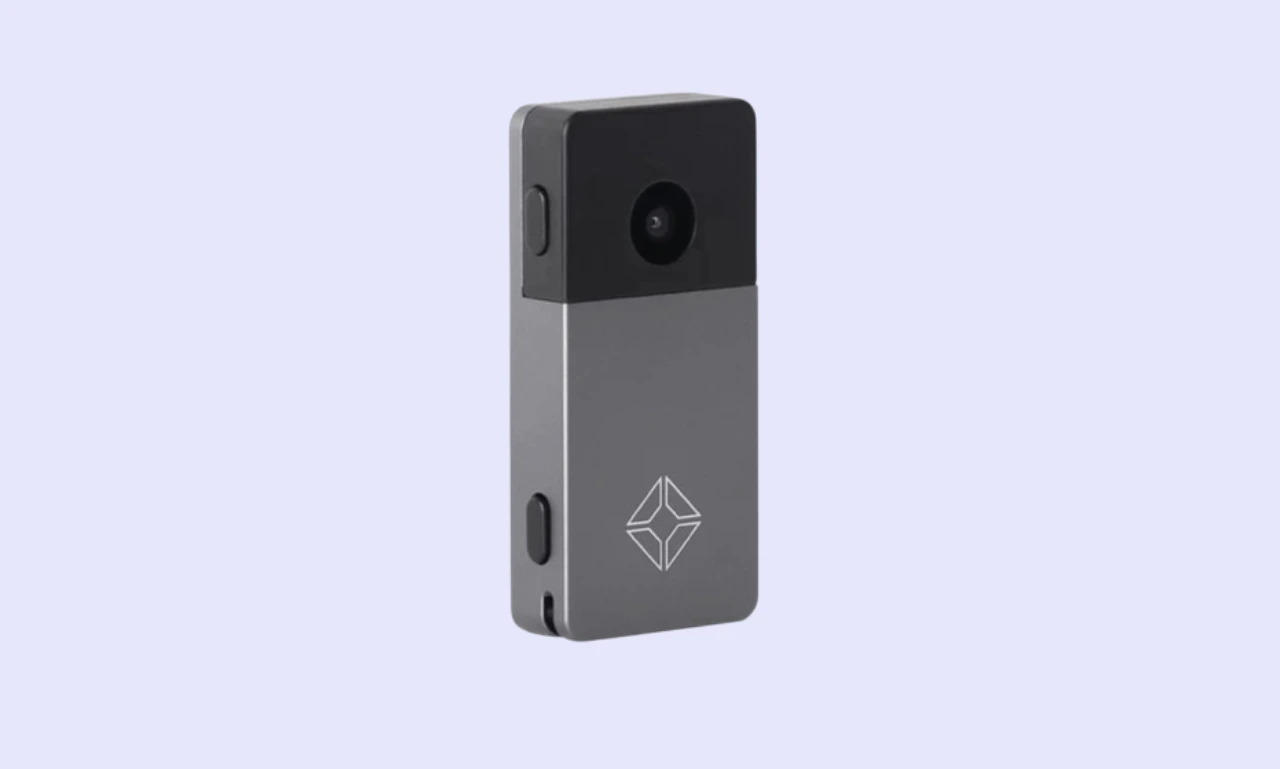
Aesthetics is a weak area for the Jade Classic. Blockstream built the device from semi-transparent plastic held together with screws and made it available in four colors. While the design could be worse, a transparent plastic rectangle doesn’t look particularly sleek or modern.
By contrast, the Jade Plus features a considerably more appealing design. It has a metal case that comes in six colors and an attractive black accent around the camera unit. Most of the front of the device is covered by a glass display, giving it a stylish, futuristic look.
How to Set Up Blockstream Jade
When you’re using a wallet for the first time, figuring out the setup process can be challenging. Hardware wallets differ significantly; some don’t even have a display. As such, a streamlined user experience is essential.
Step-by-step setup guide:
Setting up a Blockstream Jade wallet can be challenging if you’re unfamiliar with how these security devices operate, which is why we’ve created a step-by-step Blockstream setup guide:
Step 1: Turn on the device.
First, you’ll need to turn on your Blockstream Jade. You can plug it into a computer or mobile device via USB-C, or charge and turn it on by holding the power button (required when setting up via Bluetooth).
Step 2: Set up your Jade
Next, you’ll need to set up your wallet. There are two options: ‘Begin Setup’, the standard method recommended for most people, and ‘Advanced Setup’, which lets the user change the recovery phrase length and add a BIP39 passphrase.
Step 3: Restore or create a new wallet
Users can either create a new wallet or restore an existing one by entering the associated seed phrase. Doing so will recover all the assets the wallet stores. However, you should only recover a wallet containing Bitcoin or Liquid Network tokens because Blockstream doesn’t support any other assets.
Step 4: Backup seed phrase
Before you transfer assets to your new Blockstream Jade wallet, it’s essential to back up your seed phrase. Never store it digitally, for example, as a photo or text document. Instead, utilize analog methods like pen and paper. Luckily, at least 2 seed phrase cards come with every order. Alternatively, Blockstream sells metal seed phrase storage devices for $99-$149.
Step 5: Connect to a companion app
To finalize the setup process, you must connect your Jade hardware wallet to a companion app. Blockstream recommends its own app (Green Bitcoin Wallet), but other third-party wallets work too. Ensure you complete the setup process fully. If you do not set up a PIN, the wallet will not save your recovery phrase.
Ease of Use
If you’re wondering how to use a Blockstream device, the process is fairly simple. After completing the initial setup, your wallet is ready. I found Blockstream’s Jade wallets intuitive and easy to use. The Blockstream App, while lacking features, was equally easy to get to grips with.
To confirm a transaction, you need to sign it with your Jade Classic or Jade Plus. Unfortunately, transaction signing can be inconvenient in many hardware wallets. However, Blockstream offers multiple signing methods, including USB-C, Bluetooth, and QR codes, which streamline the process.
If you don’t have much experience with cryptocurrency or are new to the wider Bitcoin ecosystem, it can be somewhat challenging to understand the Liquid Network and the Lightning Network. While knowledge of these networks isn’t crucial, Blockstream frequently mentions them, which creates a slight learning curve.
Display & Buttons/Touchscreen
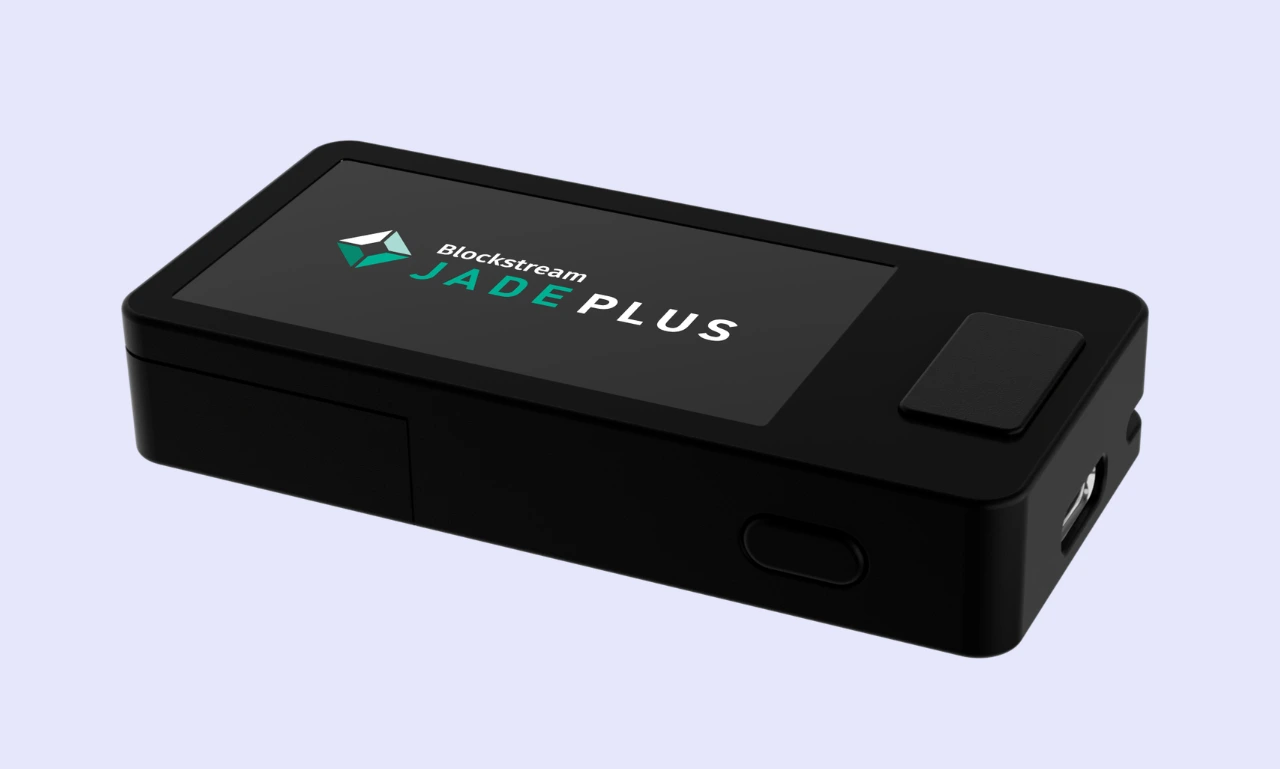
A large, clear display makes it much easier to verify sensitive information, such as wallet addresses.
While many hardware wallets are opting for touchscreens, which I find difficult to operate on smaller devices, Blockstream has implemented relatively large displays with physical buttons, which is a more convenient system.
The Jade Classic features a 1.14-inch IPS display, a clickable scroll wheel for navigation, and a central button for confirming actions. Jade Plus devices feature a larger 1.9-inch display, two edge navigation buttons, and a front-facing confirmation button. Both devices feature a vibrant display suitable for low-light applications.
In my experience, the Jade Classic and Jade Plus are both clear and easy to read. The Jade Plus is slightly better to use, as the navigation buttons are easier to access quickly. I found both devices highly responsive and suitable for day-to-day use.
Blockstream Wallet Security Features
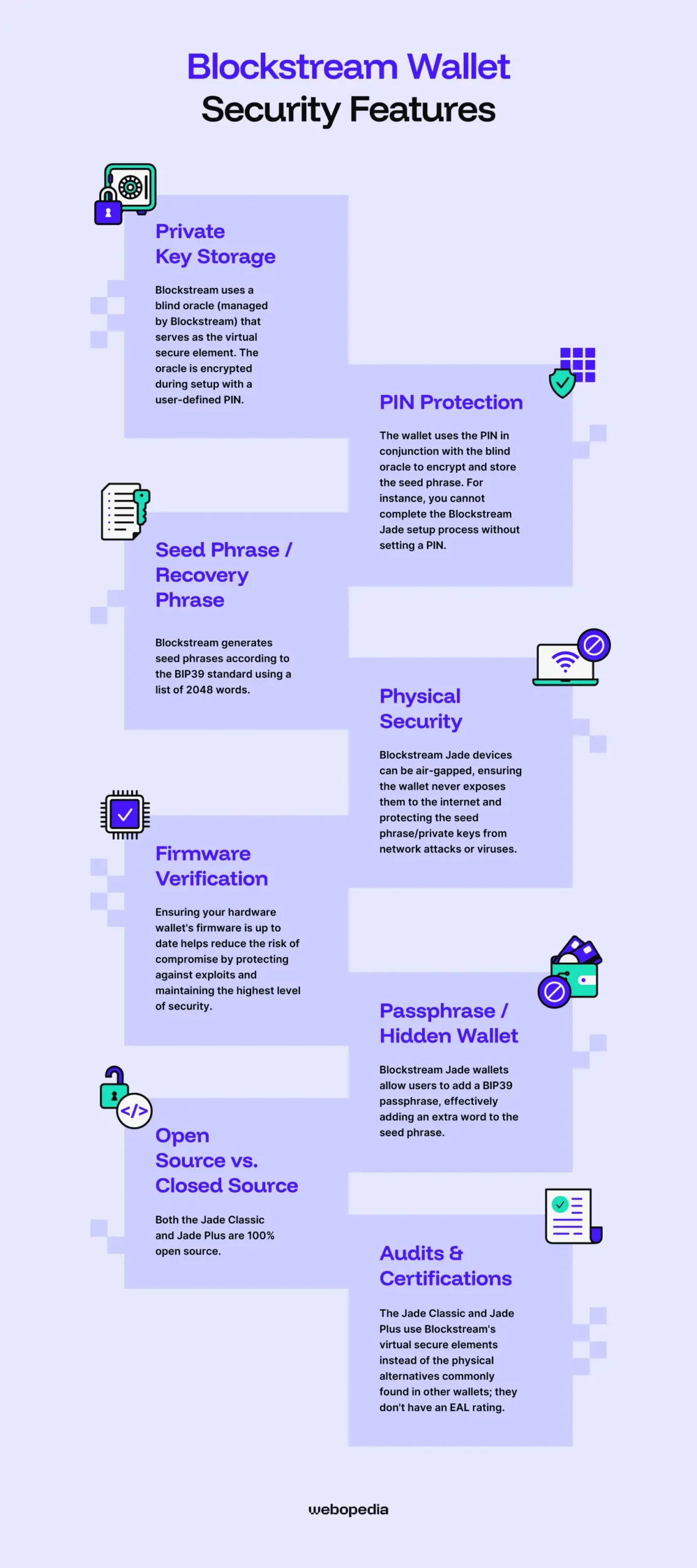
While they may boast trading capabilities or other convenience features, hardware wallets are security devices first and foremost. Is Blockstream safe? The Jade Classic and Jade Plus both offer robust protection.
Private Key Storage
Blockstream’s secure elements are virtual rather than physical chips, unlike those commonly used by alternative devices.
A blind oracle (managed by Blockstream) functions as the virtual secure element. The oracle is encrypted during setup with a user-defined PIN. After entering your PIN during login, the companion app and blind oracle communicate, allowing the private key/seed phrase to be decrypted.
Blockstream’s approach is at odds with the broader hardware wallet industry, which typically stores seed phrases on-device, either in RAM or a secure element. While Blockstream’s virtual secure element system is somewhat unusual, it ensures that a bad actor cannot extract the seed from the hardware wallet (although this is already unlikely).
PIN Protection
During setup, users must choose a PIN. The wallet uses the PIN in conjunction with the blind oracle to encrypt and store the seed phrase. You cannot complete the Blockstream Jade setup process without setting a PIN. You must input the PIN every time you access your wallet, so choose something memorable.
To protect yourself in an emergency where a bad actor may force you to unlock your wallet, Blockstream features a wallet-erase or duress PIN. When entered, it completely wipes the device of all data. However, you’re not locked out forever; you can always recover your wallet. It just discourages bad actors from accessing your wallet, especially when you are forced.
It’s crucial to understand that if you lose or forget your PIN, there is no way to recover the wallet except by using the seed phrase to restore it. As such, you should always store your seed phrase offline (e.g., on paper) and create multiple backups, ideally storing one off-site.
Seed Phrase / Recovery Phrase
Blockstream generates seed phrases according to the BIP39 standard using a list of 2048 words. Randomness is essential to seed phrase security, so Blockstream uses a hardware random number generator and seven sources of entropy, including user input, battery state, ambient temperature, and images captured during boot.
Seed phrases are used to recover a wallet and its funds. They’re unique, but not tied to a certain user. Anyone with a seed phrase can recover and access the associated wallet.
As such, creating a backup and storing it securely is essential. The best practise is to store it offline, using an analog method like pen and paper. Never store your seed phrase digitally, especially not on an internet-connected device, as doing so leaves you vulnerable to network attacks and viruses.
Physical Security
In addition to tamper-evident packaging, which we’ve already discussed, Blockstream Jade hardware wallets offer impressive physical security measures.
Blockstream Jade devices can be air-gapped, ensuring the wallet never exposes them to the internet and protecting the seed phrase/private keys from network attacks or viruses.
The Jade Classic enables air-gapped transactions by integrating a camera unit that can scan QR codes to sign transactions. In addition to this method, the Jade Plus offers an even more secure air-gap system. The $29 JadeLink connects to the Jade Plus and provides firmware updates without requiring USB/Bluetooth connections.
The seed phrase is the heart of a crypto wallet, so diligently protecting it is essential. Blockstream offers two metal seed storage solutions enabling people to permanently store their seed without worrying about damage from fire, water, or time. The Metal Capsule costs $99, and the Metal Plate is $149.
Firmware Verification
There are four ways to update the firmware on your Blockstream Jade.
- The simplest method is using the Blockstream app. After completing the initial setup, the Blockstream app will prompt you to update whenever a new firmware version becomes available. USB or Bluetooth connection is supported.
- If you’re using third-party wallet software instead of the Blockstream app, you can still upgrade your firmware without difficulty. Connect your Blockstream Jade to a computer via USB, then use the official Update Web Portal.
- If you’re a Jade Plus user, you can use the JadeLink accessory to update firmware without connecting your hardware wallet to a computer, maintaining a constant air gap.
- Alternatively, technically savvy users can clone the Blockstream Jade GitHub repository and update their device via the command-line interface.
Ensuring your hardware wallet’s firmware is up to date helps reduce the risk of compromise by protecting against exploits and ensuring you always have the best level of security. As such, familiarizing yourself with the Blockstream firmware update process is essential.
When you connect your Blockstream Jade to a computer or mobile device, the blind oracle uses Secure Boot v2 to automatically verify the firmware’s authenticity. You can check manually via the Blockstream authenticity checker. Only firmware officially signed by Blockstream will run on the Jade Classic or Jade Plus.
Passphrase/Hidden Wallet
Blockstream Jade wallets allow users to add a BIP39 passphrase, effectively adding an extra word to the seed phrase. Passphrase wallets are separate from the primary wallet. Inputting two different passphrases will open two different wallets.
Users can set a passphrase during initial setup or later via their Blockstream Jade settings. It’s possible to manually create a passphrase or generate one using the BIP39 wordlist. The latter option can consist of multiple words, and the Blockstream Jade will recommend words as you type, enabling faster inputs.
There are multiple benefits to setting up a passphrase wallet. Most notably, they keep you safe when under duress. For example, if a criminal is forcing you to unlock your wallet and transfer funds, the bulk of your assets can be stored in passphrase wallets, helping to minimize losses.
However, passphrase wallets can also help to separate funds. I like to maintain one passphrase wallet for savings, another for long-term investments, while keeping everything else in the account. It prevents funds from being commingled and accidentally used for payments.
Open Source vs. Closed Source
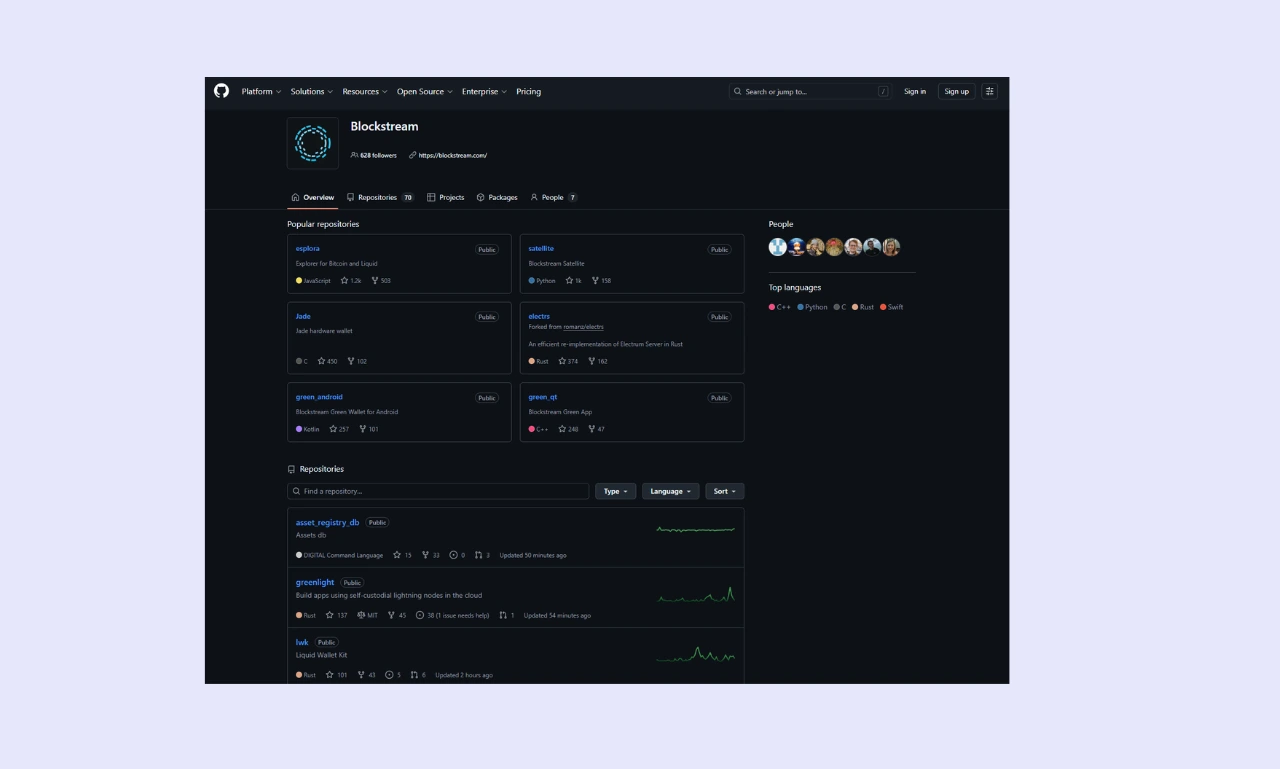
During my Blockstream review, I found that both the Jade Classic and Jade Plus are 100% open source. Users can view the firmware and app code on GitHub. Unlike Ledger, Trezor, and other Bitcoin wallets, Blockstream even lets people create their own Bitcoin-only hardware wallets using its firmware and off-the-shelf components.
Cryptocurrency investors generally prefer open-source software because it aligns better with the industry’s core ethos: transparency and decentralization. However, the reality is that there’s no concrete answer to which option is best. Personally, I prefer open-source software as anyone can review code to ensure nothing malicious has slipped in.
Audits & Certifications
Because the Jade Classic and Jade Plus use Blockstream’s virtual secure elements instead of the physical alternatives commonly found in other wallets, they don’t have an EAL rating. However, this doesn’t mean Blockstream devices are less secure; they simply don’t feature a chip that can be EAL-rated.
Blockstream is currently investigating the potential of an independent, third-party security audit, but it hasn’t undergone one yet. That said, DARKNAVY, a security research firm, reviewed the codebase and reported vulnerabilities, which Blockstream promptly acknowledged and fixed.
Most hardware wallets implement Evaluation Assurance Level (EAL)-rated security chips. They’re trusted by the community and manufactured to high standards. Similarly, independent audits ensure that a product is secure and cannot be easily exploited, making them an invaluable trust metric when evaluating hardware wallets.
Supported Cryptocurrencies & Tokens
You can’t decide whether to buy a hardware wallet without researching which tokens it can store. If a wallet lacks support for assets in your portfolio, it’s going to be extremely inconvenient to use regularly.
Native Support
Most crypto storage devices are designed to hold a vast array of crypto assets across multiple blockchain networks. However, Blockstream Jade wallets focus exclusively on the Bitcoin ecosystem. It can store Bitcoin and all assets issued on the Liquid Network, including USDT and BMN.
There’s only a handful of Blockstream-supported coins. Investors who want to protect non-Bitcoin assets should consider alternatives such as Tangem or the Trezor Safe 5.
ERC-20 Tokens & Other Standards
Because Blockstream’s wallets are designed exclusively for Bitcoin, they’re not viable Ethereum wallets. Blockstream doesn’t support ERC20, SPL, TRC20, or any other token standards. However, users can store Bitcoin, Bitcoin on the Lightning Network, and assets built on the Liquid Network, which slightly improves compatibility.
NFT Support
NFTs are well-known, unique crypto assets that became ubiquitous in 2021. Today, they’re less popular, but there’s still significant demand, so it’s common for multi-asset wallets to support NFTs. However, NFTs rely on smart contracts, which aren’t part of the Bitcoin ecosystem, so they’re unsupported by Blockstream wallets.
However, users can use a Blockstream Jade connected to a third-party wallet like Sparrow to store ordinals, which are individual satoshis (the smallest Bitcoin unit) inscribed with data, including text and images; essentially, Bitcoin NFTs.
Integration with Wallets/DApps
Decentralized Applications (dApps) are self-executing applications that exist on the blockchain. Most dApps are built on smart-contract-enabled networks like Ethereum or Solana, which means that they aren’t compatible with the Blockstream Jade.
However, users can connect to certain external services, including BTCPay Server (crypto payment processing), SideSwap (a decentralized exchange), and Bittr (a Bitcoin exchange).
You want to enhance your cryptocurrency security with a Blockstream Jade while still using your preferred wallet app. Blockstream Jade devices can connect to 11 officially supported third-party wallets, including Blue Wallet, Nunchuk, and Electrum.
While researching for this Blockstream review, I learned that the devices also feature a Hardware Wallet Interface (HWI), which enables Bitcoin Core connections.
Connectivity & Compatibility
Everyone has different preferences for managing a hardware wallet. Personally, I prefer handling smaller transfers on mobile devices while managing my main portfolio on a desktop computer. There’s no right or wrong option, just carefully consider your requirements before making a purchase.
Connection Type
Users can connect their Blockstream Jade to a desktop or mobile device via USB-C or Bluetooth. With both options, Blockstream wallets are compatible with almost every device. Moreover, if you’re not a fan of the Bluetooth implementation, Blockstream sells a radioless version with it disabled.
A significant advantage of Blockstream Jade devices is their support for multiple connectivity options. While many wallets limit connection options to minimize potential avenues of attack and enhance security, often at the expense of convenience, Blocksteam makes physical seed phrase extraction impossible through its virtual secure element.
Device Compatibility
Users can connect their Blockstream Jade to desktop computers or Android mobile devices via USB-C or Bluetooth. iOS devices are supported, but users must connect them via Bluetooth.
Being able to use a hardware wallet with mobile and desktop devices is a significant advantage. You may prefer managing your portfolio on a big screen, but need to maintain control when travelling. By offering wired and wireless methods, Blockstream Jade ensures that everyone’s preferences are accounted for.
Companion App/Software
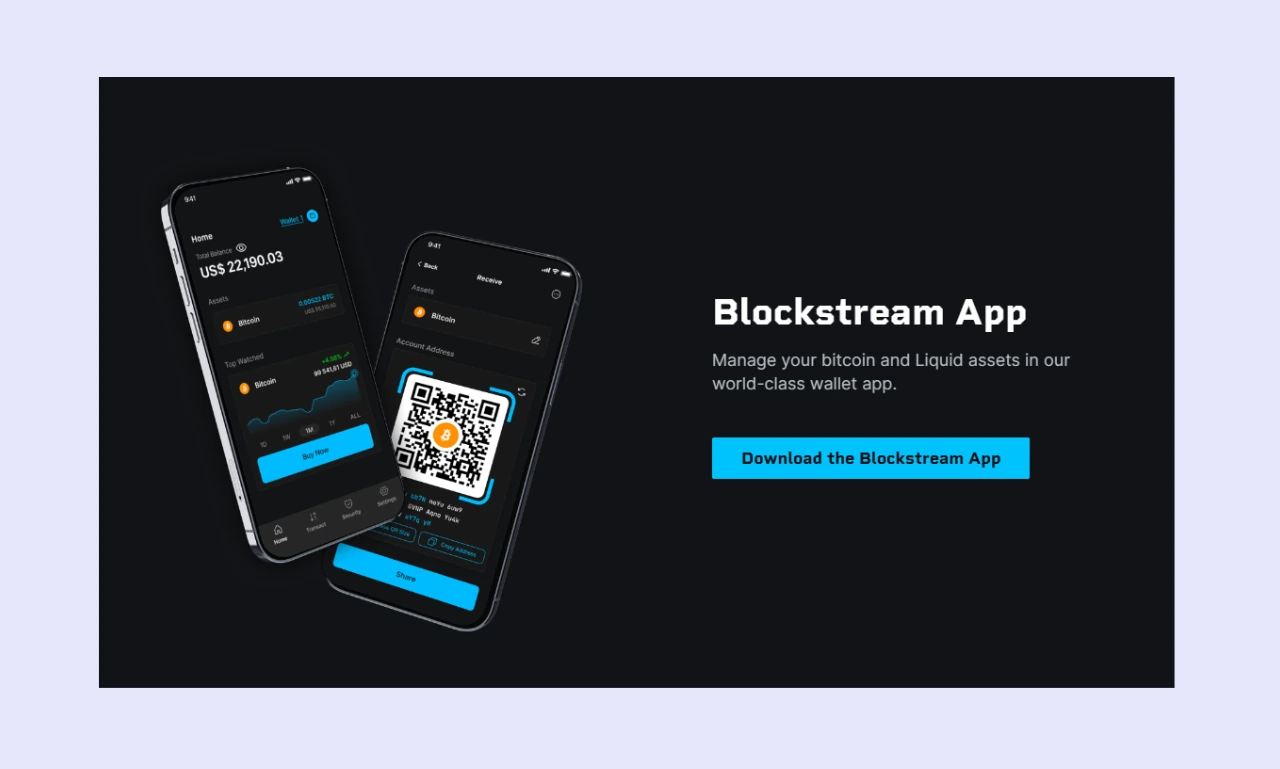
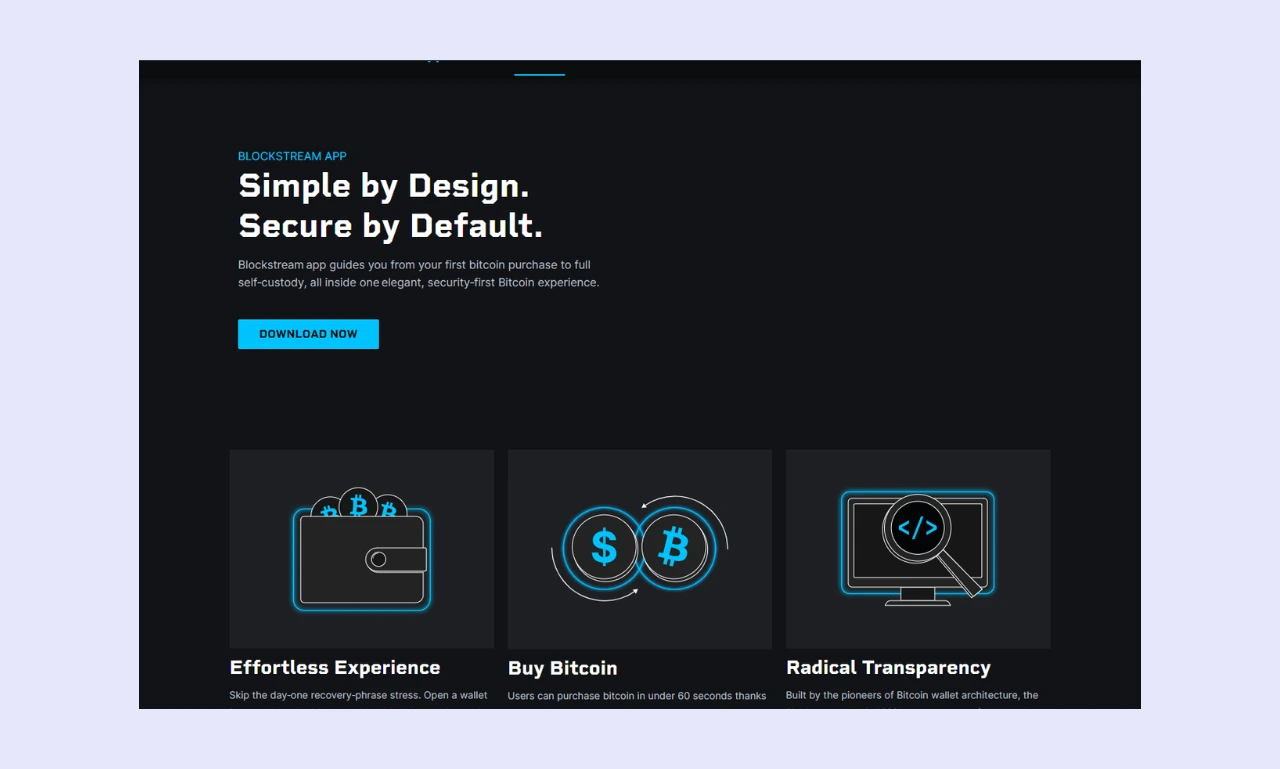
While you can use Blockstream Jade wallets with a variety of third-party wallets, they’re primarily designed for use with the Blockstream App.
Available on desktop (Windows, Linux, and MacOS) and mobile (Android and iOS), the Blockstream app is accessible, regardless of your device preferences. It provides a convenient and streamlined Bitcoin management experience. While it primarily focuses on crypto storage, users can also buy Bitcoin in-app through its exchange integrations.
The app supports 14 languages, including English, German, and Spanish. Like Blockstream’s firmware, the companion app is 100% open source. Moreover, people can download and use it immediately, without even requiring a Blockstream Jade (although pairing with one significantly enhances security).
Blockstream Wallet Advanced Features
The best hardware wallets typically include additional, advanced tools that enhance convenience or provide extra functionality. These features aren’t crucial, but understanding what a wallet offers helps prospective buyers make a well-informed decision on which is right for them.
Staking & DeFi Integration
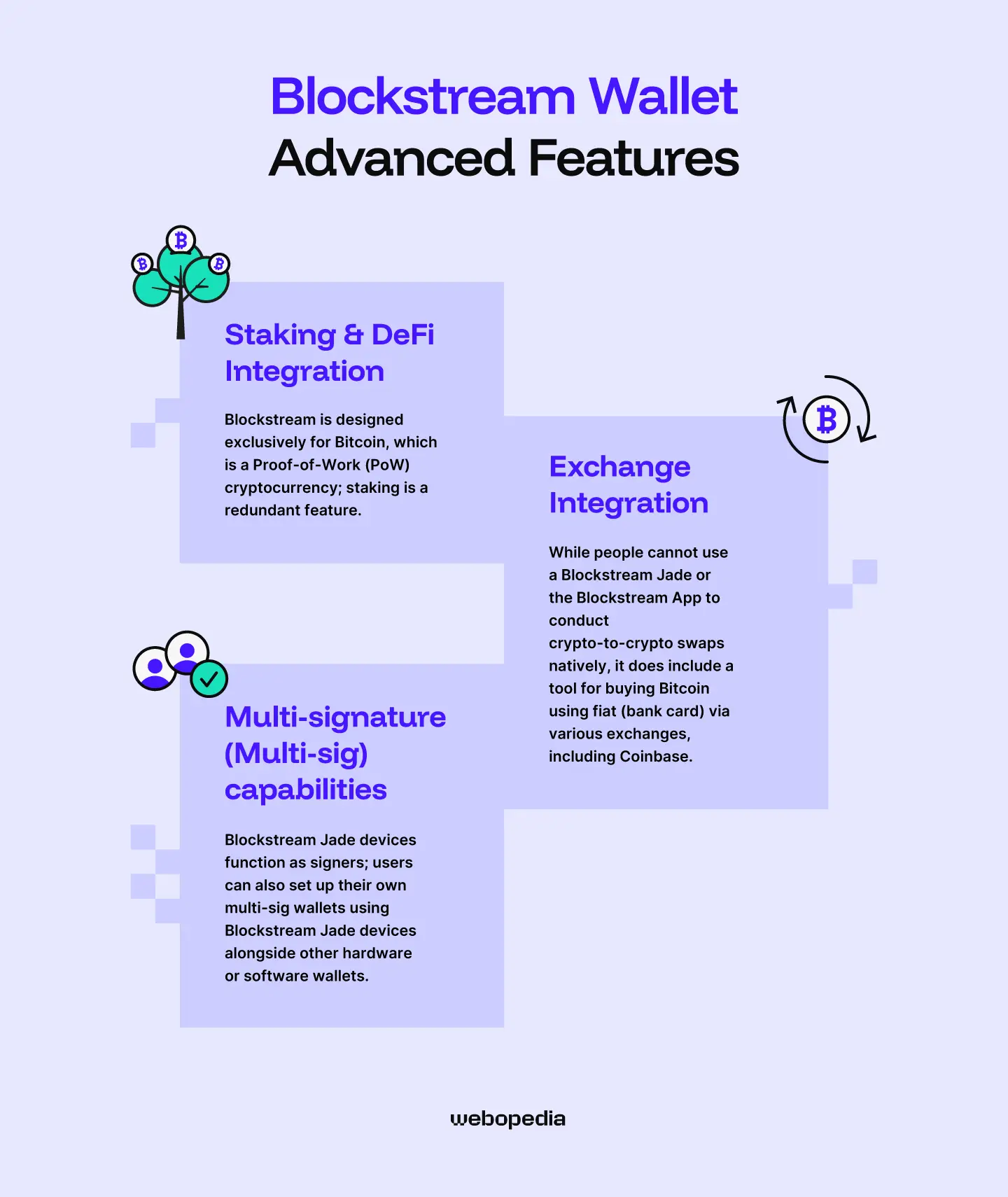
Because Blockstream is designed exclusively for Bitcoin, which is a Proof-of-Work (PoW) cryptocurrency, staking is a redundant feature. The same is true for dApps and Decentralized Finance (DeFi) platforms, which typically rely on smart contracts.
If you want to store Proof-of-Stake (PoS) cryptocurrencies and earn rewards by validating transactions or contributing to network security, then you’ll need to use an alternative, multi-asset wallet instead of one focused solely on the Bitcoin ecosystem.
Exchange Integration
While people cannot use a Blockstream Jade or the Blockstream App to conduct crypto-to-crypto swaps natively, it does include a tool for buying Bitcoin using fiat (bank card) via various exchanges, including Coinbase.
However, it’s worth noting that only purchases are supported; investors cannot sell their Bitcoin. Additionally, fees for buying Bitcoin via the Blockstream App may be higher than those on a dedicated exchange. If you’re not in a rush, we always recommend using a trusted exchange with competitive fees, like Binance.
Multi-signature (Multi-sig) capabilities
While testing out various features for this Blockstream review, I found that users have access to several multi-sig tools:
- 2-of-2: Effectively a Two-Factor Authentication (2FA) system. There are two keys, both of which are needed to sign a transaction. One is stored on your mobile or desktop device and protected by a PIN and a 24-word recovery phrase; the other is stored on Blockstream’s servers.
- 2-of-3: While not available for Liquid wallets, 2-of-3 accounts function similarly and provide the same level of protection as 2-of-2 setups. However, they provide an additional recovery option: an additional 24-word phrase.
Blockstream Jade devices function as signers; users can also set up their own multi-sig wallets using Blockstream Jade devices along with other hardware or software wallets. This approach could be the superior choice for investors who prioritize privacy and security, as it involves no central authority or intermediaries.
Multi-sig wallets add protection by requiring approval from multiple signers before a transaction can be authorized. However, requiring multiple wallets reduces convenience and increases costs. That said, multi-sig is an excellent setup for applications that require high trust and require multiple parties to access a single pool of funds.
Pricing & Value for Money
If you’re debating whether to buy an offline wallet, then competitive pricing is essential. If your portfolio is relatively small or you’re trying to keep costs down, there’s no reason to purchase a premium hardware wallet, which typically costs between $150 and $300.
Current Price
Before you purchase a Jade Classic or Jade Plus, always consider Blockstream’s pricing.
The Blockstream Jade Classic costs $79 and competes with budget wallets like the Trezor Safe 3 ($59) and the SafePal S1 ($49). It’s secure, portable, and highly compatible with mobile and desktop devices. However, the transparent plastic shell gives a less premium look/feel.
If you’re looking for a higher-quality experience, the Jade Plus delivers. It’s more than double the cost of the Jade Classic at $149 (plastic) or $169 (metal). The Blockstream Jade features a far sleeker design, with a larger screen and a more durable feel, but each device’s security features are similar.
What’s included
Blockstream Jade wallets include everything you need to get started with hardware wallet security<, including three sheets for writing down recovery phrases. However, the Blockstream App is relatively limited, not offering a way to sell Bitcoin, swap cryptocurrencies, stake assets, or interact with dApps.
Moreover, Blockstream includes no accessories with the Jade Classic, although Jade Plus buyers get a few branded stickers. While the lack of extras isn’t significant, wallets like the Ledger Nano X feel more premium thanks to branded lanyards and stickers.
Is it worth it?
Is a Blockstream Jade wallet a good choice? The answer is heavily dependent on your personal requirements. The wallets offer robust security and a convenient companion app. Moreover, the passphrase system and third-party wallet support are significant benefits. However, Blockstream’s limited asset support drastically reduces usability.
If you’re a dedicated Bitcoin investor or regularly transact via the Lightning Network, then Blockstream’s wallets are worth checking out. The Jade Classic and Jade Plus are also the only hardware wallets that support Liquid assets. However, the Jade Classic offers the best value, as it’s cheaper and provides comparable security.
However, if you want to store assets other than Bitcoin, you’ll need another wallet. For example, a Tangem (costs $54.90 and can store 16,000+ assets). Likewise, if you’re looking for native trading/staking/dApp capabilities, then there are better alternatives.
Blockstream Jade Products
There are two Blockstream Jade hardware wallets, but which is right for you?
Blockstream Jade Classic
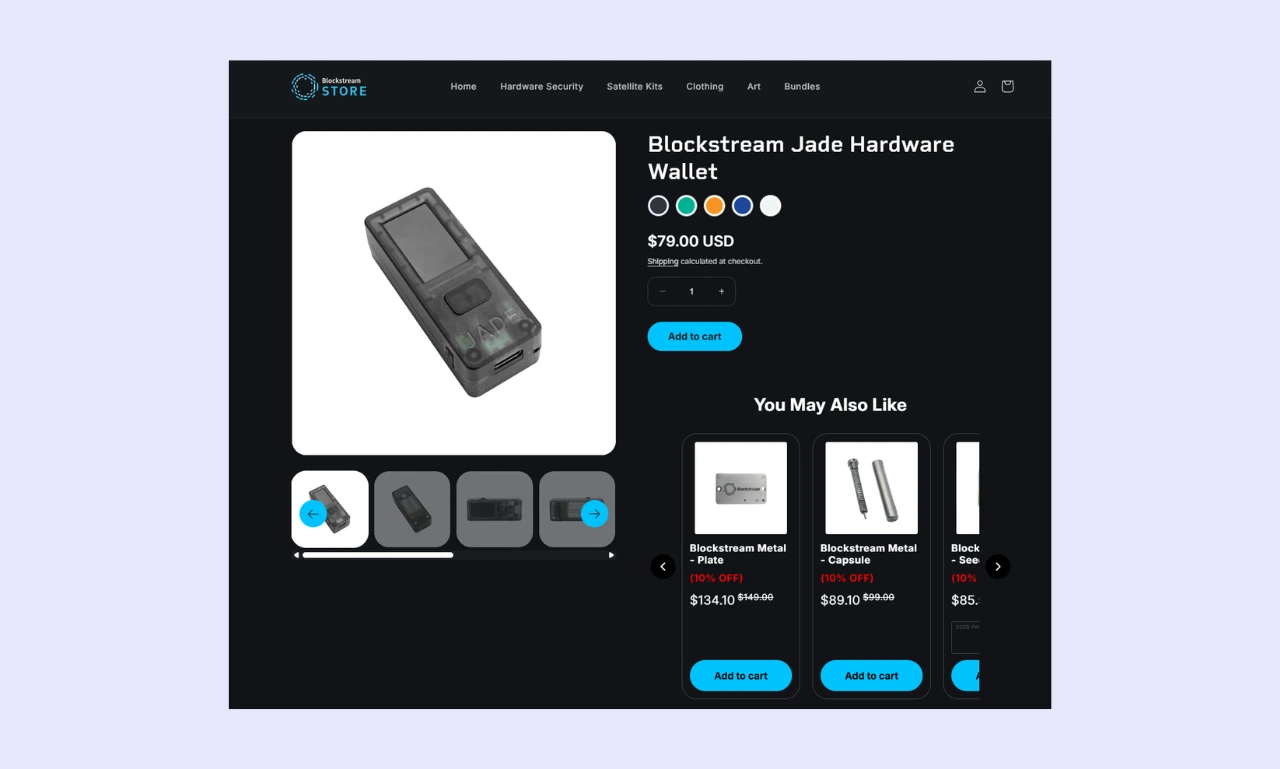
The Blockstream Jade Classic is the company’s budget offering, costing just $79. Despite its price tag, the device delivers the same security as the Jade Plus (virtual secure element, passphrase, duress PIN, etc.), except for JadeLink compatibility and automatic device authenticity checks.
Dedicated Bitcoin investors seeking a cost-effective storage solution for digital asset protection should consider the Jade Classic. It’s powerful, easy to use, and handles the essentials well.
Blockstream Jade Plus
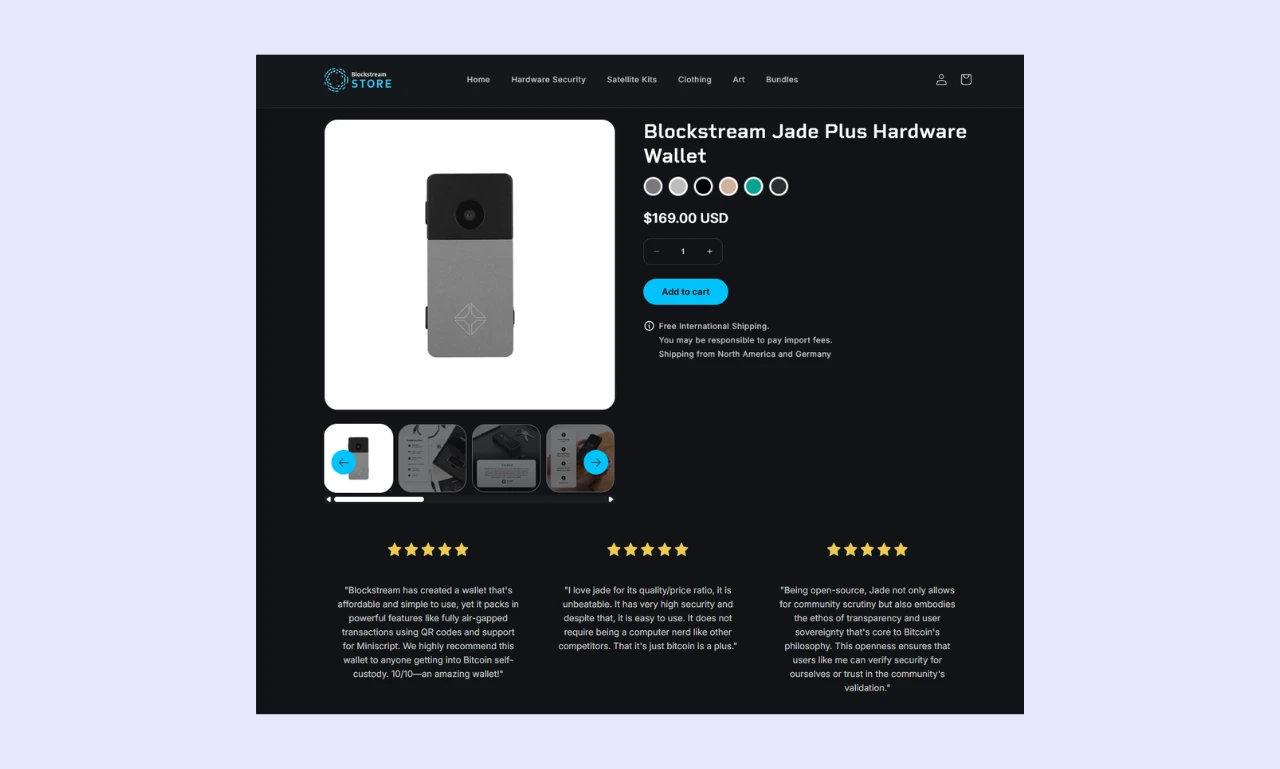
The Blockstream Jade Plus costs almost $100 more than the classic ($149 to $169), so it’s hard to justify, since it doesn’t offer much extra security beyond air-gapped firmware updates via JadeLink, which adds an extra $29 to an already expensive purchase.
If you value a premium device, air-gapped updates, and a more durable construction, then the Jade Plus could be worth considering. Its metal body, larger display, and automatic authenticity checks give it a definite edge over the Jade Classic.
Blockstream Hardware Wallets – Compared
Determining which hardware wallet is best can be difficult. You need to read multiple hardware wallet reviews and keep track of features across various products. However, having everything displayed clearly in a table can make things much easier.
| Wallet Name | Blockstream Jade Classic | Blockstream Jade Plus | Trezor Safe 5 | Tangem |
|---|---|---|---|---|
| Security Architecture | Fully open-source, virtual secure element | Fully open-source, virtual secure element, air-gapped | Fully open-source, EAL6+ secure element | Fully open-source, EAL6+ secure element, air-gapped |
| Supported Assets | Bitcoin + Liquid Network assets | Bitcoin + Liquid Network assets | 1,500+ | 16,000+ |
| Price | $79 | $149 to $169 | $129 | From $54.90 |
| Ease of Use | Beginner-friendly | Beginner-friendly, larger screen is easy to read | Easy to set up and use | Card-based wallets take some getting used to |
| Connectivity | USB-C, Bluetooth, QR codes | USB-C, Bluetooth, QR codes, microSD | USB-C | NFC |
| Display | 1.14-inch | 1.9-inch | 1.54-inch touchscreen | N/A |
| Advanced Features | Passphrase system, third-party wallet connectivity, fiat on-ramp | Passphrase system, third-party wallet connectivity, fiat on-ramp | Staking, buy/sell crypto, dApp connectivity | Air-gapped, native staking, buy/sell crypto, dApp support |
| Build Quality | Moderate, made from transparent plastic | Premium, mostly metal | Solid, made from durable plastic | Durable plastic, IP67K-rated |
| Customer Support | Help center, live chat, ticket system | Help center, live chat, ticket system | Help center, ticket system | Help center, ticket system |
- Blockstream Jade devices are tailored exclusively for Bitcoin and Liquid Network assets, while Tangem wallets can store thousands of assets.
- While the Trezor Safe 5 lacks support for iOS devices and Tangem doesn’t support desktop computers, you can use Blockstream Jade devices on desktops and Android/iOS mobile devices.
- Instead of the physical secure elements used by Tangem and Trezor, Blockstream has implemented virtual secure elements, making Jade devices resistant to attempts to physically extract seed phrases or private keys.
Who is Blockstream Best Suited For?
Blockstream Jade hardware wallets are well-designed, affordable, and highly secure. However, they’re designed for a particular group of investors, not for general, day-to-day use.
If you exclusively hold Bitcoin or want a separate wallet to interact with the broader Bitcoin ecosystem (Lightning and Liquid Networks), then a Blockstream Jade is a great choice. However, people looking to interact with dApps or store multiple assets in a single wallet should consider an alternative.
Conclusion & Final Verdict
Throughout this Blockstream review, we’ve examined the Jade Classic and Jade Plus hardware wallets, comparing their features, security, and versatility with those of other popular cold storage devices.
Our findings indicate that Blockstream wallets are excellent choices for people who invest solely in Bitcoin (and Liquid Network assets), but they’re ineffective for DeFi enthusiasts or people with diverse portfolios. For most people, we recommend the Jade Classic over the Jade Plus because it’s cheaper and just as secure.
FAQs (Frequently Asked Questions)
Can I use Blockstream with my phone?
Blockstream devices feature USB-C and Bluetooth connectivity, enabling use with both Android and iOS mobile devices. However, they also support desktop computers running Windows, macOS, or Linux, ensuring they’re highly accessible on any device.
What happens if I lose my Blockstream?
If you lose your physical Blockstream Jade wallet, you can still recover it using your seed phrase and any compatible hardware or software wallet, including non-Blockstream products. However, without your seed phrase, recovery is impossible. So, ensure it is backed up and stored securely.
Can Blockstream freeze my wallet?
The Blockstream Jade Classic and Jade Plus are non-custodial (sometimes called self-custody) cryptocurrency wallets. As such, the user has complete control over the wallet, including its seed phrase and private keys. The manufacturer cannot freeze a wallet, nor can any other intermediary or authority.
How do I update my Blockstream's firmware?
Users have four options for conducting a Blockstream firmware update. The Blockstream app is the easiest and most convenient, while the web portal is a solid alternative. Jade Plus users can purchase a JadeLink for fully air-gapped updates, while technical users may prefer to update via command line.