- Key Takeaways
- Pros & Cons of Using Trezor Wallet
- First Impressions & Unboxing
- Initial Setup & User Experience
- Trezor Products
- Trezor Wallet Security Features
- Supported Cryptocurrencies & Tokens
- Connectivity & Compatibility
- Trezor Wallet Advanced Features
- Pricing & Value for Money
- Trezor Hardware Wallets - Compared
- Who is Trezor Best Suited For?
- Conclusion & Final Verdict
- FAQs (Frequently Asked Questions)
Trezor Review 2026

- When you click links on this page, we may earn an affiliate commission. By using this website you agree to our terms and conditions and privacy policy.
- Participation in online gambling may be illegal in your country and is subject to age restrictions (18, 19, or 21, depending on the jurisdiction). Verify legality and age requirements before participating. Learn more
Hardware wallets are the safest way to store crypto assets. They store private keys used to sign transactions offline, directly on the device. Hardware wallets are non-custodial; no intermediary can manage them. Moreover, they're protected by specialized physical security measures, such as secure element chips and anti-tamper mechanisms.
Although hardware or cold wallets are excellent for maximizing protection over extended periods, there are dozens of options, and not all of them are worth investing in. However, Trezor is a leading manufacturer that has been tried and tested by the community.
Throughout this guide, we'll conduct an in-depth Trezor review, examining the company's various hardware wallet models, comparing their features, convenience, security measures, and user experience, helping readers make an informed decision on which is best suited to their individual needs. Let's get started.
Key Takeaways
- As of 2026, Trezor offers three hardware wallets (Safe 3, Safe 5, Safe 7) that share the same core security features but differ in build quality and price.
- The Safe 3 is best for general use; the Safe 5 delivers a premium experience at an affordable price; and the Safe 7 maximizes build security and build quality.
- While the Trezor Safe 3 and Safe 5 are compatible with Android devices and computers, iOS users must opt for the Safe 7 as it supports Bluetooth.
- Users can better protect their Trezor wallet by enabling a passphrase, a PIN, and Advanced Multi-Share backups.
Pros & Cons of Using Trezor Wallet
Pros
- Every device in the Trezor Safe collection features an EAL6+ secure element.
- Trezor hardware wallets are available at various prices, ranging from $59 to $249.
- Every Trezor wallet is entirely open-source.
- Trezor Safe wallets support 8,000+ crypto assets, including NFTs.
- Users can buy, sell, swap, and stake crypto via Trezor Suite.
Cons
- Trezor requires iOS users to purchase the more expensive Safe 7.
- Trezor devices do not support native multi-sig.
First Impressions & Unboxing
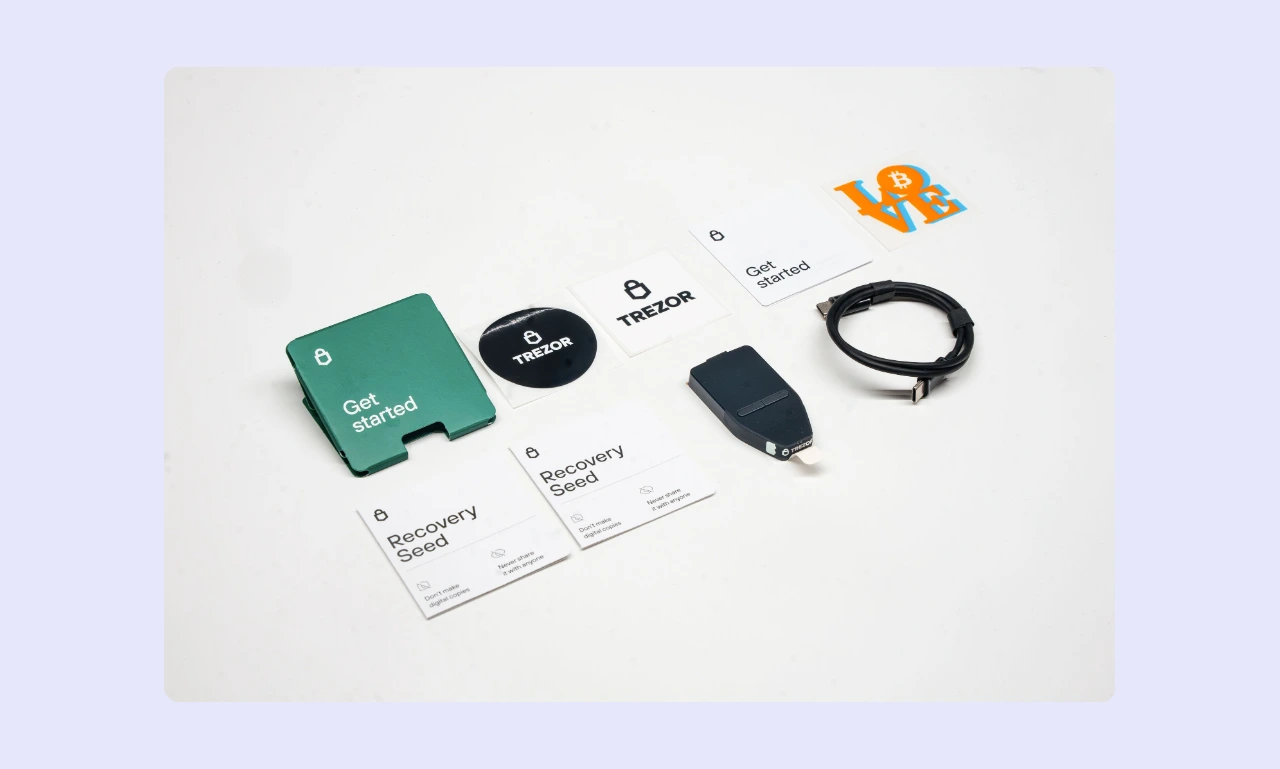
First impressions are essential for a hardware or offline wallet. At first glance, users can get a sense of a device's security and quality. A few metrics people can use to judge a crypto storage device during the unboxing stage include:
Packaging
There are three flagship Trezor hardware wallet models: the Safe 3 ($59), the Safe 5 ($129), and the Safe 7 ($249). All three feature similar packaging, including a heat-sealed/watermarked plastic foil and a tamper-evident sticker over the USB-C port.
When checking a new Trezor wallet, ensure the packaging is sealed and hasn't been tampered with or replaced. Additionally, always confirm there's no pre-installed firmware or a seed phrase somewhere in the box. To minimize the risk of supply chain attacks, buy directly from Trezor or use an authorized retailer.
What's in the box?
Trezor devices come with everything that a user needs to get started, including:
- Hardware wallet
- USB-C cable
- 2x 20-word backup cards
- Startup guide
- Trezor stickers
- Product safety guide (Safe 7-only)
Some manufacturers, like Ledger, include accessories such as lanyards with their hardware wallets. However, these extras are not necessary and offer minimal functionality beyond convenience or curiosity, so they shouldn't be a deciding factor. Instead, focus on the essentials: security, convenience, and price.
Build Quality
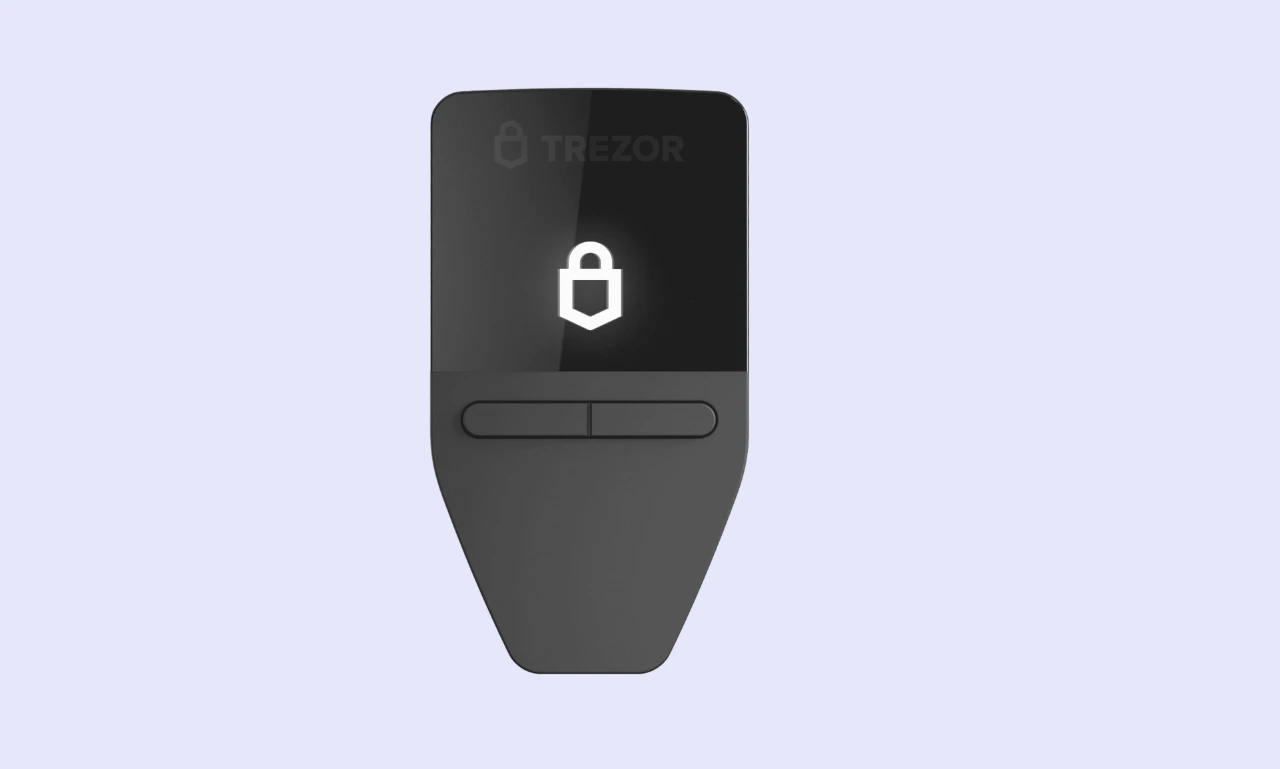
One aspect that varies significantly across models is build quality. The three models are available at different price points, and each model's build quality reflects that.
- Safe 3: Primarily constructed of PMMA plastic with a tamper-evident casing and aluminum backplates. The device features a 0.96-inch monochrome display and two buttons for navigation and confirming actions.
- Safe 5: Made from PC-ABS plastic, which boasts superior durability and heat resistance compared to PMMA. It also utilizes aluminum backplates. It uses a 1.54-inch color touchscreen, replacing physical buttons.
- Safe 7: Features a premium anodized aluminum unibody with a 2.5-inch touchscreen display protected by Gorilla Glass 3. The device features a glass backplate, enabling strong Bluetooth connectivity and wireless charging.
If you're looking for something budget-friendly, the Safe 3 is perfect for general usage, while the Safe 5 is excellent if you want a slightly higher-end feel. The Safe 7 is ideal for people seeking a premium hardware wallet with a full metal case.
Initial Setup & User Experience
A straightforward setup process makes a wallet far more beginner-friendly, while a great user experience makes it more likely for an investor to continue using a particular wallet. Trezor's Safe series delivers on both.
How to Set Up Trezor Wallet
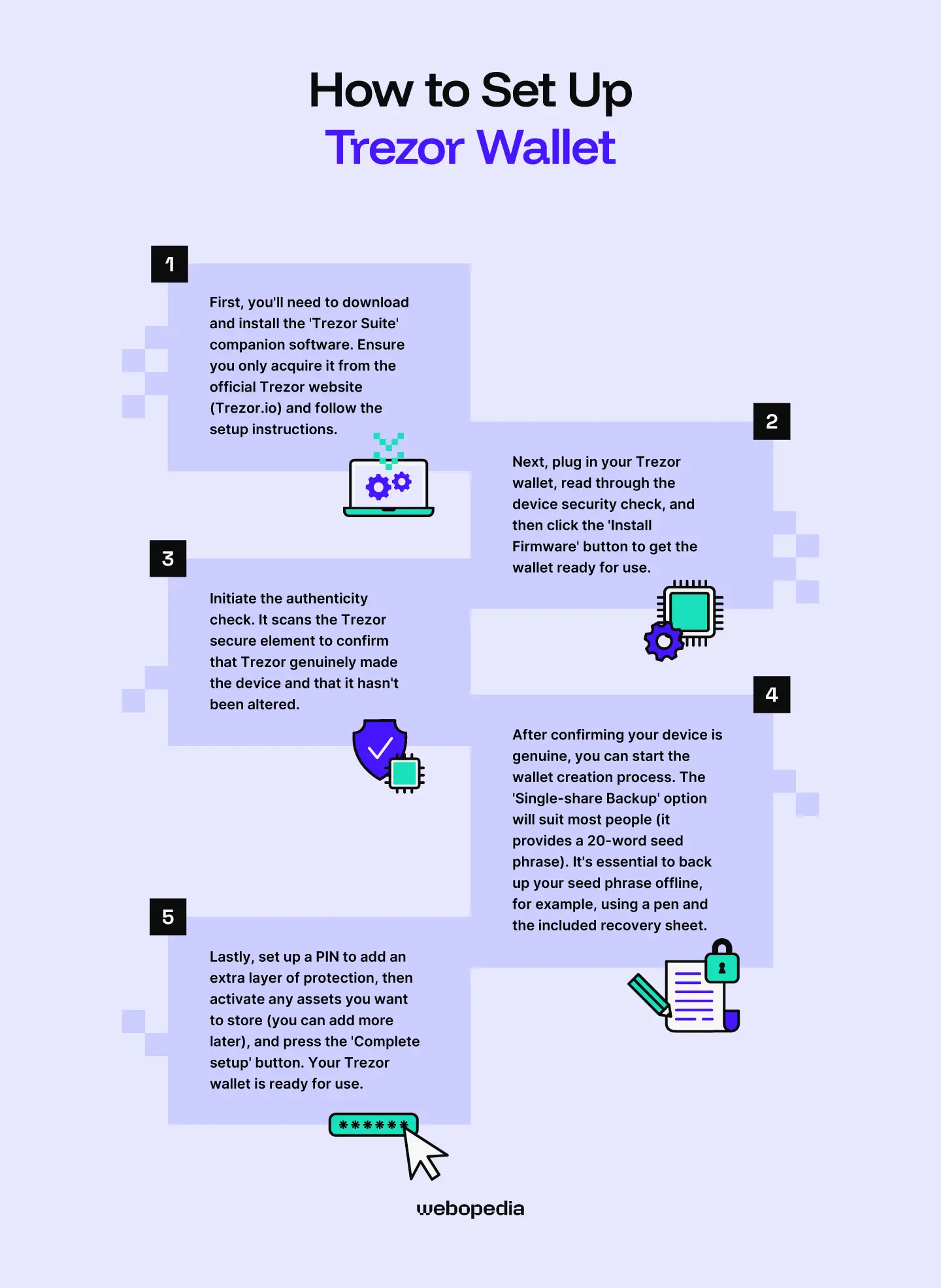
Struggling to work out how to use Trezor devices? The process is essentially the same across all models. Our Trezor setup guide outlines it clearly:
- Step 1: First, you'll need to download and install the 'Trezor Suite' companion software. Ensure you only acquire it from the official Trezor website and follow the setup instructions.
- Step 2: Next, plug in your Trezor wallet, read through the device security check, and then click the 'Install Firmware' button to get the wallet ready for use.
- Step 3: Initiate the authenticity check. It scans the Trezor secure element to confirm that Trezor genuinely made the device and that it hasn't been altered.
- Step 4: After confirming your device is genuine, you can start the wallet creation process. The 'Single-share Backup' option will suit most people (it provides a 20-word seed phrase). It's essential to back up your seed phrase offline, for example, using a pen and the included recovery sheet.
- Step 5: Lastly, set up a PIN to add an extra layer of protection, then activate any assets you want to store (you can add more later), and press the 'Complete setup' button. Your Trezor wallet is ready for use.
Although it can take longer if you're new to crypto or haven't used a hardware wallet before, the setup process typically takes 10 to 15 minutes and doesn't require any technical knowledge.
Ease of Use
A great user experience streamlines onboarding and makes a wallet far more convenient for daily use. Trezor understands that there's a perceived technical barrier surrounding hardware wallets, so it has made the setup process extremely simple and provided clear on-screen instructions that guide users through the whole process.
Trezor devices are designed for day-to-day use, making them beginner-friendly. Trezor Suite is available as a desktop download (Windows and iOS), browser platform, or mobile app, so it’s highly accessible. Trezor features a simple chart that helps investors visualize how their portfolio value has changed over different time frames.
If you're a Web3 or Decentralized Finance (DeFi) enthusiast, then Trezor devices are strong choices. They integrate WalletConnect, which supports over 70,000 Decentralized Applications (dApps), making it easy to connect to platforms like Compound that offer yield-generation opportunities. Moreover, users can connect Trezor devices to 30+ third-party wallets.
There are no major learning curves associated with Trezor devices. However, if you only have experience with hot wallets, hardware wallets can take some getting used to. The main difference is that you have to sign transactions on the device, not in the wallet app.
Display & Buttons/Touchscreen
Trezor offers three offline wallets at different price points. One of the most significant differences between these models is the display.
The basic Trezor Model, the Safe 3, features a 0.96-inch monochrome display and two navigation buttons. The device is easy to get used to, but the smaller display can make it more challenging to verify wallet addresses or other sensitive details.
The Trezor Safe 5 costs twice as much as the Safe 3. However, it eliminates buttons and introduces a 1.54-inch color touchscreen with haptic feedback. While clear and responsive, the display could be too small for people who struggle with precise touchscreen inputs.
The Trezor Safe 7 is again roughly double the cost of the Safe 5. It features a 2.5-inch high-resolution color touchscreen, which is over 60% larger than the Safe 5, making information easier to verify and inputs more accurate.
Every model we've looked at in this Trezor review is responsive and relatively easy to navigate and use. Navigation using the Safe 3's buttons is simple, making it a great, affordable option. While the Safe 7 or Safe 5 are solid choices for people requiring a larger display.
Trezor Products
Trezor offers three hardware wallet models in its 'Safe' collection. Each option comes with an EAL6+ secure element, support for thousands of crypto assets, and access to the Trezor Suite companion software. However, there are key differences between them, which make certain options better suited to specific use cases.
Trezor Safe 3 - Best For Budget-Conscious Investors
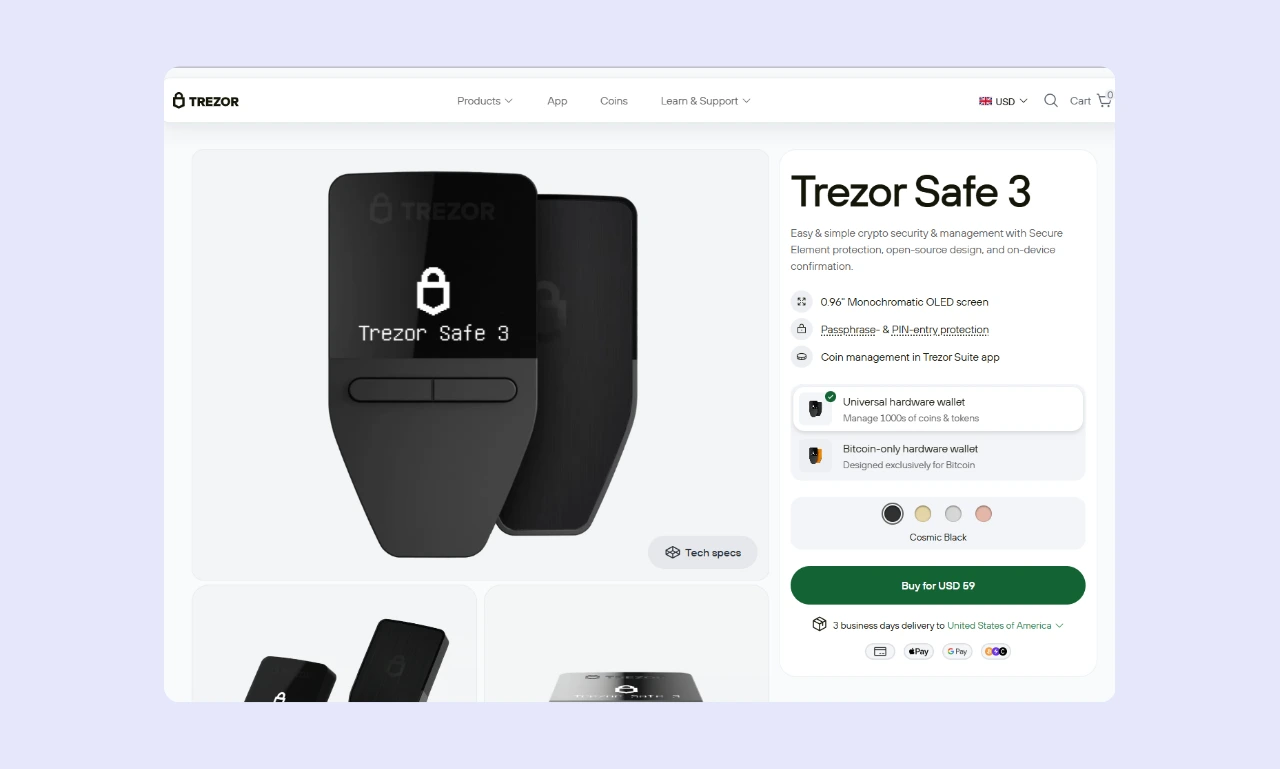
The Safe 3 is Trezor's smallest, lightest, and cheapest hardware wallet. It's plastic and doesn't feature a touchscreen, but it benefits from the same core security features as every Safe series wallet, including passphrase protection, an EAL6+ secure element, and open-source architecture.
While perfectly suitable for day-to-day use, the Safe 3 doesn't support iOS mobiles. That said, at $59, it's an excellent choice for people with smaller portfolios or those looking to acquire their first hardware wallet. By sacrificing a touchscreen and using plastic, Trezor delivers an excellent, low-cost wallet.
Trezor Safe 5 - Most Well-Rounded Trezor Wallet
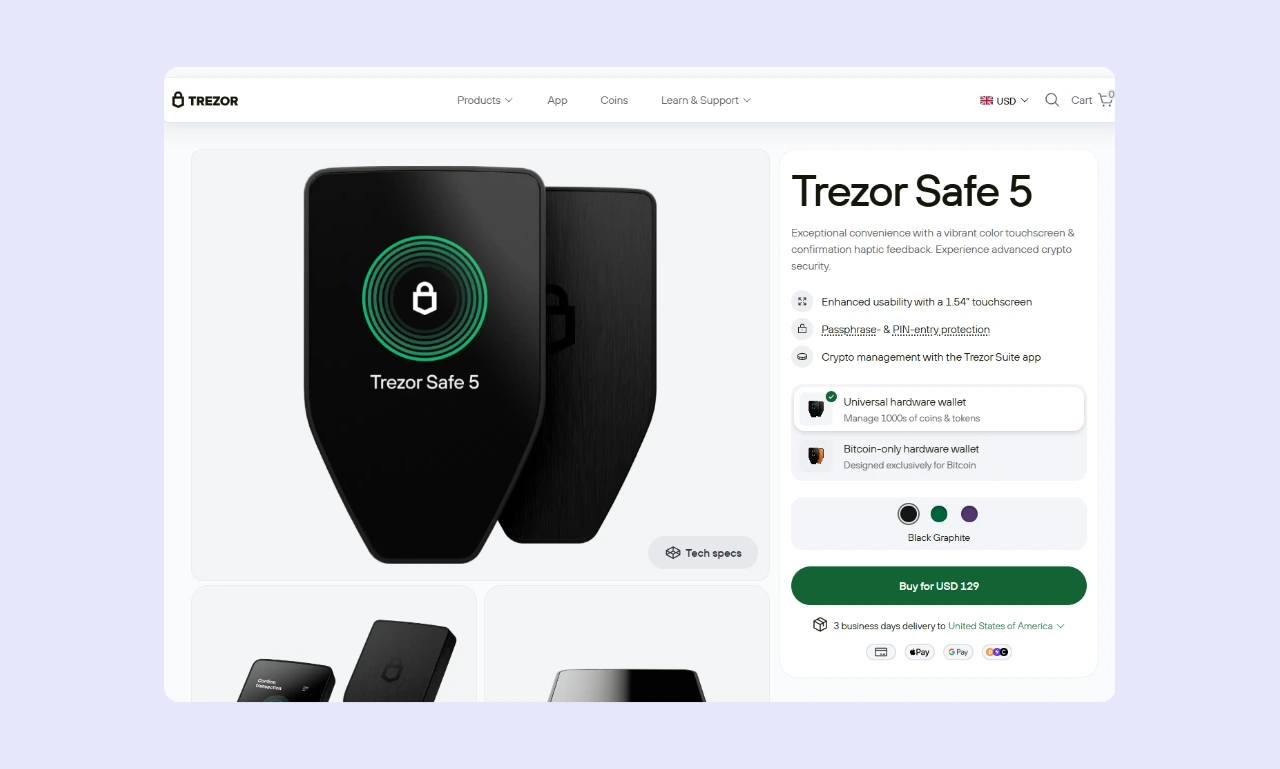
The Safe 5 strikes a balance between cost-effectiveness and a stellar user experience. It's relatively affordable at $129, keeping the barrier to entry sufficiently low to maintain mass appeal. However, the Safe 5 features a 1.54-inch color touchscreen and an ABS plastic body, so the device feels built to last.
With a sleeker design and Trezor's excellent security standards, the Safe 5 is a great choice for experienced investors who want a more modern-feeling wallet without spending excessively.
Trezor Safe 7 - Best For a Premium Hardware Wallet Experience
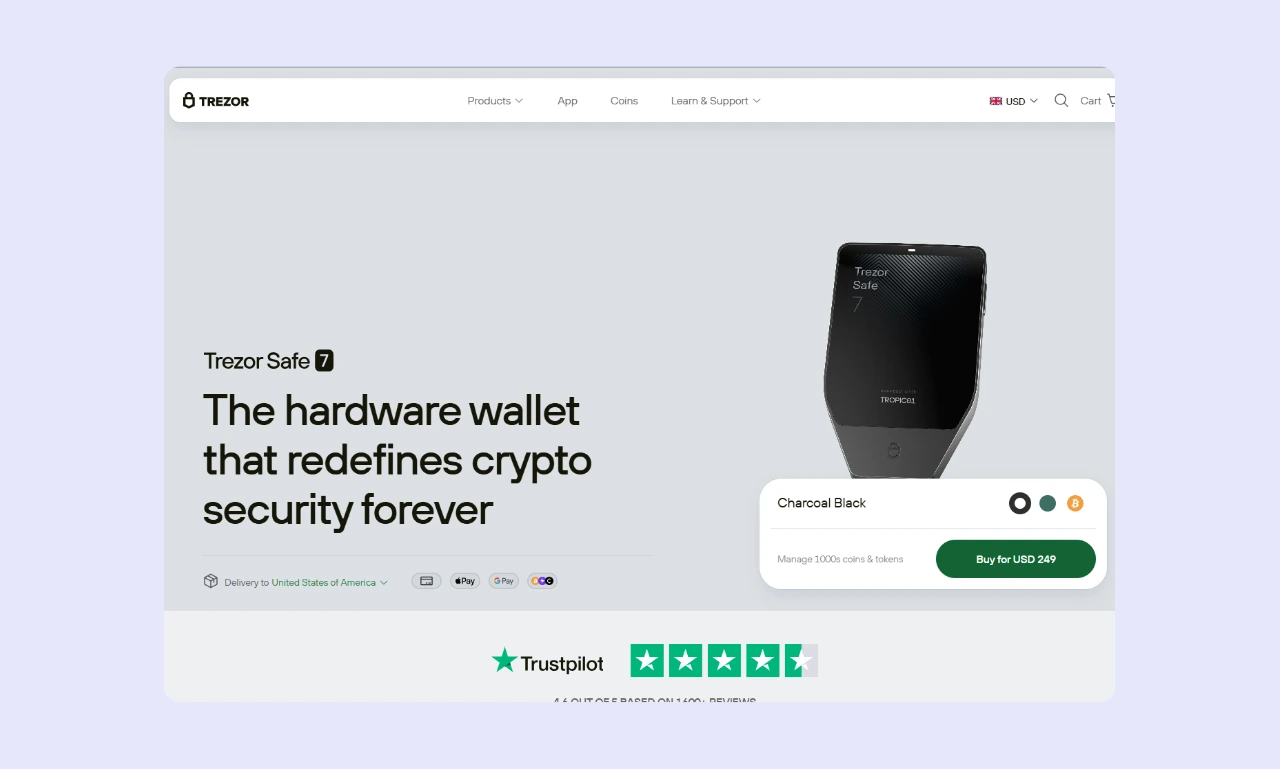
The Safe 7 features the largest display of any Trezor device (2.5-inch touchscreen), an anodized metal construction, and dual secure elements, giving it an edge over the Safe 3 and Safe 5. Moreover, the Safe 7 offers customization, allowing users to choose between black, green designs, and a Bitcoin-only model.
The Safe 7 is significantly more expensive ($249) than the Safe 3 or Safe 5, yet the core security features are the same, outside of the dual secure element. If you're looking for a first-rate wallet experience and don't mind paying for it, the Trezor Safe 7 is an excellent choice.
Trezor Wallet Security Features
Hardware wallets must securely store cryptocurrencies. If one lacks robust security features, there's little point in using it. Trezor is one of the world's best-known hardware wallet manufacturers and therefore has implemented advanced security features, including the following:
Private Key Storage
Is Trezor safe? Every Trezor wallet model features an EAL6+ secure element, the second-highest level of security for cryptocurrencies. The private keys associated with the wallet are stored offline, directly within the secure element chip.
While the Trezor Safe 3 and Safe 5 use a single secure element chip, the Trezor Safe 7 uses a dual-chip setup with two independent secure elements. It implements the TROPIC01 (open and auditable) and the OPTIGA Trust M (EAL6+ certified) chips.
By taking this approach, Trezor ensures that private keys are never exposed to the internet, helping to combat network attacks. Even when signing a transaction, the private key never leaves the device, helping keep the wallet secure when used on a compromised (virus-infected) computer.
PIN Protection
While the physical security measures are Trezor's primary way of protecting its hardware wallets, users can also set up a PIN that must be entered before accessing the wallet. PIN validation is handled within the secure element, ensuring it's isolated from the computer
When using a Trezor Safe 3 or Safe 5, users have 16 attempts to enter the correct PIN, after which the wallet is erased, helping combat brute-force attempts. The Safe 7 has a stricter PIN system that automatically erases the device after 10 incorrect attempts.
Seed Phrase / Recovery Phrase
Your seed phrase is like the key to a safe deposit box. Anyone who has it can unlock your wallet and manage the assets it stores. As such, secure generation, storage, and backup are vital.
Trezor wallets support BIP39 (12, 18, or 24-word) seed phrases and the BIP44 wallet standard. However, Trezor created the open-source SLIP-39 standard and adopted it as the default system for its hardware wallets. SLIP-39 uses a unique set of 1024 words to derive the seed phrase.
Randomness is essential to the seed phrase generation process. Bad randomness makes it possible to identify patterns, which could be used to guess a seed phrase. However, Trezor wallets feature a hardware Random Number Generator (RNG) that's integrated into the secure element. The seed phrase never leaves the hardware wallet.
There are a few steps you should take to better secure your seed phrase:
- Never store your seed phrase digitally; doing so leaves you vulnerable to online attacks. It also makes it far easier to lose your seed due to computer issues. Instead, use methods like pen and paper. It's cheap and entirely offline. Metal seed phrase devices provide fire/water damage resistance.
- Create multiple backups and store them in separate geographical locations. If you only have a single seed phrase backup, you're vulnerable to disasters such as fires, floods, or theft. By keeping an off-site backup at a trusted location (e.g., a safe deposit box), you always have access to your wallet.
- Do not accidentally expose your seed. Anyone with your seed can access your wallet and the funds it stores. Therefore, you should only reveal your seed phrase when you're alone. Ensure nobody can look over your shoulder and see it, and never leave it out in the open.
Physical Security
Trezor devices are typically dispatched in plain packaging to prevent identification during shipping. They come enclosed in a heat-shrunk plastic shell with tamper-evident seals on the opening. If either seal is damaged, contact Trezor to arrange a replacement device. Never use a hardware wallet if its packaging/seals are damaged.
Every wallet in the Trezor Safe lineup comes with a tamper-evident security seal covering the USB-C port, providing peace of mind and helping users determine whether their device may have been compromised in a supply-chain attack.
Firmware Verification
A common way for bad actors to compromise a Bitcoin wallet is to flash malicious Trezor firmware update onto the device, often during shipping. These scams primarily target inexperienced investors who don't understand the importance of checking for tampering and verifying a wallet's integrity.
You can generally avoid exposure to a compromised device by purchasing it only directly from Trezor or from an authorized retailer. However, even though marketplaces like Amazon are trustworthy, packages pass through the hands of many people, justifying doubts. As such, Trezor hardware wallets include special security mechanisms to authenticate firmware.
Trezor tags every firmware version and revision with unique attributes. Trezor keeps a record of every genuine firmware version on a remote server. When a user plugs a Trezor hardware wallet into a computer, it communicates with Trezor Suite to determine whether the device's firmware matches the database.
If the firmware matches the database and is genuine, nothing happens; the user can send and receive crypto as usual. If Trezor cannot authenticate it, a warning message is displayed informing the user that their device may be compromised and prompting them to contact Trezor support.
Passphrase/Hidden Wallet (if applicable)
In addition to setting up a PIN, Trezor users can set up a passphrase to create a hidden wallet. It's an excellent option for people concerned with privacy and high-net-worth investors. It lets people store their core investments secretly, while maintaining a wallet that can be accessed if under duress.
People can create an unlimited number of passphrase wallets linked to their main account, which can be a solid strategy to enhance protection. However, if you lose or forget your passphrase, there's no way to recover it. You would have to brute force the passphrase, which is inefficient.
Open Source vs. Closed Source
Open-source software makes its code publicly available for people to review, audit, and suggest improvements, improving trust and transparency while reducing the risk of bugs. Closed-source programs are proprietary and controlled by their creators. Some argue that they're more secure, as bad actors cannot review the code to find exploits.
Trezor takes a 100% open-source approach. Both the Trezor Suite companion app and the Trezor wallet firmware are open source and viewable on GitHub. As such, anyone can conduct an independent audit and hardware wallet review to determine whether Trezor is trustworthy and secure.
There are pros and cons to both open and closed-source architectures. However, transparency is a key within the cryptocurrency industry, and it's even more essential when it comes to crypto wallets, as trust is paramount. Moreover, open-source software effectively crowdsources bug fixing, contributing to a more secure wallet.
Audits & Certifications
The Evaluation Assurance Level (EAL) is a rating system for technology security. EAL1 is the lowest level, while EAL7 is the highest. Most hardware features either an EAL5+ or an EAL6+ secure element chip. However, one wallet, the NGRAVE Zero, has achieved EAL7 certification.
The Trezor Safe 3, Safe 5, and Safe 7 all boast EAL6+ secure elements, the highest level commonly achieved by hardware wallets. Because Trezor's companion software and firmware are 100% open-source, anyone can review and audit the code. Trezor also runs a bug bounty program to incentivize reporting vulnerabilities.
Supported Cryptocurrencies & Tokens
A significant advantage of Trezor hardware wallets is the ability to store a wide range of assets in a single device. This design choice makes Trezor devices extremely versatile and a solid choice for anyone with diverse portfolios.
Native Support
The Trezor Safe 3, Safe 5, and Safe 7 support thousands of assets across dozens of networks. Some sources indicate that over 8,000 Trezor coins and tokens are supported.
Trezor hardware wallets support almost every major asset, including:
- Bitcoin
- Ethereum
- USDT
- XRP
- BNB
- Solana
However, a handful of assets, including Tron (TRX), Canton (CC), and Hedera, are not supported by Trezor devices, which could affect Trezor's viability for some investors. Additionally, a handful of other tokens, including Bitcoin Gold and Dash, have depreciated, and support has been discontinued.
During my Trezor review, I found that older hardware wallets, such as the Model One or Model T, lack support for certain assets, like XRP. So even if you already have a Trezor wallet, it could be worth upgrading to the newer 'Safe' series if you're struggling to store your entire portfolio.
ERC-20 Tokens & Other Standards
Although people often use the terms interchangeably, there are key differences between cryptocurrency coins and tokens.
Most importantly, coins operate their own blockchains, while tokens are built on top of existing networks. For example, Bitcoin is a coin because it runs on a unique blockchain (the Bitcoin network), and Polygon is a token because it's a layer 2 built on the Ethereum network.
A token standard is a set of rules that define the properties of a token. ERC-20 assets are tokens built on the Ethereum network. Typically, any asset that uses a supported token standard can be stored in a wallet. Trezor supports 20+ networks, including Ethereum, Solana, Avalanche, and Sei.
NFT Support
Non-Fungible Tokens, or NFTs, are unique crypto assets that are commonly used to showcase art. Anyone can create them, and they exist across a wide range of blockchains. Ethereum and Solana are some of the most popular NFT networks.
Trezor Safe wallets can store NFTs issued on Ethereum and Ethereum Virtual Machine (EVM) compatible blockchains, such as Polygon and the Binance Smart Chain. While it's possible to check NFT collection names within Trezor Suite, users will have to connect to a third-party wallet like MetaMask to view NFT images.
Integration with Wallets/dApps
Decentralized Applications (dApps) are programs that exist on the blockchain. Examples include Uniswap (exchange), Compound (staking/yield farming), and OpenSea (NFT marketplace).
There are many categories of dApps, each serving a particular purpose. By interacting with dApps, a wallet's potential use cases expand significantly. My Trezor review found that users benefit from straightforward dApp interactivity via WalletConnect integration, which Trezor added in mid-2025.
While Trezor wallets previously supported only a handful of dApps, users can now connect directly to thousands of dApps, drastically reducing the barrier to entry compared to connecting Trezor to MetaMask and using MetaMask to interact with dApps.
We touched on using MetaMask with a Trezor hardware wallet for full NFT support. However, I found that Trezor devices offer seamless integration with over 40 third-party wallets, including Exodus, Electrum, and Sparrow. So, Trezor users can benefit from hardware wallet-level protection while using their favorite wallet interfaces.
Connectivity & Compatibility
Even if a hardware wallet has every feature you're looking for, it's essentially useless if you cannot connect it to your preferred device. Trezor has worked hard to ensure that connections with mobile/desktop devices are streamlined:
Connection Type
Trezor devices primarily use USB-C, enabling straightforward connections with mobile devices and desktop computers. The Safe 3 and Safe 5 connect exclusively using USB-C.
However, this approach alienates iOS users. They cannot use USB-C hardware wallets and must purchase the more expensive Trezor Safe 7, which features Bluetooth, enabling iOS device connectivity.
Every form of connectivity is a potential vulnerability. It's widely accepted that crypto wallets should minimize external communication channels to enhance security. Trezor devices themselves do not feature WiFi, NFC, or any wireless or wired communication beyond USB-C and Bluetooth (Safe 7 only).
Device Compatibility
Trezor hardware wallets offer limited connectivity options, which affects device compatibility. The Safe 3 and Safe 5 can be used with any Windows, Linux, macOS, and Android devices. Older computers or mobiles without USB-C will need an adapter. The Trezor Safe 7 supports the aforementioned operating systems, as well as iOS mobiles.
Companion App/Software
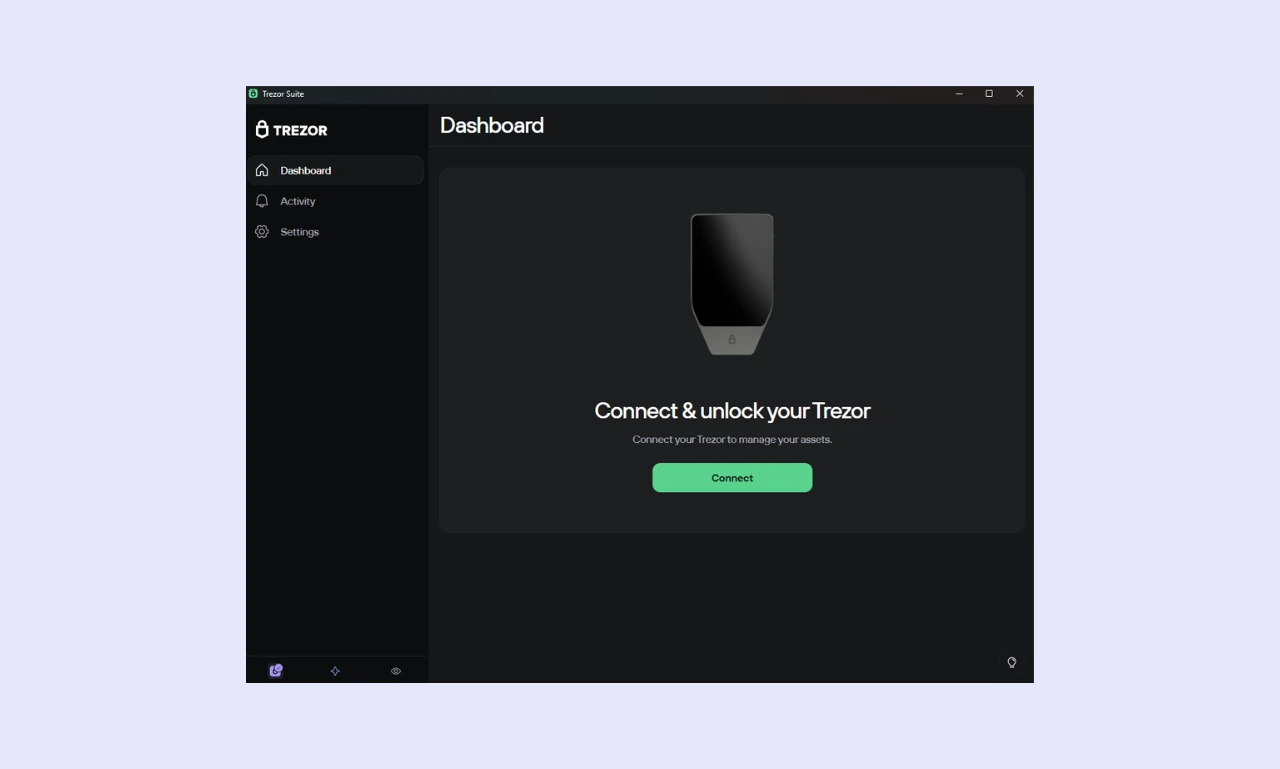
Trezor Suite is one of the most widely used hardware wallet companion wallets globally. It's available as a web platform, a free computer download, or a mobile app.
Unlike certain companion apps that also function as hot wallets (such as the ELLIPAL app), Trezor Suite users require a Trezor hardware wallet to send, receive, and store cryptocurrencies.
Trezor Suite does more than just store assets. It features charts showing how portfolio value has changed over time, a gateway for buying/selling crypto, and a crypto-to-crypto swaps tool. Users can also stake Ethereum, Cardano, and Solana natively, but they'll require a dApp for other assets.
In addition to its trading and crypto storage features, Trezor Suite offers a few convenience and security tools. It protects against address poisoning by identifying and flagging suspicious transactions and tokens. Similarly, mobile users can enable biometric protection, requiring a fingerprint or face scan for access.
Trezor Wallet Advanced Features
Every reputable hardware wallet allows people to securely store and manage cryptocurrency. The advanced features a wallet offers are what set it apart from the competition.
Staking & DeFi Integration
Staking lets people earn rewards while contributing to network security. It's a relatively common feature, but it's typically conducted on an exchange or a specialized staking platform.
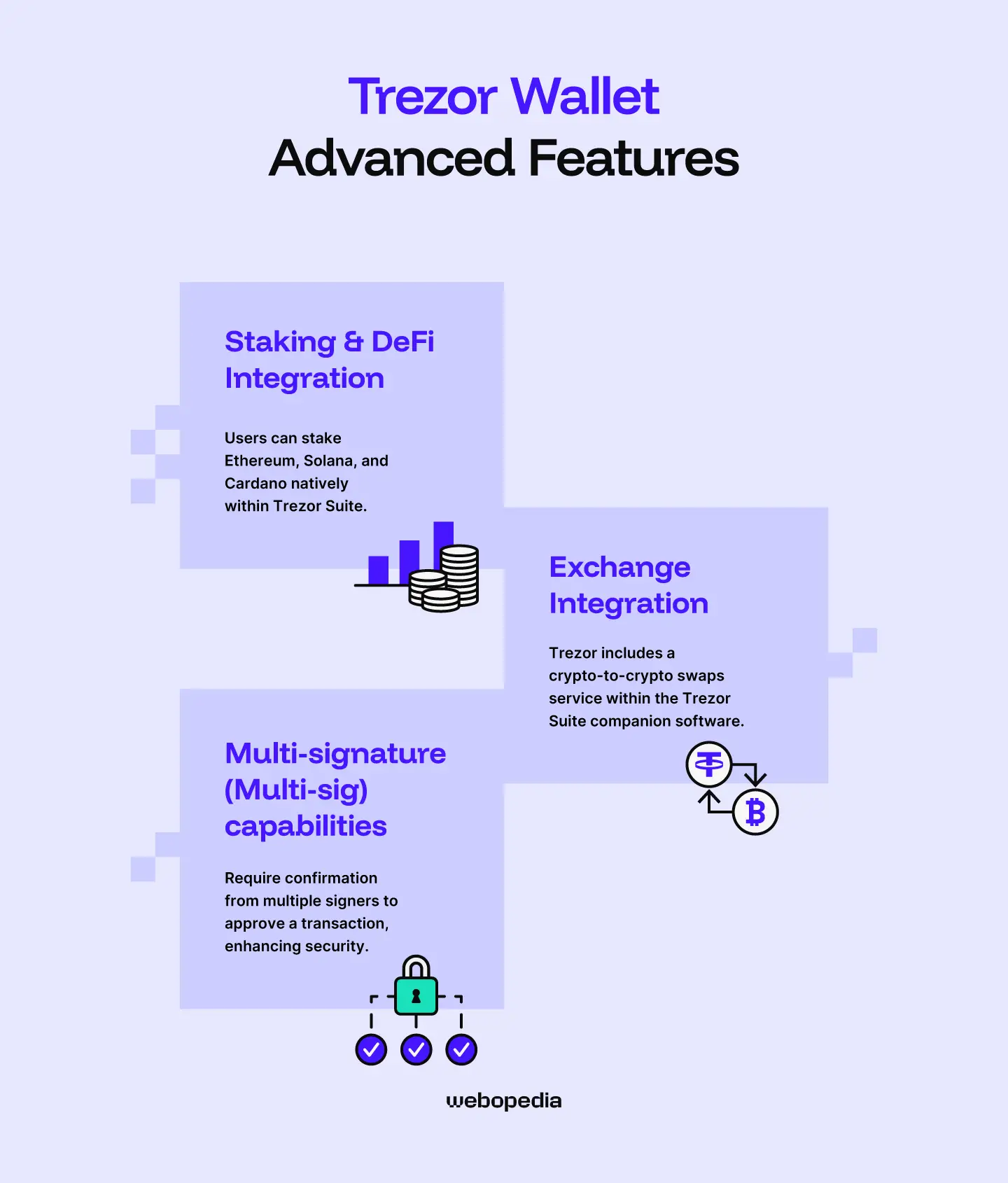
However, users can stake Ethereum, Solana, and Cardano natively within Trezor Suite. While the range of supported assets is relatively small, Trezor offers on-chain staking, so users participate in real network activity rather than just speculation.
If someone wants to stake an asset that Trezor doesn't support, they can connect to a Decentralized Finance (DeFi) product, such as Compound or Lido, which are more flexible and allow users to stake a wider variety of assets.
Exchange Integration
Although wallets focus on crypto storage, many offer integrated trading capabilities that are highly convenient for simple swaps (though often more expensive than a dedicated exchange).
Trezor includes a crypto-to-crypto swaps service within the Trezor Suite companion software. It's surprisingly flexible compared to other exchange integrations. Users can choose between multiple Centralized Exchanges (CEXs) and Decentralized Exchanges (DEXs), each with unique pros and cons.
Using a CEX typically requires completing Know-Your-Customer (KYC) verification, during which users must provide a valid photo ID, which eliminates some of a hardware wallet's privacy benefits. Users can select either a fixed-rate (exchange rate locked in for 15 minutes) or a floating-rate (real-time prices) based on volatility and preferences.
In contrast, a DEX doesn't require KYC, making it the superior choice for people who want to maintain their anonymity. Fees are based on current market prices. However, users can only swap tokens from EVM networks, such as Ethereum, Binance Smart Chain, and Base.
Multi-signature (Multi-sig) capabilities
Multi-sig wallets require confirmation from multiple signers to approve a transaction, enhancing security. This approach is commonly used to secure high-value wallets or to protect company treasuries where several people have access, but unilateral control is unsafe.
Trezor devices can be used as part of a multi-sig wallet setup. However, doing so requires setting up additional hardware or software wallets to act as signers and another third-party wallet that supports multi-sig, such as Electrum.
While Trezor wallets are somewhat lacking in traditional multi-sig capabilities, they've been designed with an alternative in mind. Trezor Safe models feature Advanced Multi-Share Backups, which split the seed phrase into 1-16 20-word shares. The majority of, not all, shares are required to access the wallet; 3-of-5 is a standard configuration.
Pricing & Value for Money
Unlike software wallets, which are usually free, hardware wallets like the Trezor Safe series are physical products that must be shipped to the customer. As such, users must purchase them at a fixed price, which is essential to consider when deciding whether to buy a Trezor wallet.
Current Price
Trezor offers three models within its 'Safe' series of crypto wallets. Each provides the same essential security features (EAL6+ secure element, passphrase, etc) but comes at significantly different prices. Each Trezor's price is outlined below.
- Trezor Safe 3 ($59) - Budget-friendly option, no touchscreen or iOS support.
- Trezor Safe 5 ($129) - The cheaper 'premium' option, it has an ABS plastic build and a small touchscreen.
- Trezor Safe 7 ($249) - Trezor's flagship model, featuring an aluminum construction, Gorilla glass, Bluetooth, and a larger touchscreen.
Each Trezor Safe model offers robust security, streamlined dApp connectivity, and support for a broad range of assets. Outside of Bluetooth connectivity, the differences between models focus primarily on convenience, durability, and aesthetics, so the best option is a matter of personal preference.
What's included
The purchase price includes a Trezor hardware wallet and access to Trezor Suite. However, there are additional charges for buying/selling, or swapping crypto. The specific fees will be clearly displayed during the transaction and should be considered before confirming anything.
Is it worth it?
Whether a Trezor hardware wallet is worth it will depend on the value of the user's holdings, their individual security requirements, and how long they plan on holding.
Generally speaking, if the value of your holdings is less than the cost of a hardware wallet, there's little reason to purchase one. However, once you start regularly Dollar-Cost-Averaging (DCA) and building your portfolio, it's worth buying a hardware wallet.
Likewise, if you plan to hold your investments for extended periods or simply want to maximize your protection, a hardware wallet is a great choice.
We typically recommend a mixed approach using both software and hardware wallets. Maintain a hot wallet, such as MetaMask, for interacting with dApps or trading platforms, and use a hardware wallet to store the bulk of your investments. Doing so provides a blend between convenience and wallet security.
Trezor Hardware Wallets - Compared
It can be difficult to determine which wallet best suits your specific needs. Every option is tailored to a different use case and has unique security features. So, we've created a comparison table highlighting the core features of the Trezor Safe series alongside two popular alternatives.
| Wallet Name | Trezor Safe 3 | Trezor Safe 5 | Trezor Safe 7 | Ledger Nano X | Tangem |
|---|---|---|---|---|---|
| Security Architecture | Open-source, EAL6+ secure element | Open-source, EAL6+ secure element | Open-source, EAL6+ secure element | Mostly open-source, EAL5+ secure element | Mixed open/closed source, air-gapped, EAL6+ secure element |
| Supported Assets | 8000+ | 8000+ | 8000+ | 15,000+ | 16,000+ |
| Price | $59 | $129 | $249 | $99 | $54.90 |
| Ease of Use | Straightforward | Straightforward | Straightforward | Beginner-friendly | Differs from typical hardware wallets |
| Connectivity | USB-C | USB-C | USB-C/Bluetooth | USB-C/Bluetooth | NFC |
| Display | 0.96-inch monochrome | 1.54-inch color touchscreen | 2.5-inch color touchscreen | 1.1-inch monochrome | N/A |
| Advanced Features | Native staking, CEX/DEX integration, split seed phrase into shares | Native staking, CEX/DEX integration, split seed phrase into shares | Native staking, CEX/DEX integration, split seed phrase into shares | Staking, crypto-to-crypto swaps, fiat on-ramp | Crypto-to-crypto swaps, fiat on/off-ramp, WalletConnect |
| Build Quality | Reasonable | Solid, durable plastic | Premium, anodized aluminum | Durable, feels premium | Extremely durable, no moving parts, no battery |
- Trezor and Ledger devices contain batteries and many other components, while Tangem devices are essentially a single piece of plastic, making them superior for long-term storage.
- It can be hard to read the Ledger Nano X screen, and Tangem requires a mobile phone, so the Trezor Safe 7 is the best choice for people seeking on-device crypto management.
- The Trezor Safe 3 and Ledger Nano X are great for people who prefer analog devices, while the Safe 5 and Safe 7 offer convenient touchscreen navigation.
Who is Trezor Best Suited For?
Trezor devices are designed to be accessible to anyone. They're simple to use and provide robust protection. Moreover, Trezor's wallets are available at three distinct price points, so they're strong choices regardless of budget.
The Safe 3 is best for people with smaller portfolios or those who want reliable security and aren't bothered by a touchscreen or premium build. The Safe 5 is perfect for people seeking a middle ground between user experience and affordability, while the Safe 7 suits those seeking a luxury experience.
Conclusion & Final Verdict
Trezor has delivered an all-around excellent series of hardware wallets with its 'Safe' collection. Ranging from $59 to $249, Trezor's wallets are accessible and offer an EAL6+ secure element, as well as access to Trezor Suite, which provides staking and trading capabilities, regardless of which option you choose.
The Safe 5 is a well-rounded option, while the Safe 7 suits people looking for a premium device. While the best wallet will differ from person to person, my Trezor review found the Safe 3 to be a strong choice for the typical investor as it's cheap, easy to use, and highly secure.
FAQs (Frequently Asked Questions)
Can I use Trezor with my phone?
Trezor devices feature a USB-C connection, and Trezor Suite is available as a mobile app for Android and iOS, enabling people to use the wallet on mobile devices. However, iOS users must opt for the premium Safe 7 ($249), as it features Bluetooth connectivity, enabling connections with iOS devices.
What happens if I lose my Trezor?
If you lose your physical Trezor device, it’s not the end of the world. As long as you have your seed phrase, you can recover your wallet and all the funds it contains using any compatible wallet software, so creating and securely storing a seed backup is essential.
Can Trezor freeze my wallet?
Trezor wallets are entirely non-custodial (self-custody). The company doesn’t store your seed phrase or private keys. As such, no intermediary (Trezor or otherwise) can freeze your wallet. As such, hardware wallets are excellent for people who value privacy or those who desire complete control and ownership over their assets.
How do I update my Trezor's firmware?
It’s easy to upgrade your Trezor firmware. Connect the device to a computer, open the Trezor Suite companion software, and navigate to ‘Settings’, then ‘Device’, and finally ‘Security’. Then you’ll have the option to update your device’s firmware. Trezor Suite typically displays a banner notification when a new update is available.