- Key Takeaways
- Pros & Cons of BitBox
- First Impressions & Unboxing
- Initial Setup & User Experience
- BitBox Security Features
- Supported Cryptocurrencies & Tokens
- Connectivity & Compatibility
- Bitbox Advanced Features
- Pricing & Value for Money
- BitBox Products
- BitBox Wallets Compared
- Who is BitBox Best Suited For?
- Conclusion & Final Verdict
- FAQs (Frequently Asked Questions)
BitBox Review 2026

- When you click links on this page, we may earn an affiliate commission. By using this website you agree to our terms and conditions and privacy policy.
- Participation in online gambling may be illegal in your country and is subject to age restrictions (18, 19, or 21, depending on the jurisdiction). Verify legality and age requirements before participating. Learn more
Hardware wallets are physical security devices designed to protect your crypto investments. While software wallets, like MetaMask, use code-based security measures, hardware wallets implement physical security mechanisms, such as secure elements. Moreover, hardware wallets are typically not internet-connected; the seed phrase/private keys used for recovery never leave the device.
The BitBox02 is a Swiss-made hardware wallet designed for secure and convenient long-term storage. It's one of the more expensive offline wallets, so it's better suited for investors with larger portfolios than for those making their first foray into the crypto space.
Throughout this BitBox review, we'll take a detailed look at the hardware wallet, exploring its security features, user experience, ease of use, and advanced features. We'll also compare the BitBox02 to a few other popular hardware wallets and discuss the device's ideal audience. Let's get started.
Key Takeaways
- There are two versions of the BitBox02, one of which (BitBox02 Nova) offers a superior secure element and iOS support.
- BitBox devices are fully open source, with the firmware and app code publicly available on GitHub.
- Although the BitBoxApp offers tools for buying, selling, and swapping crypto assets, users must stake via dApps.
- BitBox includes tamper-evident packaging for its hardware wallets, allowing users to inspect them to verify that their BitBox02 hasn't been tampered with.
Pros & Cons of BitBox
Pros
- Straightforward dApp connectivity via WalletConnect integration.
- Support for desktop and mobile devices enhances accessibility compared to mobile-only wallets.
- Users can set up an unlock PIN and a passphrase, which serves as a secret wallet.
- Supports Ethereum and hundreds of ERC-20 assets, making the wallet a strong option for enthusiasts of the Ethereum ecosystem.
- The BitBox02 automatically verifies that its firmware is genuine, helping to combat attempts to maliciously modify the device.
Cons
- BitBox02 hardware wallets lack support for several major assets, including XRP, Solana, and Tron, significantly reducing their usability for investors with diverse portfolios.
- BitBox02 wallets are premium devices with a price tag to match ($172-$202), so there are better options for budget-conscious investors.
First Impressions & Unboxing
When deciding whether to buy a BitBox02, your first impressions during unboxing and the inspection process are crucial. Poor packaging or subpar build quality are signs that the hardware wallet isn't worth using.
Packaging
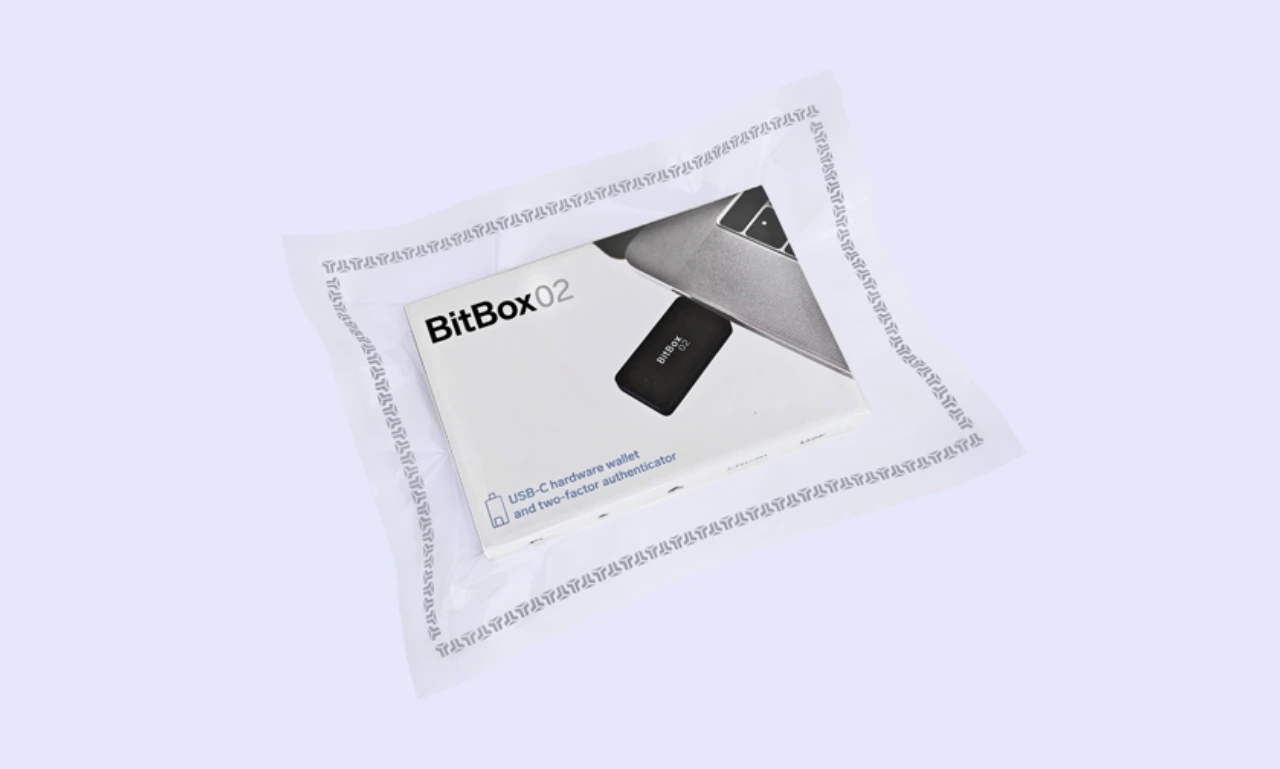
If the device tasked with securing your investments comes in a torn box or insufficient anti-tamper packaging, it can be difficult to determine whether a bad actor has compromised the wallet.
Unlike most hardware wallet manufacturers, BitBox has created a guide detailing how to verify the BitBox02's packaging. It includes images of genuine packaging for people to reference.
Ensure that your BitBox wallet comes in a clear, vacuum-sealed plastic bag with a grey BitBox logo pattern on all four corners. If the bag is broken or doesn't feature the pattern, contact BitBox support for a replacement.
What's in the box?
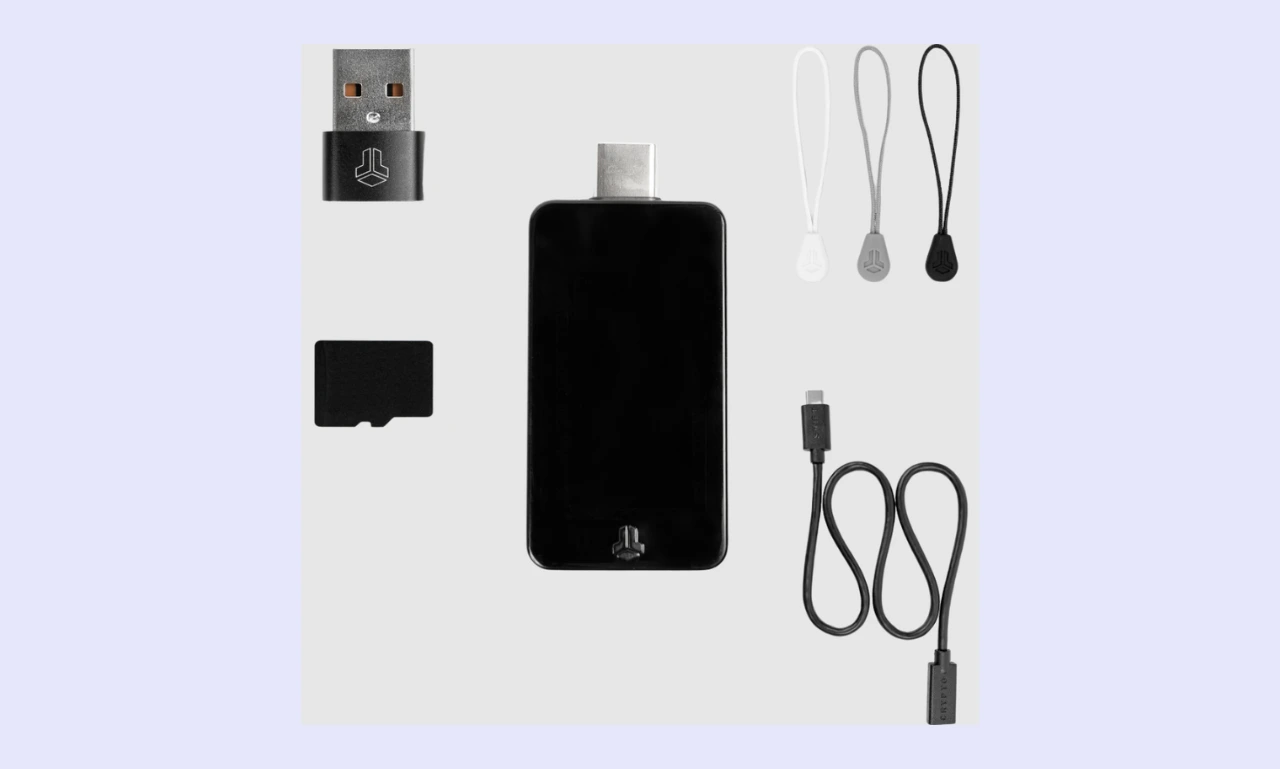
When conducting a hardware wallet review, it's essential to examine the tools/accessories included in the box, as well as the device itself.
The BitBox02 includes:
- microSD card
- USC-C to USB-C adapter
- USB-C to Lightning adapter (BitBox02 Nova-only)
- USB-C extension cable
- Rubber pulls (essentially a lanyard)
- BitBox labeling stickers
BitBox includes everything an investor needs to set up their wallet, along with a couple of accessories. As such, users can set up their wallet and secure their assets immediately after receiving their device. However, BitBox doesn't include a seed phrase backup sheet; the seed is saved on the microSD card instead.
Build Quality
The BitBox02 and BitBox02 Nova are both premium hardware wallets, as reflected in their designs and build quality.
BitBox constructed the device from polycarbonate. While a plastic housing might not seem very 'premium', polycarbonate is used in bulletproof glass. It offers excellent impact/heat resistance, as well as tensile strength, making it a great choice for a hardware wallet.
The BitBox02 is one of the most aesthetically pleasing hardware wallets that I've looked at. Because it doesn't use buttons and features a sleek OLED display with an all-black case, the BitBox02 is stylish and doesn't look out of place in the home or on a desk.
Initial Setup & User Experience
There's no benefit to a Bitcoin wallet being difficult to set up and get to grips with. Beginner-friendly wallets offer greater accessibility; they even help experienced users get started quickly and with minimal friction. More processes mean there's more to potentially get wrong, so you should generally avoid needlessly complex wallets.
How to Set Up BitBox02
Setting up a hardware wallet can be daunting. Beginners often believe their funds could be at risk if they do something slightly wrong. BitBox makes the process simple; it can be completed within just a few steps, as outlined in our BitBox setup guide:
Step 1: Download the BitBox App
First, head to the BitBox website and navigate to the 'App' section. The page contains official download links for every supported operating system. Choose one that matches your preferences and complete the download process. At this stage, you can verify the BitBoxApp by comparing it to BitBox’s GitHub repository.
Step 2: Install the microSD Card and Insert the BitBox02
It's essential to insert the microSD card into the BitBox02 before proceeding with the setup. Because BitBox wallets use the microSD Card to back up the seed phrase, this step is crucial.
Step 3: Plug the BitBox02 Into a Computer/Mobile
Before you can proceed with the setup, you'll need to plug your BitBox02 into your computer or mobile device via USB-C. If you have a BitBox02 Nova, you can use the included USB-C-to-Lightning adapter. BitBox wallets also come with a USB-C-to-USB-A adapter.
Step 4: Complete the Setup Process
After you've completed the prerequisites, you can set up your wallet for use. It's important to note that most of the setup is done through the BitBoxApp, which walks you through the process with on-screen instructions.
You'll need to confirm the pairing code on your BitBox02 wallet and the BitBoxApp match. Then, you can choose between creating a new wallet and restoring from a mnemonic (seed phrase) or a microSD card backup. Password setup takes place directly on the BitBox02.
Step 5: Create Seed Phrase Backups
Once you've completed steps 1 through 4, your wallet is ready to use. However, we recommend creating an additional seed phrase backup and storing it physically, on paper or in a metal seed phrase solution (BitBox sells one for $75). Doing so keeps you secure in case the microSD Card breaks.
Ease of Use
BitBox wallets are general-purpose and suited to regular investors; they're not specifically for technically savvy users. As such, users should never have to wonder how to use a BitBox wallet.
I found the setup process to be straightforward. There are no difficult technical processes, and the on-screen instructions are easy to follow. Moreover, the BitBoxApp is well laid out and intuitive. I found it easy to view my portfolio and access the integrated crypto buy/sell tool.
The biggest hurdle is having to manually view and your seed to back it up. If someone doesn't understand the importance of backing up their seed phrase, it can be easy to overlook, leaving users at risk of losing their investments if their microSD card and BitBox become damaged.
That said, as long as you securely back up your seed phrase and don't mind physically inserting your wallet into a desktop/mobile device when you want to use it, the BitBox02 is an accessible hardware wallet anyone can use.
Please note that the micro SD cards are not encrypted and should not be inserted into any other devices apart from BitBox, or else you might lose the data stored on them.
Display & Buttons/Touchscreen
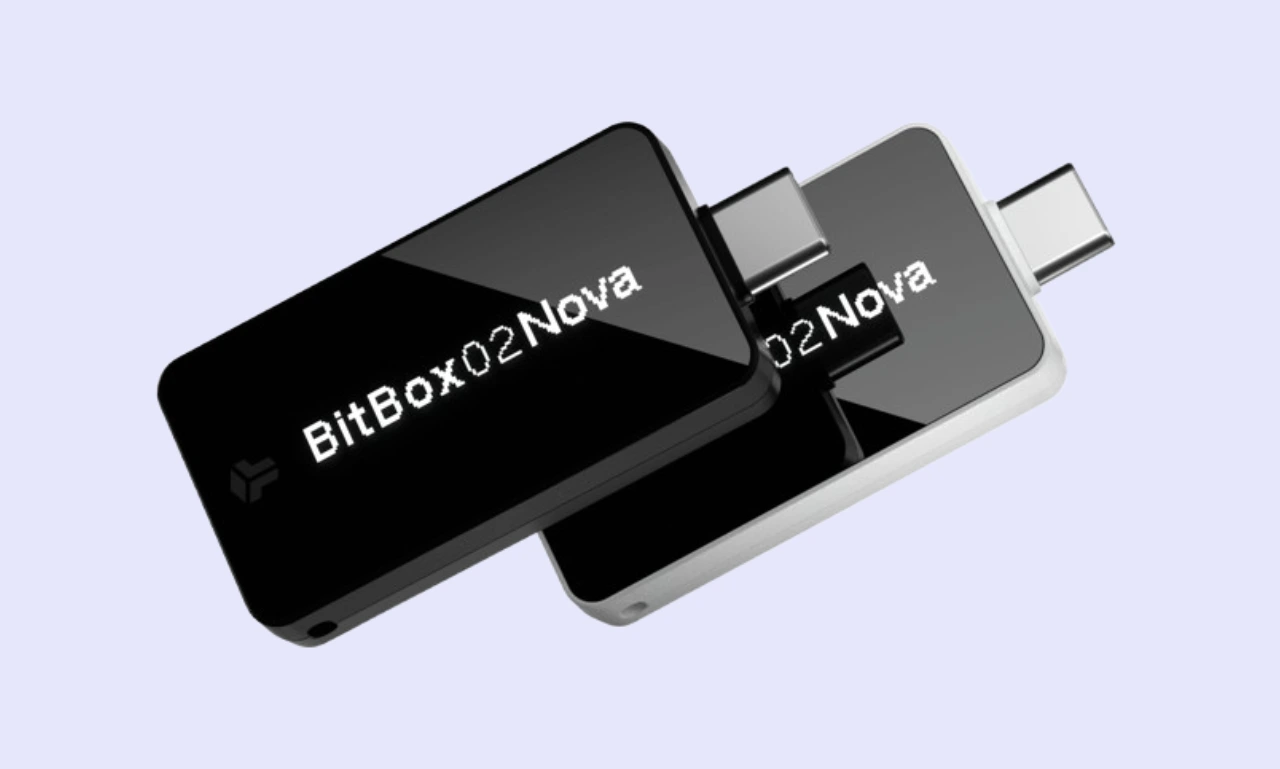
BitBox wallets are relatively simple. While they lack a touchscreen, the device features a bright 1.38-inch OLED display that is easy to read and performs well in sunny conditions across wide viewing angles. While it might seem small in the technical specifications, the display is sufficient and easy to read.
Instead of traditional analog buttons, BitBox wallets have touch sliders on the edges of the device, providing a modern, convenient user experience (after overcoming a minor learning curve). There are three gestures: tap, slide, and hold, all of which feel responsive and intuitive during navigation.
BitBox Security Features
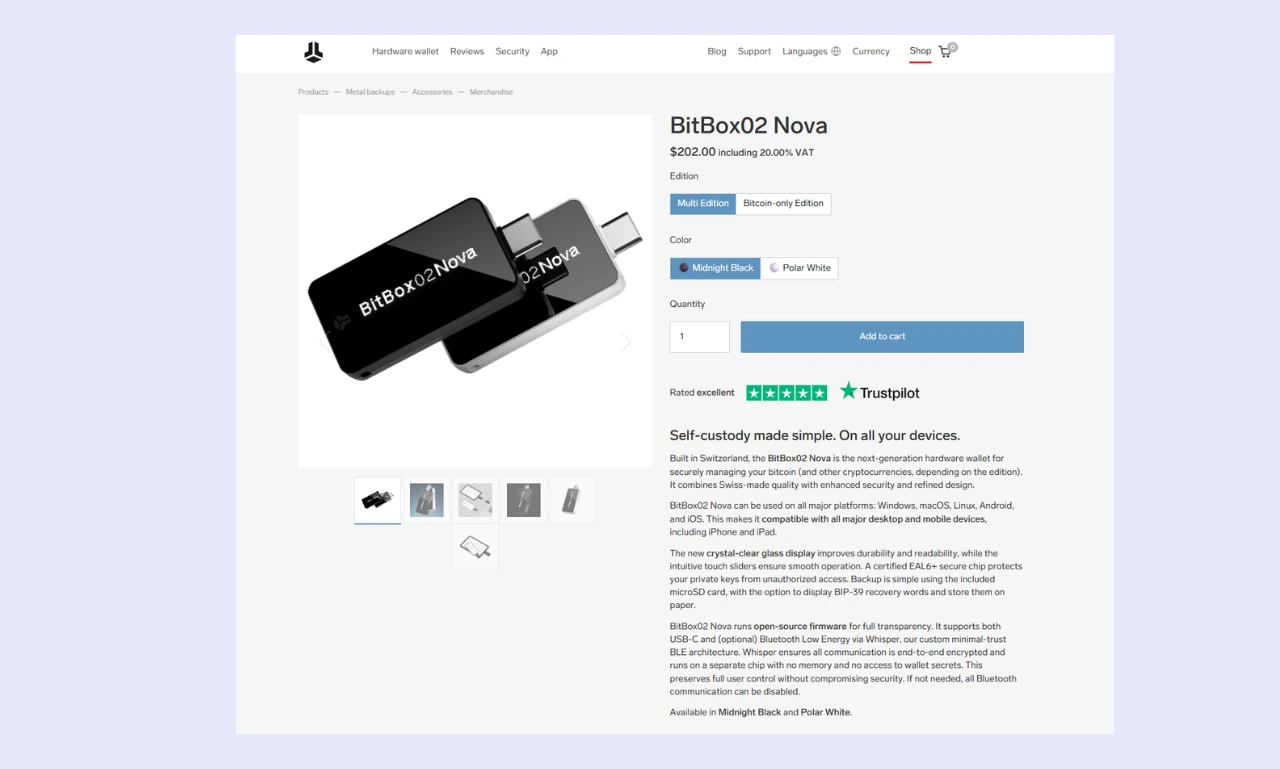
Security is the core benefit of using a hardware wallet over a hot wallet, which is typically more convenient for day-to-day use. Is BitBox safe? Wallets from the company utilize multiple forms of protection, including:
Private Key Storage
While hot wallets store seed phrases digitally, within the application or on the connected device, hardware wallets store the seed phrase offline within the physical device. As such, it's never exposed to the internet, drastically reducing the risk posed by network attacks or computer viruses.
The BitBox02 and BitBox02 Nova generate and store seed phrases offline. The seed is cryptographically encrypted and stored within the device's RAM. The secure element stores the secrets used to decrypt seed phrases, so a bad actor would have to compromise both to forcefully extract the seed.
PIN Protection
Hardware wallets use physical security mechanisms, so setting up an access PIN can seem less effective in comparison. However, PINs make it far harder for a bad actor to access a wallet. Even if they have physical access, they can't get into the wallet without the PIN.
BitBox02 devices allow users to set a four-digit PIN that must be entered anytime the wallet is accessed. The number layout changes each login, preventing over-the-shoulder attacks in which bad actors observe your inputs.
Additionally, users can set a special PIN that will wipe the device when entered, which is an effective solution in the event a criminal attempts to force them into unlocking their hardware wallet. Similarly, BitBox features brute-force protection: after 10 incorrect PIN entries, the device erases all data.
Seed Phrase / Recovery Phrase
BitBox02 wallets generate the seed offline within the device. Bad randomness was common in older wallets and is being exploited by bad actors today, allowing people to predict seed phrase sequences and gain access to wallets. As recently as 2023, a Trust Wallet extension bug allowed seed phrases to be brute-forced.
BitBox clearly understands the importance of randomness in securing crypto assets. It leverages three sources of strong entropy (randomness) when generating seed phrases, ensuring that they're unfeasible to guess or brute force.
The BitBox02 supports BIP39, allowing users to import 12, 18, or 24-word seed phrases. The device uses BIP32 to derive keys. As such, users can create multiple sub-accounts with unique balances, all of which can be recovered using a single seed phrase.
Physical Security
As we discussed, BitBox wallets are shipped in tamper-evident, branded, and vacuum-sealed packaging. However, the devices feature additional physical security measures, including:
- Secure Element: At the heart of every hardware wallet is a secure element, a special tamper-resistant microprocessor. BitBox uses a dual-chip architecture. A bad actor would have to compromise both chips to steal and decrypt the wallet's seed phrase.
- Permanent Casing: The two halves of a BitBox02 are kept in place using permanent adhesive and pins that are designed to break and never fully fit back together if someone tries to force their way into the device.
- Solvent-Resistant Epoxy: Critical BitBox02 components are permanently secured in place using solvent-resistant epoxy, which is designed to destroy the components if someone attempts to tamper with the device.
The BitBox02 offers excellent protection against physical attacks, including attempts to modify it during shipping or at the retail stage. While some of the protective measures seem basic, BitBox has implemented them to make tampering with the wallet obvious.
Firmware Verification
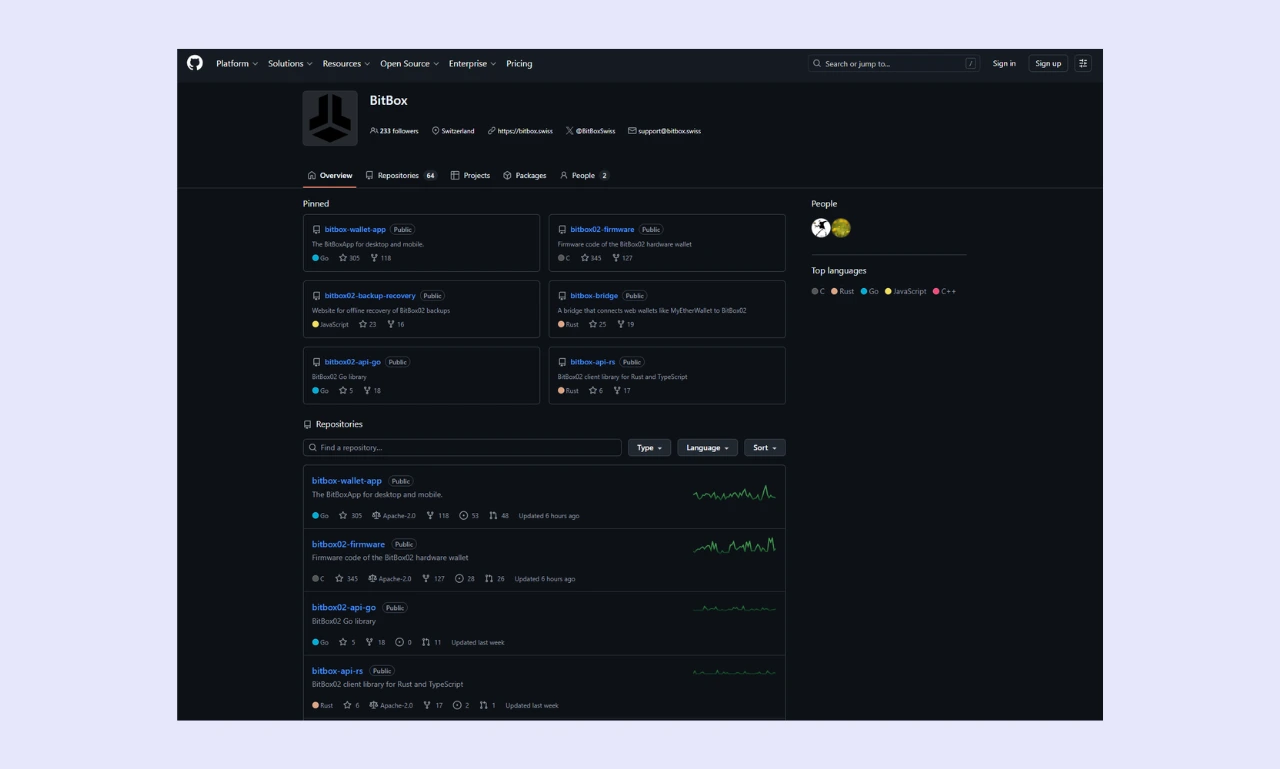
BitBox has also developed a way to automatically verify a wallet's authenticity. Every BitBox secure element is assigned a unique attestation key during manufacturing. When connecting to the hardware wallet, the BitBoxApp uses the key to verify that the device is genuine, displaying a warning if the key is invalid.
It's also possible to verify the authenticity of the BitBox firmware independently. Unfortunately, it requires a reasonable level of technical knowledge. Users must download the firmware's code from GitHub and verify the hash against an already-built/compiled release (also available on GitHub).
Passphrase/Hidden Wallet
In addition to the PIN system, which requires a specific code to unlock the wallet, BitBox users can set a passphrase. It effectively adds an extra word to the seed phrase.
After inputting your PIN, your wallet is unlocked and ready for use. However, setting a passphrase lets you create another wallet linked to the original. You must enter the passphrase to access the secret wallet and its contents.
So, you could set up a wallet with a small amount of funds that you could access in case you're under duress and forced to unlock your BitBox02. Then, you could keep the majority of your assets in a passphrase wallet, helping to limit losses in emergencies.
It's important to note that if you lose your passphrase, you cannot recover any assets stored in the associated wallet. Every time a new passphrase is entered, the BitBox02 creates a new wallet. BitBox recommends using at least 12 characters and no personally identifiable information.
Open Source vs. Closed Source
While researching this BitBox review, I found that the code for the BitBox firmware and the BitBoxApp is publicly available on GitHub. Anyone can download, examine, or audit the code, which can be a significant advantage in an industry like cryptocurrency, where trust and transparency are essential.
Open-source software benefits from collective development, where people work together to solve problems and fix bugs. However, bad actors can analyze open-source code to find exploits.
On the other hand, closed-source software is proprietary. There's no way to view the code without reverse engineering the software. Some people argue that this approach is safer because it's much more challenging to find an exploit. However, critical bugs can remain undetected for years.
There's no concrete answer on which approach is best. However, transparency and decentralization are at the core of the cryptocurrency ethos, so many investors prefer verifiable, open-source wallets.
Audits & Certifications
There are two versions of the BitBox02. Both feature a dual-chip architecture. The standard edition features a regular microcontroller along with an 'ATECC608B' secure chip. The BitBox02 Nova utilizes an EAL6+ security chip.
Evaluation Assurance Level (EAL) is a rating system that measures the security of technology, including hardware wallets. It's ranked from EAL1 to EAL7+. While EAL5+ is common for older wallets, first-rate, modern hardware wallets typically feature EAL6+ chips, and a single hardware wallet (NGRAVE ZERO) boasts an EAL7 rating.
Third-party audits are an essential part of cryptocurrency security. They confirm that a project is genuine and secure. While not as crucial for open-source projects (because anyone can independently audit the code), the BitBox02 firmware was successfully audited by Census Labs, indicating a high level of trust and protection.
Supported Cryptocurrencies & Tokens
While some people invest in only one or two cryptocurrencies, others prefer diversified portfolios containing dozens of assets and NFTs. Whatever your preference, the ability to store your assets is essential for any hardware wallet.
Native Support
There are two editions of the BitBox02: Bitcoin-only and multi-asset. The latter devices offer support for 1,500+ cryptocurrencies and dozens of networks. Some of the assets the BitBox02 supports include:
- Bitcoin
- Litecoin
- Cardano
- Ethereum
The wallet supports cryptocurrency coins (assets with their own networks, like Bitcoin) and tokens (assets built on other networks, like Chainlink). As such, users can store a broad range of assets.
However, a significant number of notable layer-1 projects are unsupported, which could pose problems for investors and Decentralized Finance (DeFi) enthusiasts looking to store tokens built on these networks. Although the full list is far longer, some of the most popular cryptocurrencies that BitBox doesn't support are:
- XRP
- Solana
- Tron
- HyperLiquid
- Monero
- Canton
Although BitBox02 wallets can store a considerable amount of assets, they lack support for some of the world's most popular projects. If you have a diverse portfolio or want to store specific assets, it's advisable to check the BitBox supported coins page before purchasing a BitBox02.
ERC-20 Tokens & Other Standards
The best hardware wallets support a wide range of token standards, enabling users to store assets that aren't directly supported but are built on other supported layer-1 networks.
BitBox02 wallets support a limited set of token standards. Users can store ERC-20 assets and Ethereum Virtual Machine (EVM) projects. No other token standards are supported, so the BitBox02 is best as an Ethereum wallet rather than a multi-network crypto storage device.
NFT Support
Unfortunately, BitBox02 devices cannot natively view or manage NFTs, which is a significant disadvantage for collectors. However, it's possible to link a BitBox device to a third-party wallet like NuFi, which supports NFTs across multiple chains. If you want to store NFTs natively, consider an alternative like Ledger or ELLIPAL.
Integration with Wallets/dApps
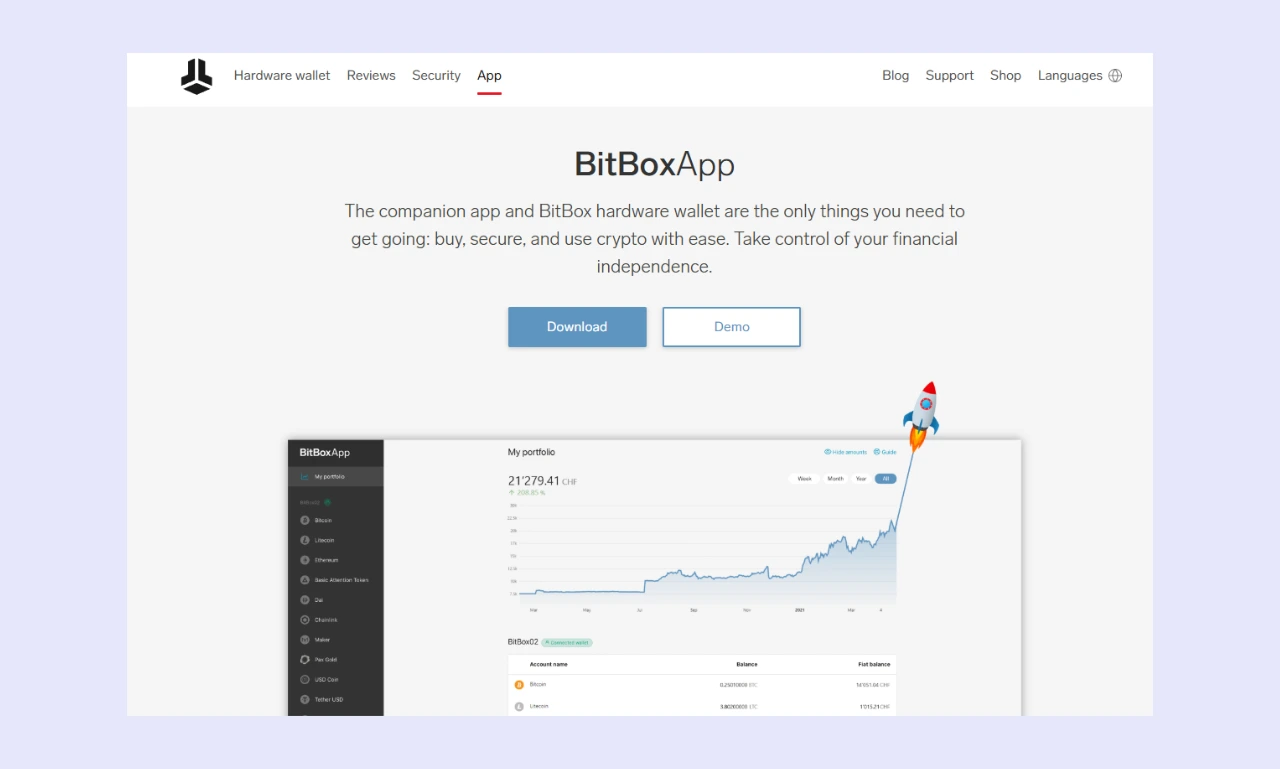
As we touched on, BitBox02 wallets integrate WalletConnect, enabling people to seamlessly connect to Decentralized Applications (dApps), like PancakeSwap and Compound. These dApps vastly expand the wallet's capabilities, enabling users to access advanced trading, staking, lending, and yield farming tools with a few clicks.
BitBox has primarily designed its wallets for use with the BitBoxApp. However, users can connect them to six Bitcoin wallets, three multi-chain wallets, and one Cardano wallet, so they can benefit from hardware security while using their favorite wallet. Some of the supported third-party wallets include:
- Electrum
- MyEtherWallet
- NuFi
Connectivity & Compatibility
Straightforward connectivity makes using a wallet day-to-day far more convenient. Ideally, you want a wallet that supports your preferred device (desktop/mobile, Windows/Android/iOS) and requires minimal effort to use after the initial setup.
Connection Type
BitBox02 devices feature minimal external connectivity. There's no WiFi or NFC. Instead, the standard BitBox02 features a single USB-C connector with a USB-A adapter included in the box. The BitBox02 Nova features the same USB-C connector, with the addition of low-energy Bluetooth, which enables iOS support.
Device Compatibility
You can use BitBox02 hardware wallets on desktop and mobile devices. It supports all major operating systems, including Windows, macOS, Linux, and Android. While the standard BitBox02 lacks iOS support, the BitBox02 Nova integrates Bluetooth, enabling compatibility with iPhones and iPads.
Companion App/Software
Users manage BitBox02 hardware wallets via the BitBoxApp, which is available on desktops and mobile devices. The app is beginner-friendly, but relatively limited. It has charts tracking portfolio value, tools for buying/selling crypto with fiat, and an optional Bitcoin insurance policy via Bitsurance.
Unfortunately, the BitBox companion app doesn't include native staking support or any other advanced features. However, users can connect to external dApps via WalletConnect to access any features missing from the BitBoxApp. So, while they lack native support, BitBox wallets remain versatile.
Bitbox Advanced Features
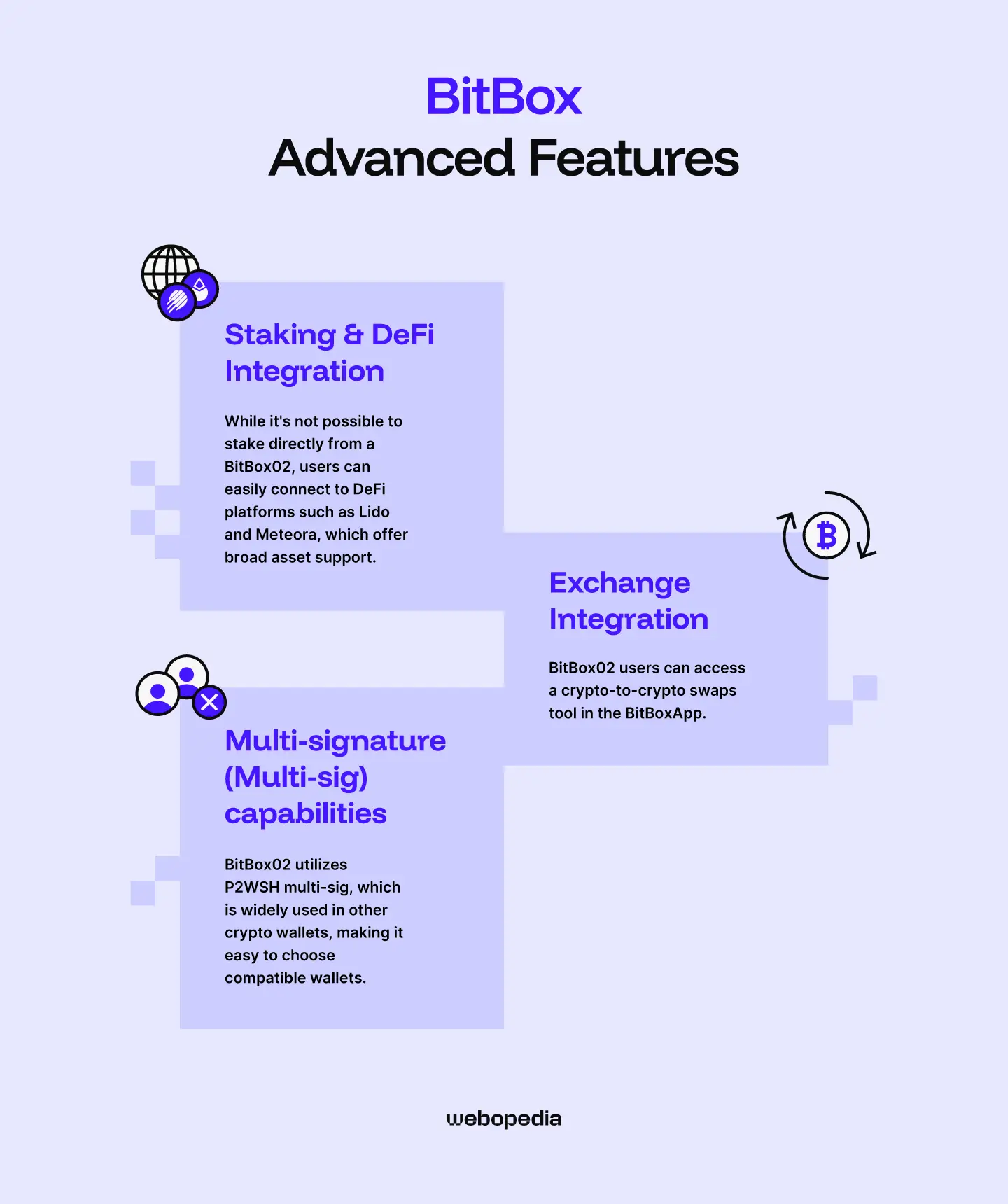
Some hardware wallets offer advanced features to cater to a broader selection of users. While BitBox02 devices are relatively basic, they include a few helpful tools.
Staking & DeFi Integration
While it's not possible to stake directly from a BitBox02, users can easily connect to DeFi platforms such as Lido and Meteora, which offer broad asset support. While manually connecting to dApps is somewhat inconvenient, they offer vastly greater flexibility than the native staking solutions typically offered by hardware wallets.
Exchange Integration
BitBox02 users can access a crypto-to-crypto swaps tool in the BitBoxApp. Third-party service providers like MoonPay power it and provide a convenient way for people to quickly swap assets when needed. Users can also easily connect to Decentralized Exchanges (DEXs) like Uniswap and Hyperliquid.
During testing for this BitBox review, I found that trading fees can be higher than those on mainstream exchanges like Binance or OKX. As such, swapping via the BitBoxApp is best reserved for transactions where speed and convenience are more important than reducing costs.
Multi-signature (Multi-sig) capabilities
Multi-sig wallet setups are ideal for situations where multiple people need access to the same wallet, but no single person should be able to access funds without the other party's approval. For example, a Decentralized Autonomous Organization (DAO) treasury.
The BitBox02 is a popular option for investors wishing to set up a multi-sig wallet. However, multi-sig setups require majority approval (e.g., 2-of-3 or 3-of-5), so multiple hardware or software wallets are needed, which can drastically increase costs.
While examining user BitBox reviews, I learned that the BitBox02 utilizes P2WSH multi-sig, which is widely used in other crypto wallets, making it easy to choose compatible wallets.
Pricing & Value for Money
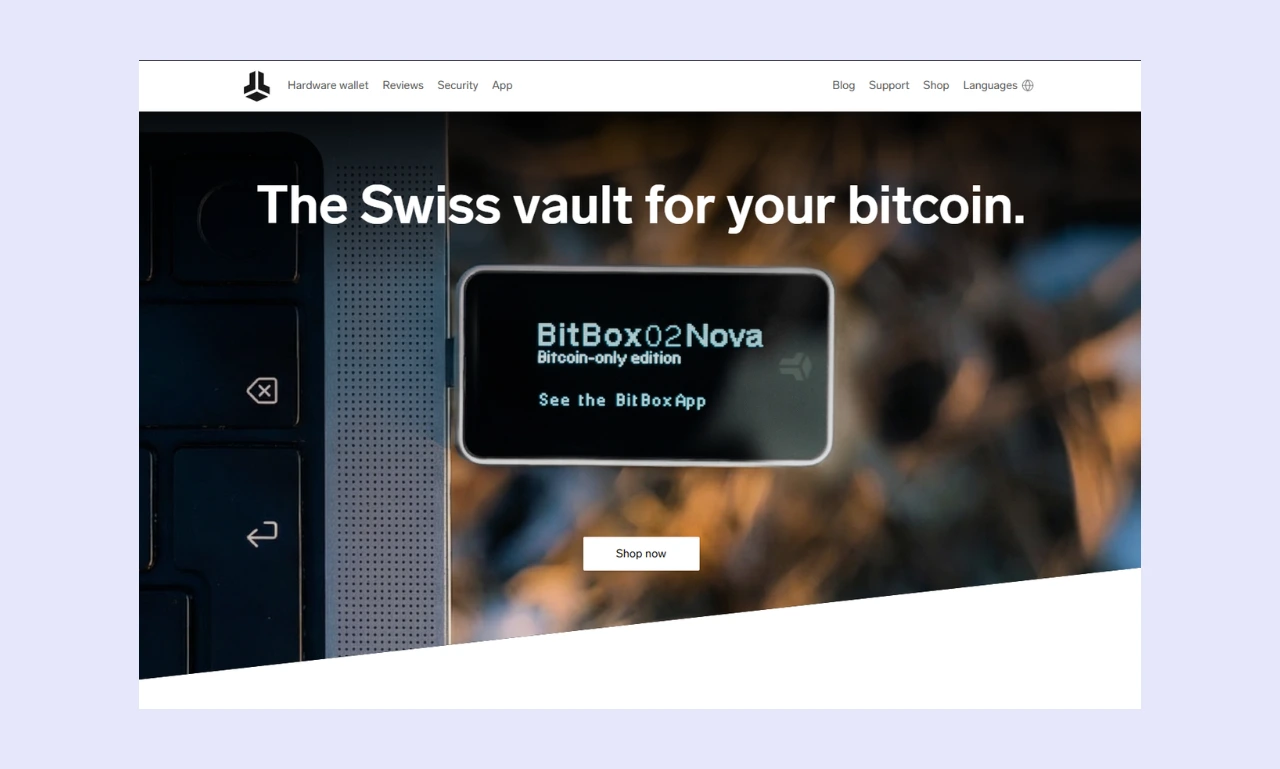
When you're debating which hardware wallet to purchase, pricing is an essential consideration. Options are available for all budgets, so there's no reason to spend excessively unless you like a certain wallet's design or features.
Current Price
There are several versions of the BitBox02.
First, users must choose between a Bitcoin-only or a multi-asset edition. While Bitcoin-only wallets are marginally safer, multi-asset options are much more convenient if you hold assets other than BTC. Bitcoin-only and multi-asset wallets cost the same.
The standard BitBox is priced at $172, while the BitBox02 Nova (with a superior secure element and iOS support) costs $202. There are two options, but they're both expensive and similarly priced. If you have a smaller portfolio or want a cheaper wallet, consider Tangem ($54.90) and the Trezor Safe 3 ($59).
It’s worth noting that the BitBox price regularly changes. The difference is only small, a couple of dollars, but it’s worth noting. In my experience, the difference never exceeds a few dollars. For example, a few days ago, the BitBox02 Nova cost $203, while it’s currently $202.
What's included
Users receive everything they need to get started, along with a few accessories, when purchasing a BitBox02. However, the device doesn't include a seed phrase recovery sheet, as is typical amongst competitors. That said, most people have a pen and paper to hand, so it's not the most significant issue.
While there are no extra costs to use a BitBox02, users will pay network fees for sending transactions and exchange fees for swapping/buying/selling crypto. The BitBoxApp clearly displays these costs before confirming a transaction.
Is it worth it?
Regardless of whether you pick the standard Nova version, BitBox02 wallets are expensive. At roughly $200, they compete with premium options like the Trezor Safe 7 ($249) and the Ledger Nano Gen5 ($179).
There are cheaper hardware wallets that support more assets and offer similar security features (EAL6+, PIN, passphrase, brute-force protection, etc.), so whether the BitBox02 is worth it is a matter of preference. If you like its design and touch sliders, and don't hold assets like XRP, the BitBox02 is a solid choice.
BitBox Products
During my BitBox review, I found that the company offers two different hardware wallets. Both share a design and the same core functionality. However, there are a few notable differences between the two that affect who each is suited to.
BitBox02
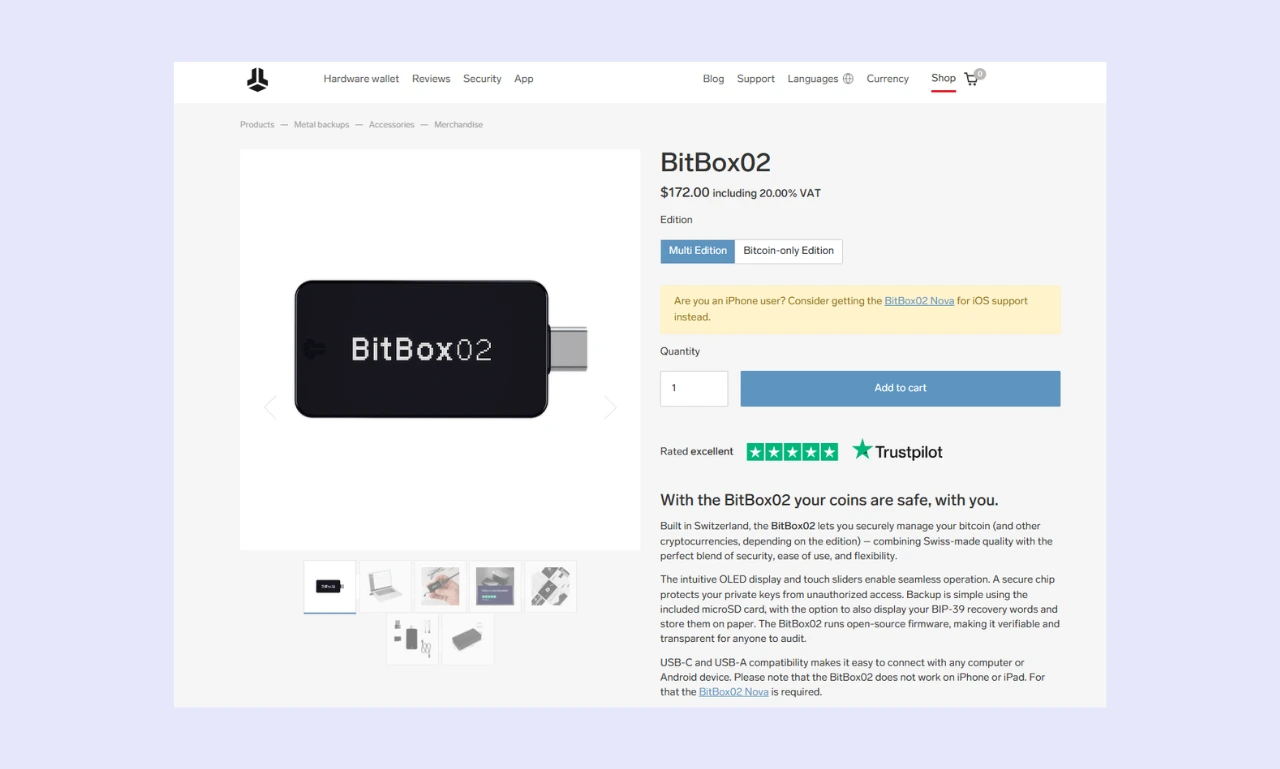
The standard BitBox02 ($172) is well-equipped for most users. It features dual security chips, open-source firmware, and a USB-C port for connectivity. It supports over 1,500 cryptocurrencies, but misses certain popular assets, including XRP and Solana.
While a strong choice for day-to-day use thanks to its simple setup process and the intuitive BitBoxApp (which includes an on/off-ramp), the relatively limited asset support and lack of iOS compatibility significantly impact usability.
BitBox02 Nova
If you prefer to manage your investments on iPhone/iPad or want to maximize your protection, the BitBox02 Nova ($202) is a better choice than the regular edition. It includes Bluetooth connectivity and a USB-C to Lightning adapter, enabling seamless usage with Apple devices.
Additionally, the BitBox02 Nova features a more robust EAL6+ secure element, providing users with the added peace of mind that comes with industry-standard certification. It features a slightly more premium glass OLED display, but with these features adding $30 to an already high price, the Nova could be challenging to justify.
BitBox Wallets Compared
If you're struggling to decide which hardware wallet is best for you, it can help to have key features clearly displayed alongside other popular wallets. It simplifies the comparison process and helps people make a better-informed choice.
| Wallet Name | BitBox02 | Bitbox02 Nova | Ledger Nano X | Trezor Safe 5 | Tangem |
|---|---|---|---|---|---|
| Security Architecture | Open-source, dual security chip | Open-source, EAL6+ security chip | Semi-open-source, EAL5+ security chip | Open-source, EAL6+ security chip | Open-source, fully air-gapped, EAL6+ security chip |
| Supported Assets | 1,500+ (XRP, SOL, TRX, XMR are unsupported) | 1,500+ (XRP, SOL, TRX, XMR are unsupported) | 15,000+ | 8,000+ | 16,000+ |
| Price | $172 | $202 | $99 | $129 | $54.90 |
| Ease of Use | Beginner-friendly | Beginner-friendly | Simple, but the display can be difficult to read | Easy thanks to the larger screen | NFC cards require some getting used to |
| Connectivity | USB-C | USB-C, Bluetooth | USB-C, Bluetooth | USB-C | NFC |
| Display | 1.38-inch OLED | 1.38-inch glass OLED | 1.1-inch monochrome | 1.54-inch touchscreen | N/A |
| Advanced Features | Buy/sell crypto, Bitcoin insurance, passphrase, dApp connectivity | Buy/sell crypto, Bitcoin insurance, FIDO passkey, dApp connectivity | Staking, buy/sell crypto, swaps, dApp connectivity | Buy/sell crypto (DEX + CEX), native staking, swaps, dApp connectivity, passphrase | Multi-accounts, dApp connectivity, and hide wallet balance |
| Build Quality | Solid and durable. Mainly polycarbonate | Premium. Polycarbonate with glass OLED display | Metal and plastic, it feels robust | Reasonably strong, made with durable plastic | Long-lasting, durable, no moving parts. Made from plastic |
| Customer Support | Support center, ticket system, video call assistance (paid) | Support center, ticket system, video call assistance (paid) | Help center, AI bot, ticket system | Help center, ticket system | Help center, ticket system |
- While the BitBox02 offers an easy-to-read display, Tangem devices focus on portability and long-term usability.
- While the standard BitBox02 and the Trezor 5 will suit most people, iOS users must choose a BitBox02 Nova or a Tangem.
- BitBox wallets are perfect for storing specific assets and ERC-20 tokens, while Web3 enthusiasts who invest in many smaller projects will be better served by a Tangem or Nano X.
Who is BitBox Best Suited For?
The BitBox02 is an excellent general-purpose hardware wallet. It features a sleek design and impressive security. Moreover, it features WalletConnect integration, enabling straightforward dApp connectivity. As such, it's well-suited to DeFi enthusiasts who regularly use Web3 trading or yield farming platforms.
However, because it lacks support for many popular assets, including Solana and XRP, prospective users should check which assets are compatible before purchasing. While it lacks certain cryptocurrencies, the BitBox02 offers full ERC-20 token support, making it ideal for investors who wish to stay within the Ethereum ecosystem.
Conclusion & Final Verdict
BitBox02 wallets are well-rounded and secure. The open-source architecture and dual-chip approach ensure transparency while maintaining security. While conducting this BitBox review, I was impressed by the sleek design, touch sliders, and the BitBoxApp, which combine to provide a premium user experience.
While it would be nice to see an EAL6+ chip included in the standard BitBox02, given its $172 price tag, it remains a solid device for Ethereum investors. iOS users are forced to purchase the more expensive BitBox02 Nova, but a superior security chip helps justify the cost.
If you're looking for a budget-friendly hardware wallet or a device that can store dozens of different layer-1 cryptocurrencies, Ledger, Trezor, and Tangem produce better alternatives. However, if you're looking for a premium device that can secure third-party wallets, the BitBox02 is worth considering.
FAQs (Frequently Asked Questions)
Can I use BitBox with my phone?
People can use the standard BitBox02 with desktop computers and Android mobile devices. However, iPhone users must opt for the BitBox02 Nova, which is more expensive but features Bluetooth connectivity. The BitBoxApp is available on both Android and iOS.
What happens if I lose my BitBox?
It’s still possible to recover your investments if you lose access to your physical BitBox02 device. As long as you have access to your seed phrase, you can recover your wallet using another BitBox, a different hardware wallet, or a software wallet. However, if you lose your seed, recovery is impossible.
Can BitBox freeze my wallet?
BitBox wallets are entirely non-custodial (sometimes called self-custody). No intermediary or authority, including BitBox, can manage the wallet. The seed phrase and private keys are generated offline, stored in RAM, and never exposed to the internet, so external management is essentially impossible.
How do I update my BitBox's firmware?
When you open the BitBoxApp and connect your hardware wallet, a red dot will appear next to the ‘Settings’ icon if a BitBox firmware update is available. From settings, navigate to ‘Manage device’, tap ‘Firmware’, press the ‘Upgrade’ button, and confirm it on your BitBox02.