- Key Takeaways
- Pros & Cons of Bitget Web3 Wallet
- What makes Bitget Wallet Different?
- How to Set Up Bitget Wallet Safely (Step-by-Step)
- Key Features & Functionality
- Top Security Features of Bitget Wallet
- Bitget Wallet vs. Trust Wallet: Which is Better?
- Is Bitget Wallet Best for You?
- FAQs (Frequently Asked Questions)
Bitget Wallet Review (2026): Is it the Best Software Wallet?

- When you click links on this page, we may earn an affiliate commission. By using this website you agree to our terms and conditions and privacy policy.
- Participation in online gambling may be illegal in your country and is subject to age restrictions (18, 19, or 21, depending on the jurisdiction). Verify legality and age requirements before participating. Learn more
Bitget Wallet is one of the best non-custodial wallets available right now. The wallet, launched in 2018 as BitKeep, was founded by Kevin Como and Yan Yun. In 2023, the crypto exchange Bitget acquired a controlling stake with a $30 million investment and rebranded it to Bitget Wallet.
Bitget Web3 Wallet is structured differently from Binance wallet; it goes well beyond simple token storage. You get built-in swaps, cross-chain bridging, decentralized finance (DeFi) access, an NFT gallery, and even a crypto debit card in supported regions, all across 130+ blockchains. It's available on mobile, browser extension, and desktop.
Key Takeaways
- Bitget Web3 Wallet is one of the best non-custodial wallets in 2026, offering high security options.
- You can integrate a Hardware Wallet with Bitget Wallet.
- Registration is fast and easy, giving you the option to link your Google account to the wallet.
- Bitget Wallet App has a top-notch user interface that is easy to use.
- Bitget Wallet offers staking and other opportunities to earn within the app if you choose to subscribe.
Pros & Cons of Bitget Web3 Wallet
Here's a quick look at where Bitget Wallet shines and where it falls short.
| Pros | Cons |
|---|---|
| Supports 130+ blockchains with a unified portfolio view | The number of features can feel overwhelming for beginners |
| MPC keyless wallet removes the risk of lost seed phrases | No 24/7 live chat support |
| Built-in swap aggregator (Super DEX) finds the best rates across hundreds of DEXs | Swap and bridge fees can occasionally be higher than going directly to a specific DEX |
| Both Ledger and Trezor hardware wallet integration | Some features, like the crypto debit card, are limited to certain regions |
| Available on mobile, desktop, and browser extension | Mobile app has a steeper learning curve than simpler wallets like Trust Wallet |
What makes Bitget Wallet Different?
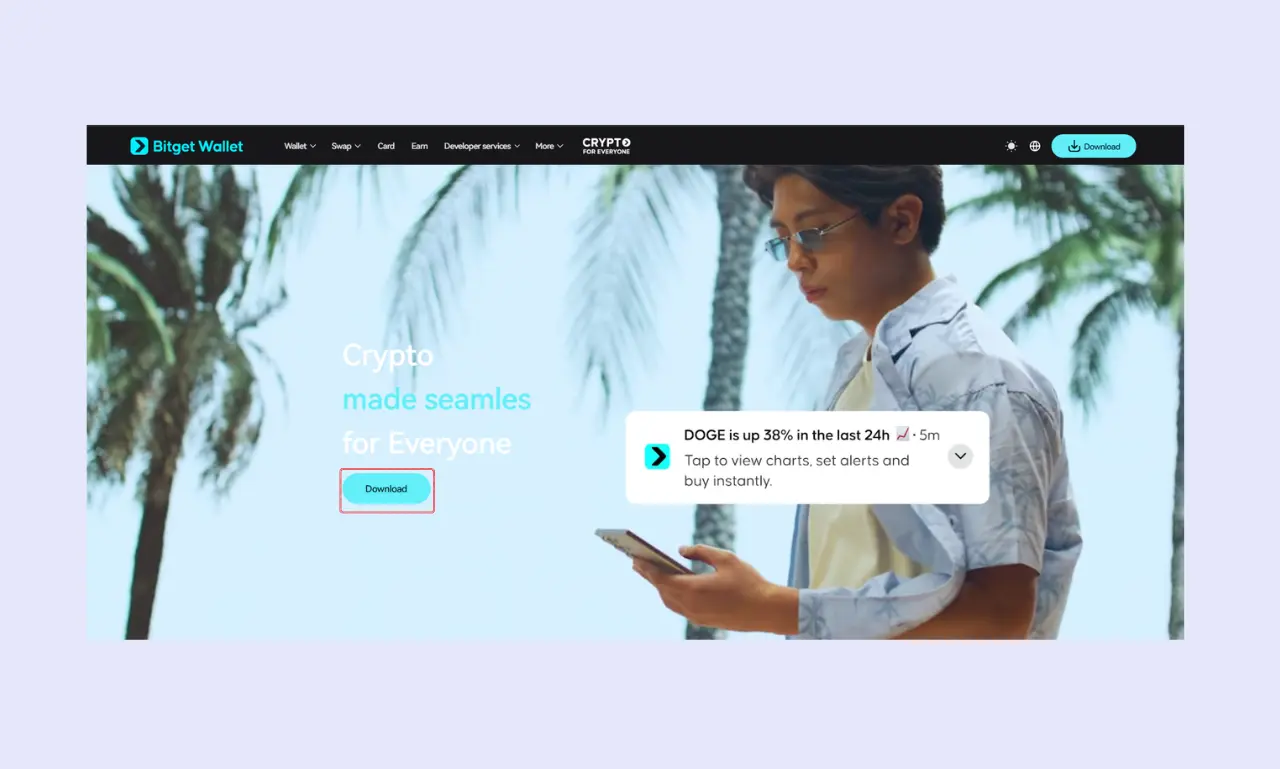
Here's a quick snapshot of what Bitget Wallet brings to the table.
| Feature | Details |
|---|---|
| Wallet Type | Mobile (iOS, Android), Browser Extension, Desktop |
| Custody | Non-custodial (self-custody) |
| Supported Chains | 130+, including Bitcoin, Ethereum, Solana, BNB Chain, Polygon, Arbitrum, Tron |
| Open Source | Yes |
| Cost | Free to download and use; standard network gas fees apply for transactions |
How to Set Up Bitget Wallet Safely (Step-by-Step)
As one of the best Web3 Wallets available, Bitget Wallet is quick and easy to use with my four-step setup instructions, which you can read below.
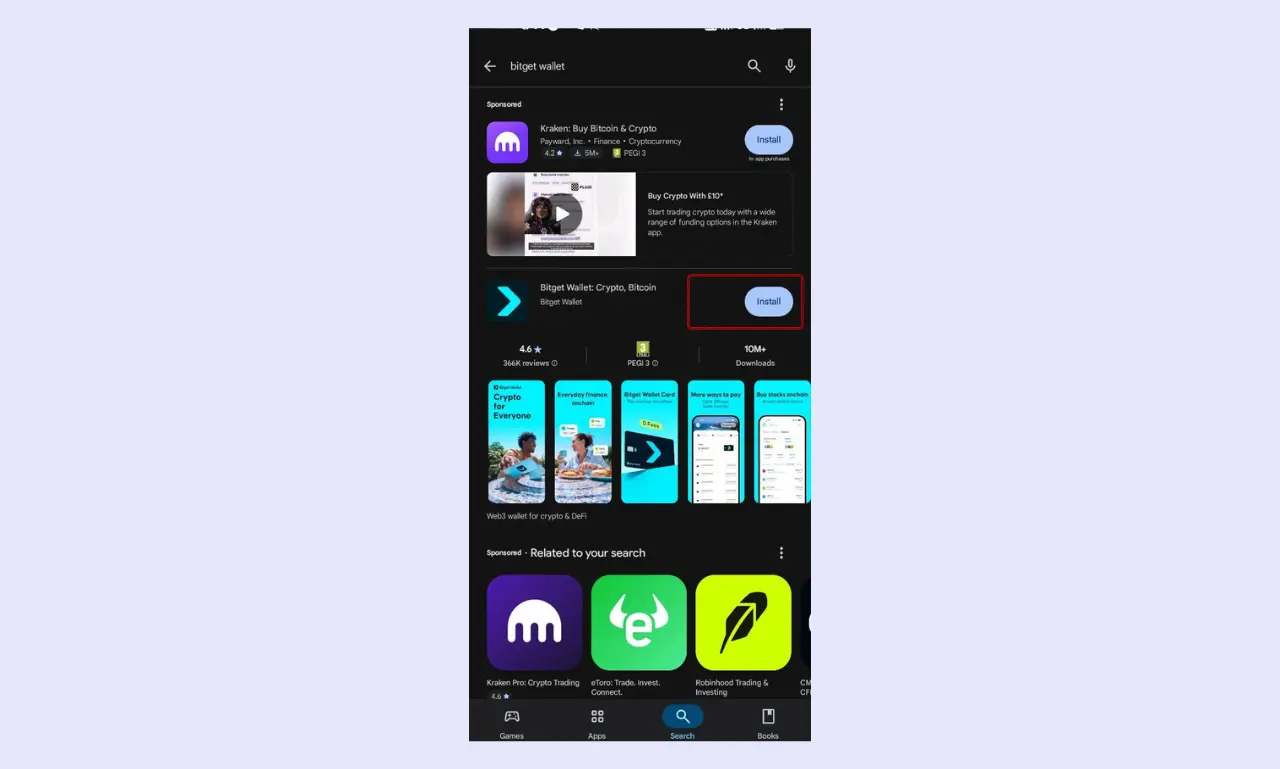
- Download: Visit the official Bitget Wallet website or your device's app store to install the app. The browser extension is available on the Chrome Web Store and also on the App Store. Skip any download links from social media or random DMs, as fake wallet apps are one of the oldest tricks in crypto.
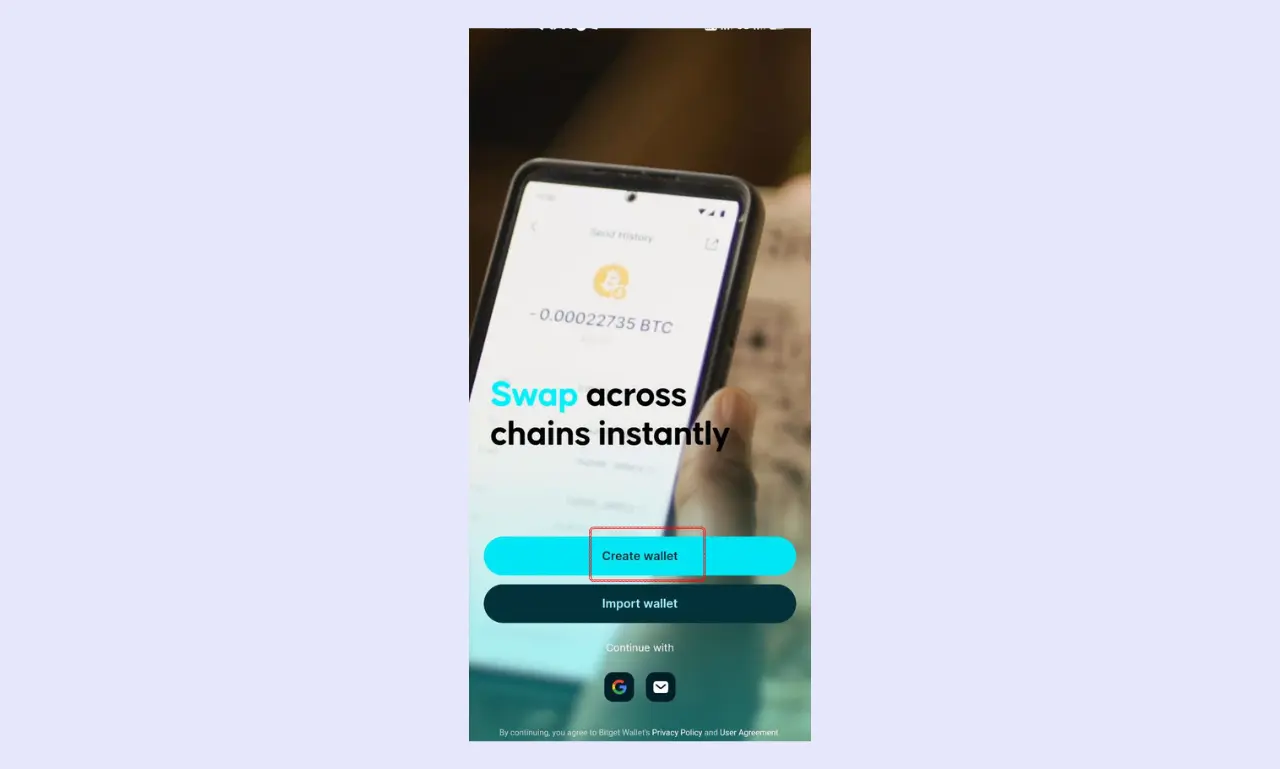
Download The Bitget Wallet App - Create Wallet: Tap "Create New Wallet," and the app will easily create a wallet for you. Then you scroll to the ‘Overview’ section of the wallet to view your private key according to the mainnet of your choice, and an option to back up your seed phrase. A 12-word seed phrase will be generated for you. Write it down on paper, keep it offline, and never share it with anyone, because those 12 words are the master key to your funds.
Click on 'Create Wallet' - Security Check: Set a strong Passcode, PIN, or password, then enable Face ID or fingerprint authentication if your device supports it. You also have an option to link Google Authenticator to improve your security level. This way, even if someone gets their hands on your phone, they can't get into your wallet or sign any transactions.
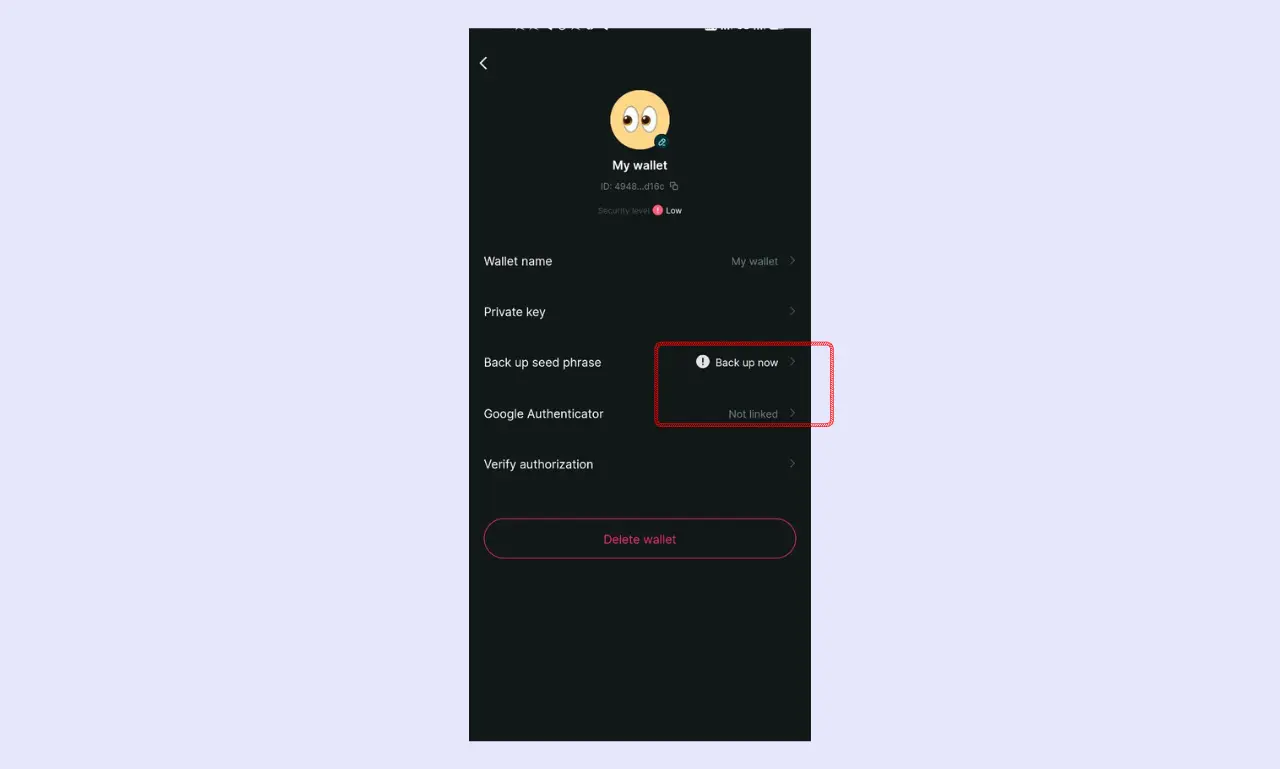
Bitget Wallet Security Option - Make your First Deposit: Tap "Receive," choose your token and network, and copy your public address or scan the QR code from wherever you're sending funds. Always double-check you're sending on the correct network, because using the wrong chain is one of the easiest ways to lose crypto permanently.
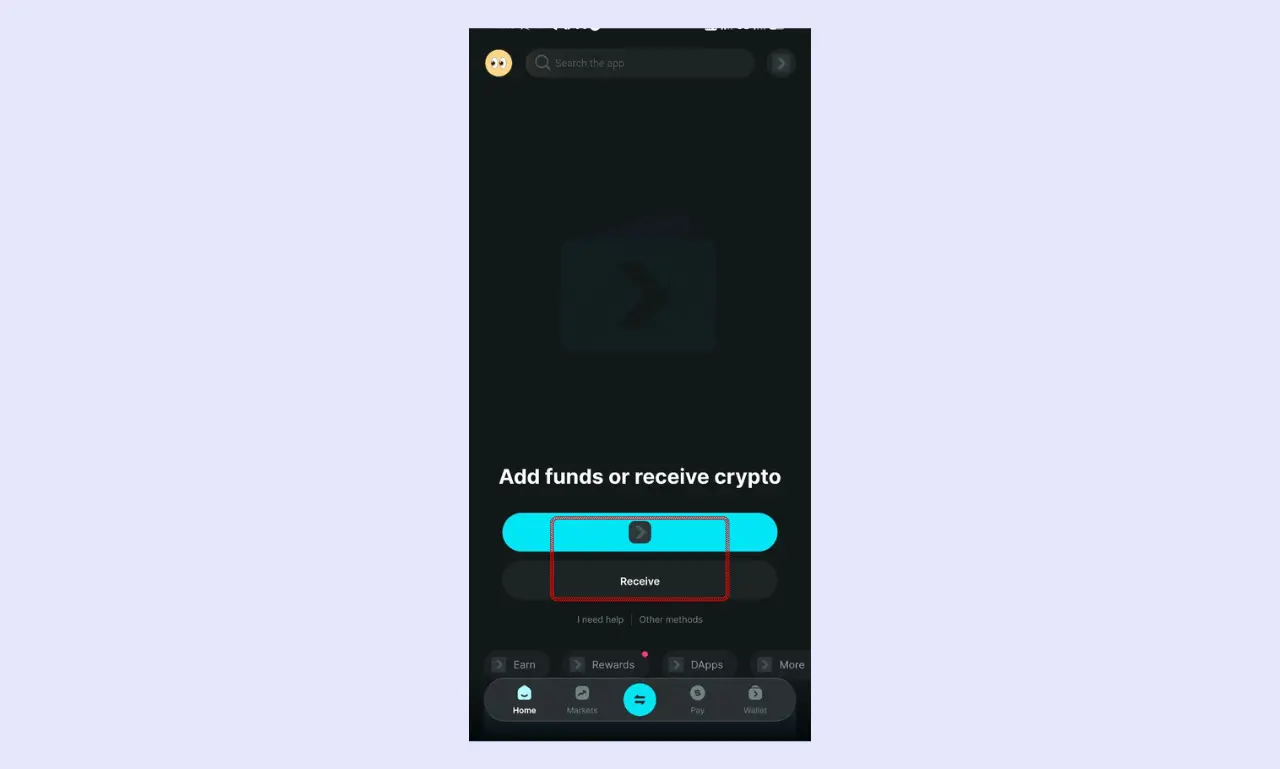
Make your first deposit
Key Features & Functionality
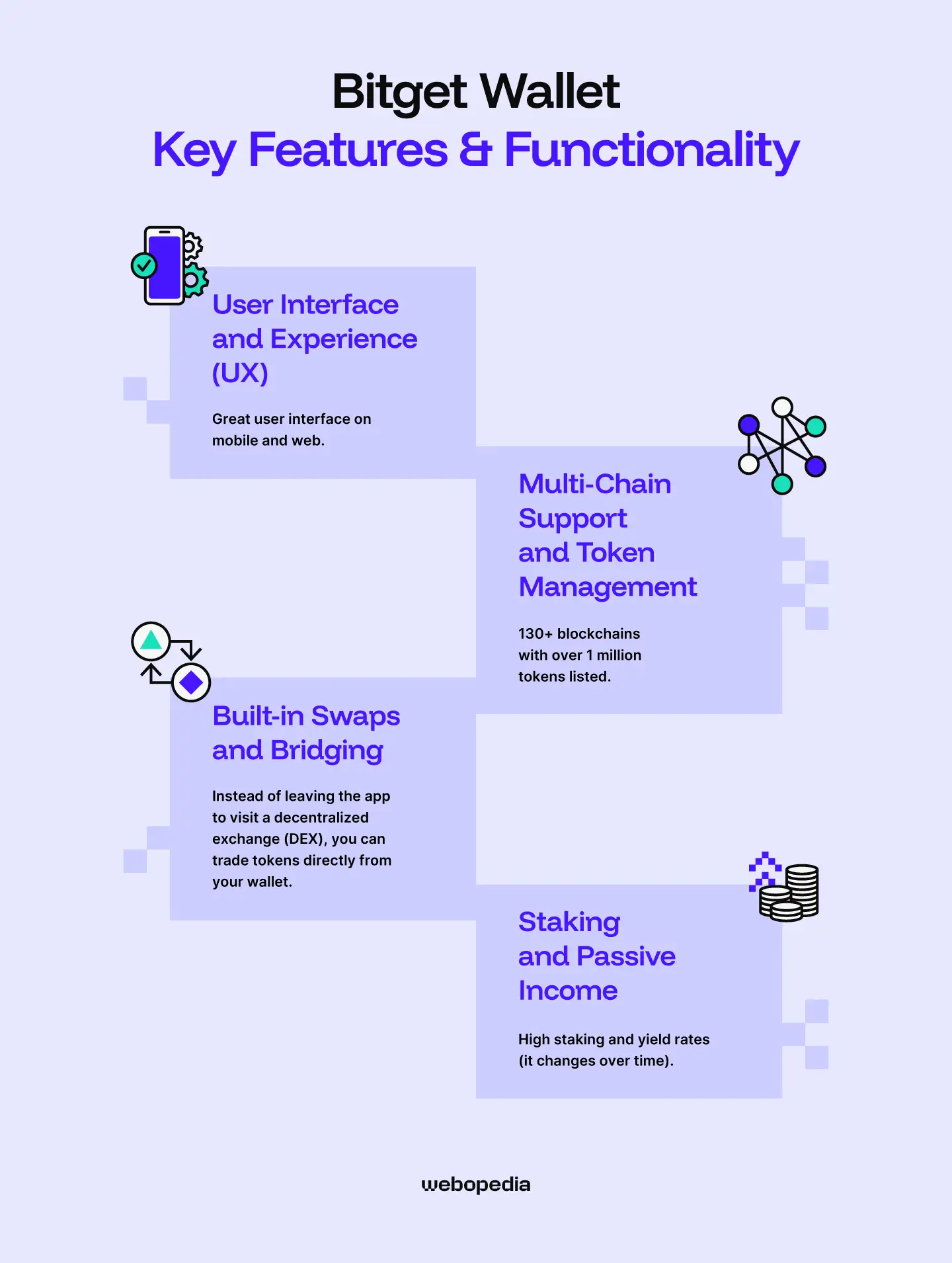
Here's what sets Bitget Wallet apart in daily use. Below, I'll walk you through its interface design, chain and token coverage, in-wallet trading options, and staking opportunities.
User Interface and Experience (UX)
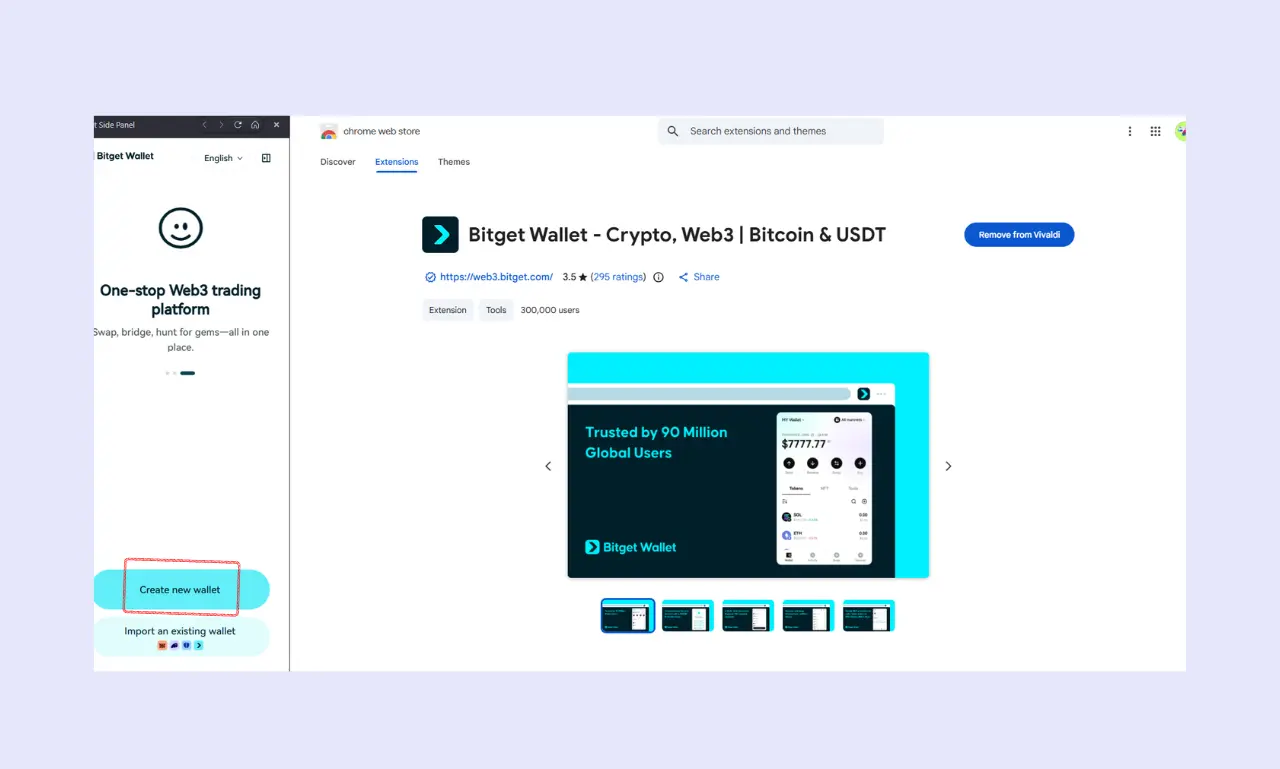
Bitget Wallet keeps things simple from the start. You can download it as a mobile app on iOS or Android, or as a browser extension (which functions as the desktop version). Creating a new wallet takes under a minute. The app walks you through backing up your seed phrase and setting up a Passcode or biometric lock right away, so you're not left figuring out security on your own.
The main dashboard is clean and easy to navigate. Your token balances, recent activity, and quick-action buttons like Send, Receive, and Swap are all front and center. If you hold tokens across multiple chains, Bitget Wallet groups them into a single unified view, saving you from switching between networks manually. There's also a built-in Bitget Wallet dApp browser that allows you to connect to decentralized applications (dApps) directly from the wallet.
One thing I appreciate is that Bitget Wallet is approachable for beginners without stripping out the tools that more experienced users expect. You get straightforward navigation and clear prompts if you're just getting started, but also have access to features like custom gas settings, network switching, and transaction acceleration when you need them.
Multi-Chain Support and Token Management
Bitget Wallet supports over 130 blockchains, including major networks like Bitcoin, Ethereum, Solana, BNB Chain, Polygon, Arbitrum, and Tron. The list of Bitget Wallet-supported coins is long, so you can manage most of your portfolio from a single app instead of juggling separate wallets for different ecosystems.
Token detection is mostly automatic. When you receive a new token on a supported chain, it will usually show up in your balance without you having to do anything. If a token isn't recognized right away, you can add it manually by pasting the contract address.
A few things worth highlighting include:
- Unified portfolio view that pulls your holdings across all connected chains into one screen, complete with a real-time dollar value breakdown.
- Custom token support on any EVM-compatible network, so you can track newer or niche tokens as long as you have the contract address.
- NFT gallery built right into the wallet, where you can view, organize, and manage collections across Ethereum, Solana, and other supported chains.
Most supported chains work out of the box, with no manual network configuration needed, which is a relief for anyone who regularly moves between different networks.
Built-in Swaps and Bridging
One of the more practical features in Bitget Wallet is the built-in swap function. Instead of leaving the app to visit a decentralized exchange (DEX), you can trade tokens directly from your wallet. The swap tool pulls liquidity from multiple sources and aggregates quotes to find you the best available rate at that moment. This works similarly to a DEX aggregator, comparing prices across different pools so you're not stuck with a single liquidity source.
Cross-chain bridging is also built in. For example, if you need to move tokens from Ethereum to Arbitrum or BNB Chain to Polygon, you can do it right inside the wallet. This is a real time saver since it eliminates the need to visit third-party bridges, which can be both inconvenient and risky if you accidentally land on a phishing site.
When it comes to Bitget Wallet fees, the app shows you an estimated cost before you confirm any swap or bridge transaction. You'll see the exchange rate, price impact, and network gas fees upfront, which is a nice touch for transparency. However, keep in mind that gas fees still depend on the network you're using, so swaps on Ethereum will naturally cost more than on Solana or BNB Chain.
Staking and Passive Income
Bitget Wallet offers a built-in Earn section where you can put your idle tokens to work. Bitget Wallet staking is supported for several proof-of-stake (PoS) chains, with Ethereum being the most notable. You can stake ETH directly from the wallet without needing a separate staking platform or a centralized exchange (CEX).
ETH staking returns currently sit at roughly 3-4% APY, though this fluctuates. The wallet displays estimated returns before you commit, so you know what to expect going in.
Beyond ETH staking, Bitget Wallet also connects you to various DeFi earning opportunities, including liquidity provision, yield farming, and lending protocols across multiple chains.
A few things to keep in mind include:
- Staking flexibility: you can choose between different staking providers and compare their rates directly within the app.
- No platform lock-in: since Bitget Wallet is non-custodial, your staked tokens remain under your control. You're interacting with the underlying protocol, not handing funds over to Bitget itself.
- Risk transparency: each earning option shows relevant details, such as lock-up periods and estimated APY, helping you weigh the trade-offs before committing.
Just remember that DeFi yields carry their own risks, including smart contract vulnerabilities and market volatility, so always do your own research before jumping in.
Top Security Features of Bitget Wallet
Security is usually the first thing you want to know about before trusting a wallet with your funds. So let's look at how Bitget Wallet manages your keys and seed phrase, its take on self-custody and seedless technology, and whether it works with hardware wallets.
Private Key and Seed Phrase Management
Your seed phrase and private keys are stored locally on your device, meaning Bitget Wallet never has access to them. This is standard for non-custodial wallets, but it's still worth emphasizing because it means no one can freeze your funds or block your transactions. You're fully in control of them.
During setup, the wallet generates a 12-word Bitget Wallet recovery phrase that you can access anytime and use as your master backup. Bitget Wallet encrypts this data on your device and prompts you to write it down and verify it before moving forward, which is a small but important step that some wallets skip.
On the biometric side, Bitget Wallet supports Google authentication, FaceID, and fingerprint authentication. Once enabled, you'll need to verify your identity every time you open the app or approve a transaction. This adds a practical layer of protection, especially if someone gets physical access to your phone. You can also set up a custom PIN as a fallback.
Self-Custody vs. MPC (Multi-Party Computation)
Bitget Wallet gives you both options, which is a nice touch. You can go the traditional route with a 12-word seed phrase, or use its multi-party computation (MPC) wallet for a seedless experience.
With the traditional setup, you get full self-custody through a standard seed phrase. You write it down, store it safely, and use it to recover your wallet if needed. This is the tried-and-true method most crypto users are familiar with.
The MPC wallet works differently. Instead of generating a single seed phrase, it splits your private key into multiple encrypted parts, each stored separately. No single party, including Bitget, ever holds the full key. This means there's no seed phrase to lose or have stolen, which removes one of the biggest pain points in crypto self-custody.
So which should you pick? It depends on your comfort level. If you're experienced and confident in managing a seed phrase securely, the traditional option works perfectly fine. But if the idea of safeguarding 12 words on a piece of paper makes you nervous, or if you've heard horror stories about lost seed phrases, the MPC wallet offers a more forgiving setup without sacrificing security.
Hardware Wallet Integration
If you want the highest level of security, Bitget Wallet supports some of the best hardware wallet integration with both Ledger and Trezor devices. You can connect either one to the app and use Bitget Wallet as your interface while keeping your private keys stored offline on the hardware device.
The connection process is straightforward. You pair your device through QR code or Bluetooth (on mobile) or USB (on desktop/extension), and it acts as the transaction signer. Every time you send tokens, approve a swap, or interact with a dApp, you'll need to physically confirm the action on the device itself. It's an extra step, but that's exactly the point.
Ledger has been supported for a while, and Trezor, compatibility was added more recently, including newer models like the Model T, Safe 3, and Safe 5. Both brands work across Bitcoin, Ethereum, Solana, and other major chains. Having compatibility with the two biggest names in hardware wallets is a solid plus, since some competing software wallets still only support one or the other.
For anyone holding a significant amount of crypto, pairing Bitget Wallet with a hardware device is worth considering. You get the wallet's full feature set with the added reassurance that your keys never touch an internet-connected device.
Bitget Wallet vs. Trust Wallet: Which is Better?
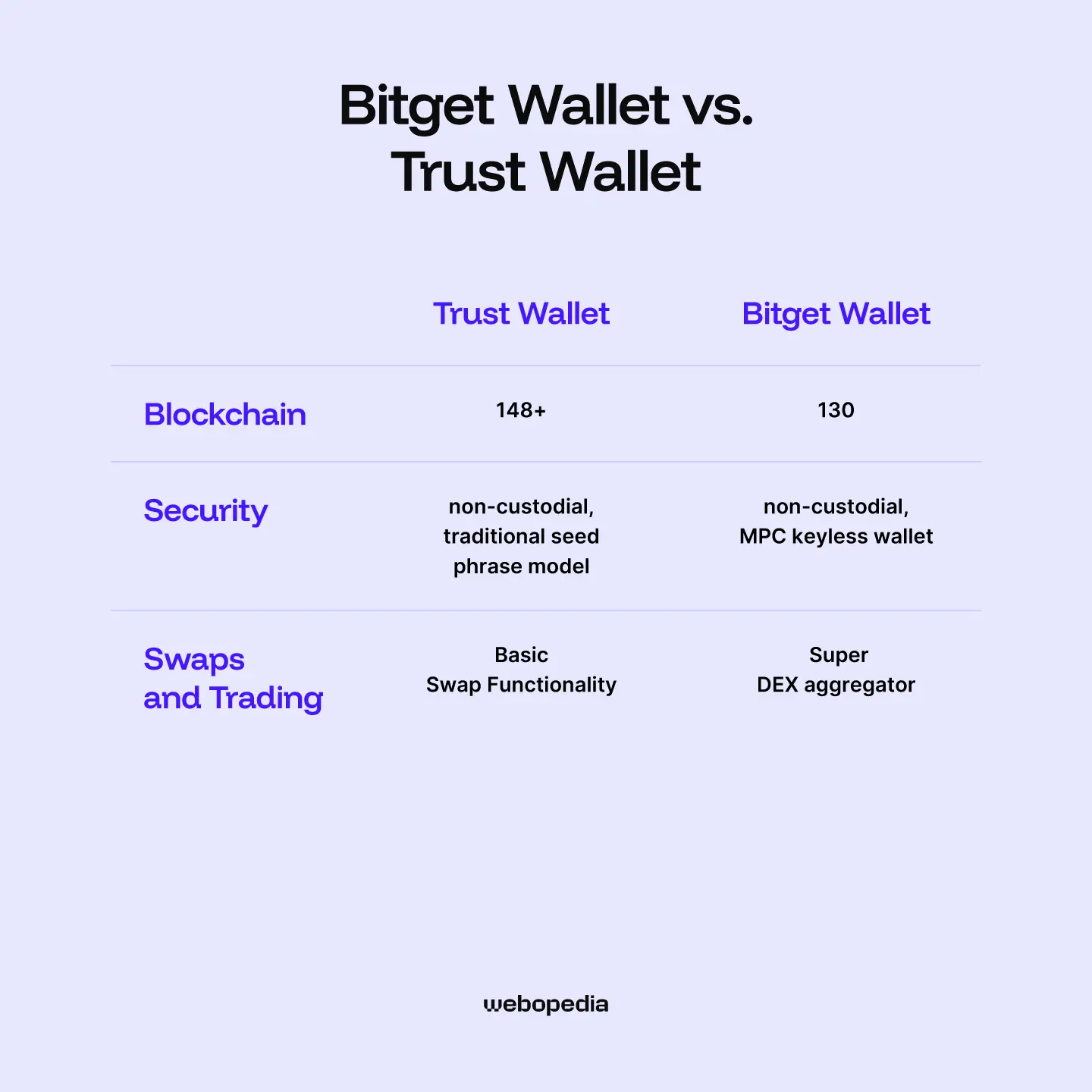
Both Bitget Wallet and Trust Wallet are popular non-custodial mobile wallets with multi-chain support, so comparing them is a fair matchup. Let's break down where each one has the edge.
Chain Coverage and Features
In terms of chain coverage, Bitget Wallet supports over 130 blockchains, while Trust Wallet covers a 148+. Both handle the major chains like Ethereum, BNB Chain, and Solana, but if you regularly interact with newer Layer 2s or niche networks, Bitget Wallet is more likely to have them ready to go.
The biggest difference is in how much each wallet tries to do. Trust Wallet focuses on simplicity and mobile convenience, making it a great pick if you mainly want to store, send, and receive crypto without a lot of complexity. Bitget Wallet takes a different approach by packing in trading tools, DeFi access, an NFT marketplace, and even crypto card functionality into one app.
Security
On the security front, both wallets are non-custodial, so you hold your own keys. Where Bitget Wallet pulls ahead is with its MPC keyless wallet, which is the feature that really sets it apart.
Instead of relying on a traditional seed phrase, the MPC wallet splits your private key into three encrypted shares using a 2/3 signature mechanism. One share lives on your device, another on Bitget's server, and the third is backed up to your cloud storage (iCloud or Google Drive). No single party, including Bitget, can access your funds alone, as two of the three shares are required to sign any transaction.
You can set it up through email, Google, Apple ID, or even Telegram, which makes recovery much more forgiving than scrambling for a piece of paper with 12 words on it. Trust Wallet doesn't offer anything like this, sticking to the traditional seed phrase model. If the idea of managing a seed phrase makes you uneasy, or if you just want a safer fallback, Bitget's MPC option is a real advantage.
Swaps and Trading
When it comes to swaps, Bitget Wallet's Super DEX aggregator routes trades across hundreds of DEXs and cross-chain bridges, showing you fees and price impact upfront so you can compare costs before confirming. Trust Wallet has swap functionality too, but it's more basic and doesn't offer the same level of route optimization.
So which is better? If you want a clean, no-fuss wallet for holding and sending crypto, Trust Wallet does the job well. But if you're someone who actively trades, uses DeFi protocols, or wants everything in a single app, Bitget Wallet offers noticeably more tools to work with.
Is Bitget Wallet Best for You?
Bitget Wallet is best suited for users who want more than just a place to store crypto. If you actively trade across multiple chains, use DeFi protocols, or collect NFTs, it's one of the most well-rounded wallets you'll find. The MPC keyless option is also a big plus if you'd rather not deal with seed phrase management.
That said, if you're someone who just wants to hold Bitcoin or a handful of tokens without touching DeFi, Bitget Wallet might be more than you need. A simpler wallet, like Trust Wallet or a dedicated hardware wallet, would likely serve you better.
The bottom line: for hands-on crypto users who want everything in one place, Bitget Wallet delivers. For those who prefer a minimal, store-and-forget setup, there are leaner options out there.
FAQs (Frequently Asked Questions)
What happens if I lose my phone/computer?
If you’re using a traditional seed phrase wallet, you can restore your funds on a new device by entering your 12 or 24-word recovery phrase. If you set up the MPC keyless wallet instead, you can recover access through your linked email, Google, or Apple account combined with your cloud backup. Either way, make sure your backups are in place before anything goes wrong.
Does Bitget Wallet charge fees?
Bitget Wallet itself is free to download and use. You won’t pay platform fees for storing or receiving crypto. For swaps and bridges, the Super DEX aggregator shows all costs upfront, including price impact and gas fees. Keep in mind that network gas fees still apply to every transaction, and those vary depending on which blockchain you’re using and how congested it is.
Can I store NFTs in Bitget Wallet?
Bitget Wallet has a built-in NFT gallery that supports collections across multiple chains, including Ethereum, Solana, BNB Chain, and Polygon. You can view, organize, and manage your NFTs directly in the app. The wallet also connects to NFT marketplaces, so you can buy and sell without leaving the interface.