- Pros & Cons of Ledger
- Ledger Wallet First Impressions & Unboxing
- Cheaper Alternatives to Ledger Wallet
- Initial Setup & User Experience
- Ledger Wallet Security Features
- Supported Cryptocurrencies & Tokens
- Connectivity & Compatibility
- Ledger Wallet Advanced Features
- Pricing & Value for Money
- Other Brand Products
- Ledger Hardware Wallets - Compared
- Who is Ledger Best Suited For?
- Conclusion & Final Verdict
- FAQs (Frequently Asked Questions)
Ledger Review 2026

- When you click links on this page, we may earn an affiliate commission. By using this website you agree to our terms and conditions and privacy policy.
- Participation in online gambling may be illegal in your country and is subject to age restrictions (18, 19, or 21, depending on the jurisdiction). Verify legality and age requirements before participating. Learn more
Hardware wallets are cryptocurrency security devices. They implement physical elements, such as secure element chips and anti-tamper mechanisms, to bolster protection. While anyone can benefit from the security advantages hardware wallets offer, they're particularly valuable to people managing long-term investments or sizable portfolios.
Ledger is a leading hardware wallet manufacturer that has become synonymous with cryptocurrency. The company has released numerous hardware wallets catering to various types of investors, including the Ledger Nano X and Ledger Stax. While there are plenty of options, Ledger prices its devices at a premium compared to alternatives.
Throughout this Ledger review, we'll take an in-depth look at the various hardware wallet models, highlighting their strengths and weaknesses and comparing them to competitors. We'll also examine the Ledger Wallet app (formerly Ledger Live), highlighting its advanced features and trading capabilities.
Key Takeaways
- Ledger has designed its wallets for ease of use. The company has made processes such as wallet setup and firmware authenticity verification as simple as possible.
- There are five Ledger hardware wallets currently available, each offering different features and price tags.
- Ledger is one of the best-known and most popular hardware wallet manufacturers globally.
- While the Ledger Nano S Plus offers the best value for money, the Ledger Flex is a strong choice for people seeking a premium hardware wallet.
Pros & Cons of Ledger
Pros
- Ledger devices are ideal for people with diverse holdings as they support over 15,000 assets.
- The Nano S Plus offers impressive value. It's equipped with an EAL6+ chip and only costs $59.
- The Ledger Wallet app is available on mobile (Android, iOS) and computer (Windows, macOS, Linux), making it compatible with almost every device.
- Users can securely access and use decentralized applications with Ledger Wallet's built-in dApp browser.
- The Ledger Wallet app offers a built-in fiat gateway, staking system, and swaps tool.
Cons
- The recent Ledger wallets (Nano Gen5, Flex, Stax) are significantly more expensive than the Nano S Plus but offer limited security improvements.
- iPhone users must opt for more expensive Ledger wallets; either the Nano X, which features a worse-rated secure element, or the more expensive Nano Gen5, Flex, or Stax.
Ledger Wallet First Impressions & Unboxing
First impressions are important for a hardware wallet. The devices are used for digital asset protection, so they must be trustworthy from the get-go.
Packaging
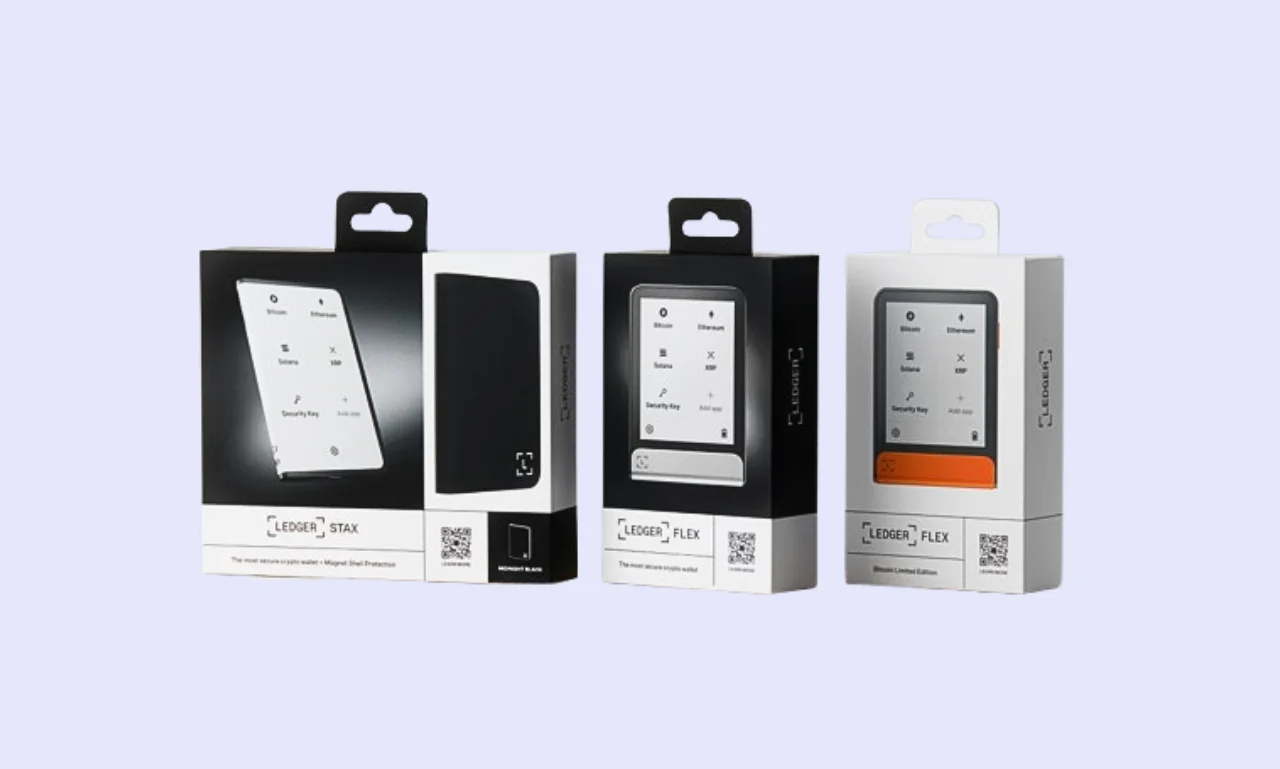
If a hardware wallet is packaged poorly for retail or shipping, it's far easier for a bad actor to modify it. For example, tampering with the device's components or setting up a wallet that they control.
Ledger purposely doesn't utilize anti-tamper seals on its devices, claiming they provide a false sense of security. Instead, the company has developed a proprietary Genuine Check process, which confirms whether the device is authentic and safe to use.
Moreover, the Ledger Nano Gen5 features a tamper-evident case. You cannot open it without causing irreparable damage. While you can open the Stax and Flex, Ledger didn't design them to be disassembled. Ledger provides images of its hardware components so users can confirm whether a bad actor has modified their device.
What's in the box?
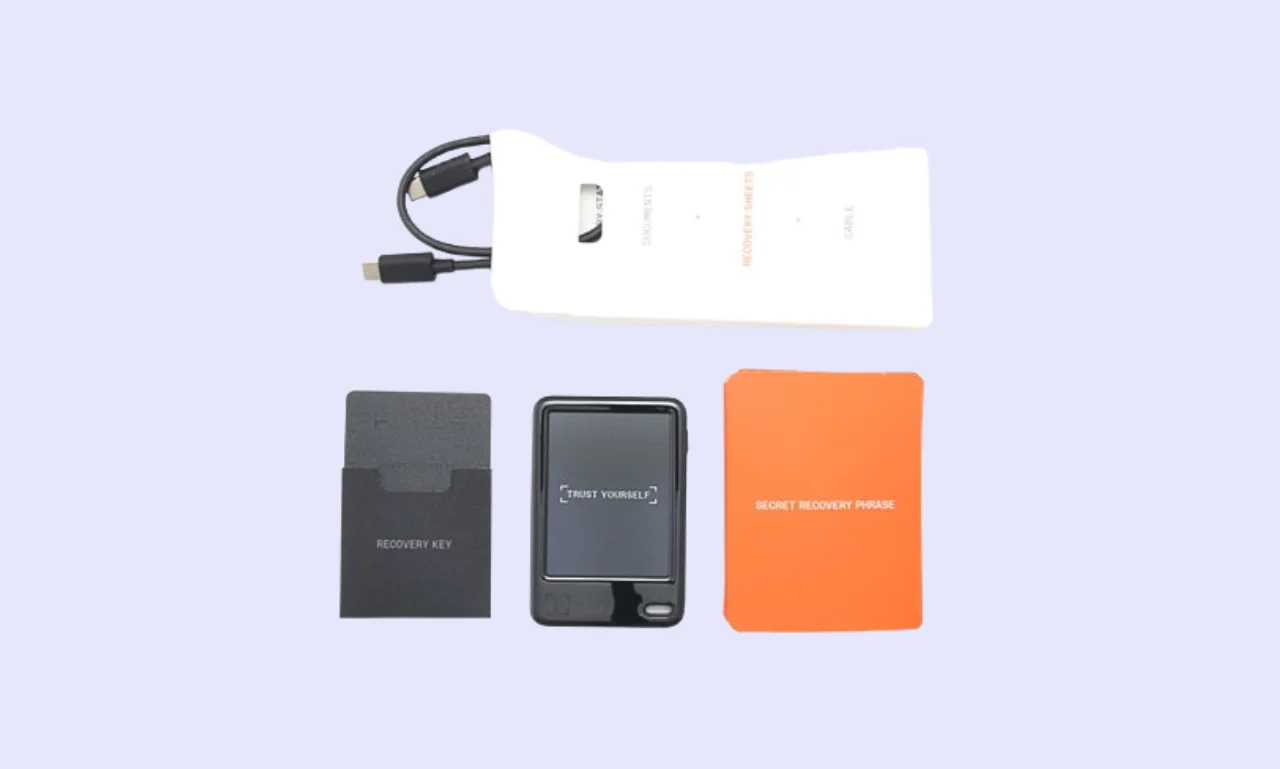
Ledger offers multiple hardware wallet models. However, the included items are largely for each. The main differences are in the hardware wallet and accessories. Ledger includes all the essentials for setting up and using a wallet, such as:
- 1x Hardware wallet
- 1x USB cable (either USB-C to USB-C, or USB-C to USB-A)
- 1x Start guide
- 1x Ledger recovery key
- 3x Recovery sheets
However, certain models feature unique accessories. For example, Ledger Stax devices come with a magnetic shell. Ledger includes a branded keychain strap with the Nano S Plus and Nano X. While Ledger is moving away from including branded accessories with its newer devices, the devices still deliver a premium unboxing experience.
Build Quality
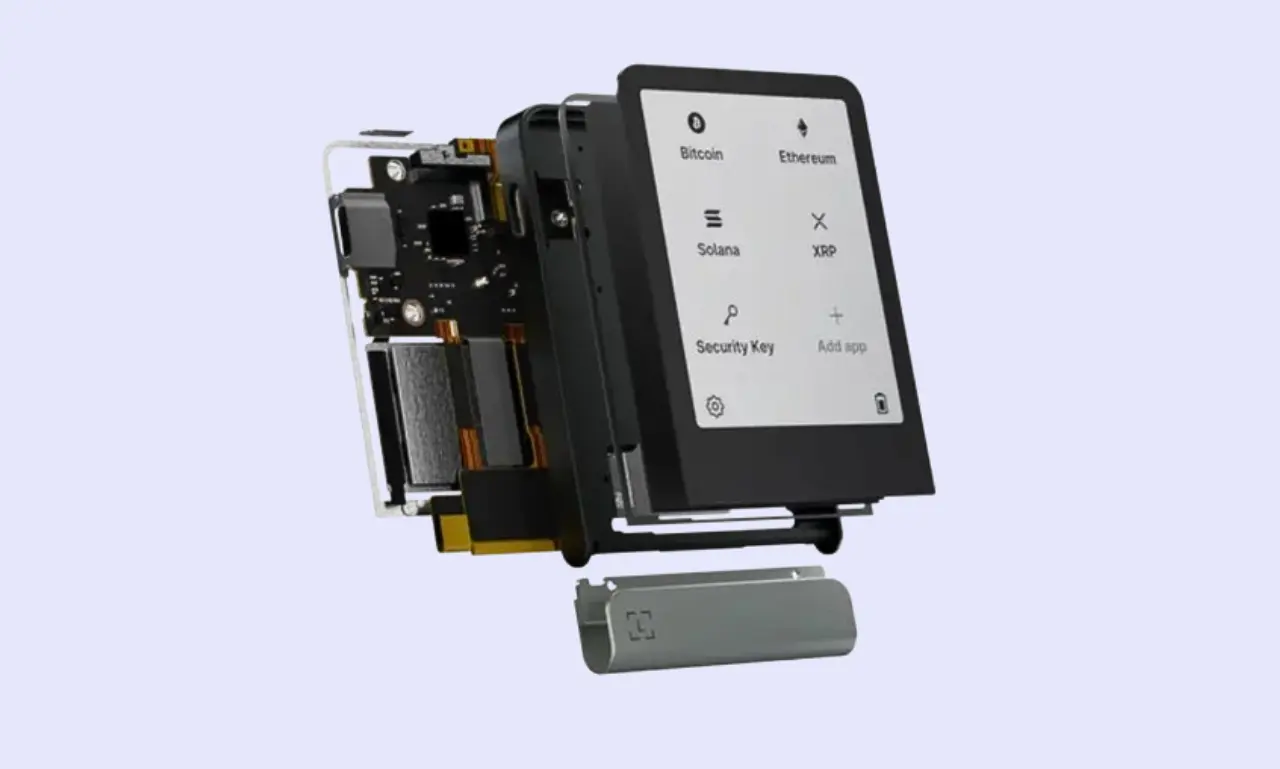
Ledger's build quality varies significantly between its various hardware wallet models. Its devices range from affordable to significantly more expensive than competitors, so variable build quality is typical.
- Ledger Nano X/S Plus: Ledger's Nano Classic devices are its most popular hardware wallets. They're available in a wide range of colors, but are primarily constructed of durable plastic, while a stainless steel cover enhances durability.
- Ledger Nano Gen5: While it offers a significantly larger display than the Nano Classic (2.8-inch vs 1.09-inch), the Nano Gen5 features an entirely plastic construction. Although it feels relatively durable, the plastic build doesn't deliver a premium experience.
- Ledger Flex: Being a more premium device, the Flex introduces a superior display and an aluminum frame with a plastic backing. Using metal for the frame makes the Flex feel considerably more sturdy and gives it a high-quality look and feel.
- Ledger Stax: Features the largest display of any Ledger device (3.7-inch), which covers most of the wallet's front. The aluminum frame and edge display make the Flex feel like a luxury hardware wallet (which you'd expect, given its nearly $400 price).
Ledger hardware wallets feel durable and high-quality. Even the older Nano Classic devices feel solid, although they don't look premium. The only device I felt was lacking was the Ledger Nano Gen5. Given the $179 price tag, it's hard to justify the entirely plastic build.
Cheaper Alternatives to Ledger Wallet


Initial Setup & User Experience
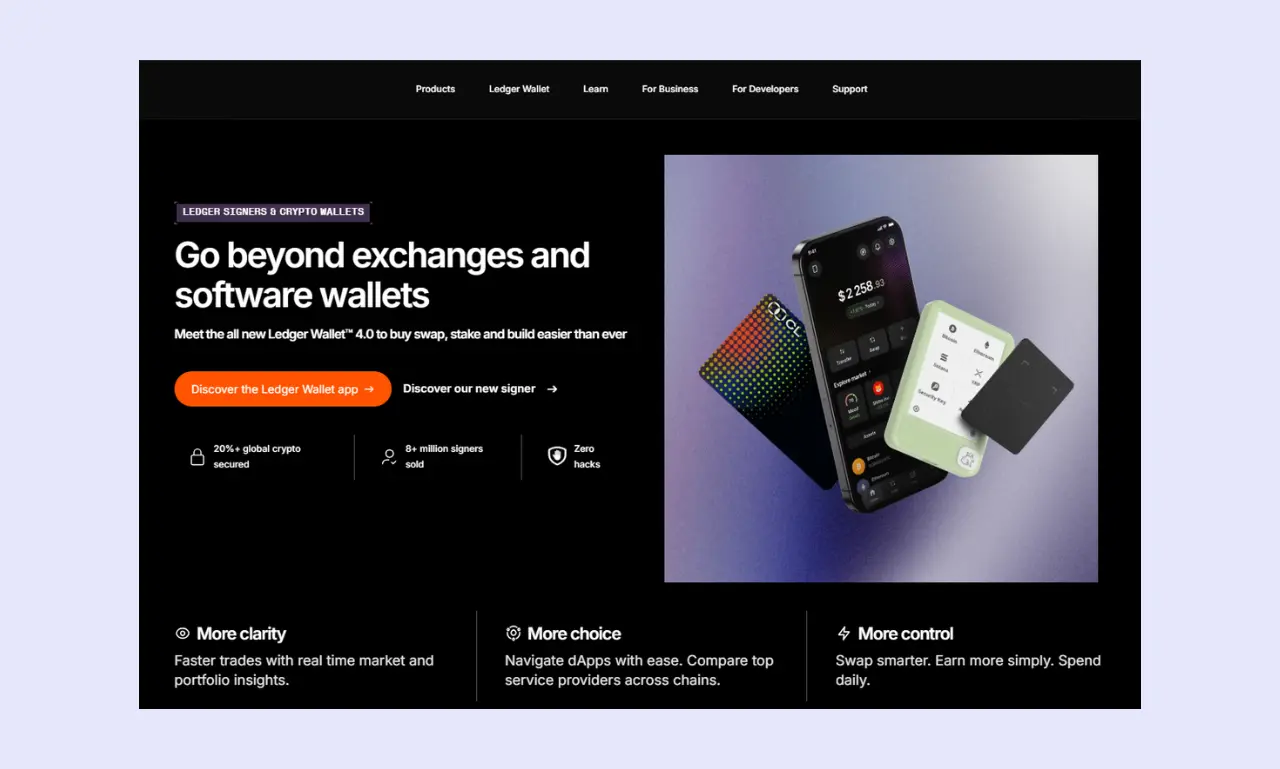
Struggling to figure out how to use Ledger devices? If a wallet is overly complex to set up and use, then it becomes ineffective for people who regularly send/receive crypto, trade, or interact with Web3 apps. However, Ledger has designed its devices for everyone, not just enthusiasts, so they're relatively beginner-friendly.
How to Set Up Ledger Wallet
While the process is fairly straightforward, having a step-by-step Ledger setup guide to hand makes it far easier to get started with your new hardware wallet.
Step 1: Download Ledger Wallet
First, you'll need to download and install the Ledger Wallet app. Then connect your hardware wallet via USB (on PC or Android) or Bluetooth (on iOS).
Step 2: Create or Restore Wallet
You'll have the option to create a new wallet or restore one from a seed phrase. Therefore, there are no extra benefits or disadvantages to either method, so choose whichever is most relevant.
Step 3: Choose Pin and Setup Device
Before you can complete the remainder of the setup process, you'll need to choose a 4 to 8-digit PIN. Choose something memorable, because you'll have to enter it every time you unlock your wallet.
Step 4: Backup Seed Phrase
Next, you'll be required to save your seed phrase and prompted to follow Ledger's on-screen instructions to complete the remaining steps. Once your device is ready, click 'Continue' in the Ledger Wallet app. Setup is complete, and you can start sending and receiving crypto.
Ease of Use
Ledger has designed its hardware wallets for both beginners and experienced investors. As such, it has simplified common processes like verifying firmware authenticity and setting up the wallet as much as possible.
While it takes some time to get used to any hardware wallet, Ledger devices are particularly straightforward, making them excellent choices for anyone without previous experience managing hardware wallets.
Display & Buttons/Touchscreen
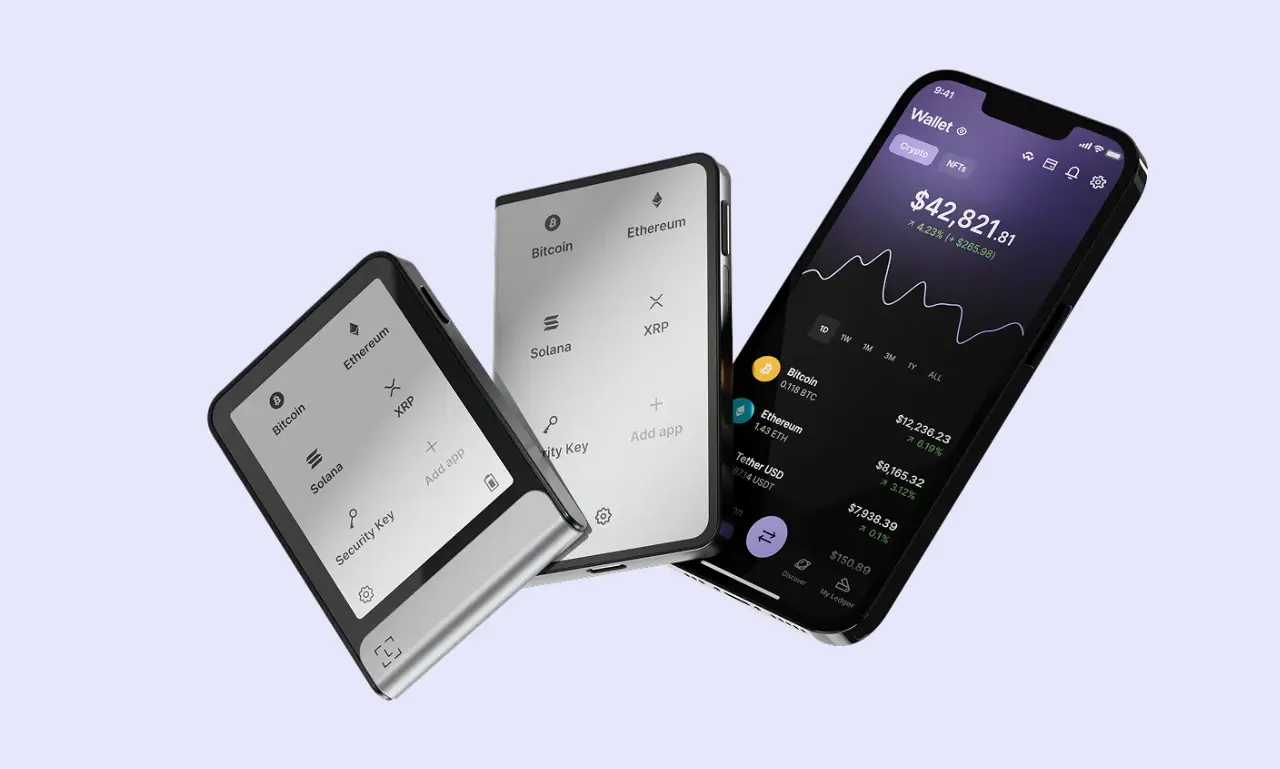
When you're conducting a Ledger review and debating whether to buy one of the manufacturer's hardware wallets, the display and navigation buttons are important to consider.
While the Ledger Nano S Plus and Nano X feature 1.1-inch monochrome displays and two buttons for navigation, more recent devices are larger and feature touchscreens. The Nano Gen5 features a 2.8-inch touchscreen display, while the Flex adds Gorilla Glass. The Stax has a larger 3.7-inch display, enhancing readability.
While they all feature monochrome screens, Ledger's devices are clear, bright, and easy to read. However, the smaller Nano X and S Plus make it slightly challenging to read wallet addresses (as they can't display the full address at once).
Ledger Wallet Security Features
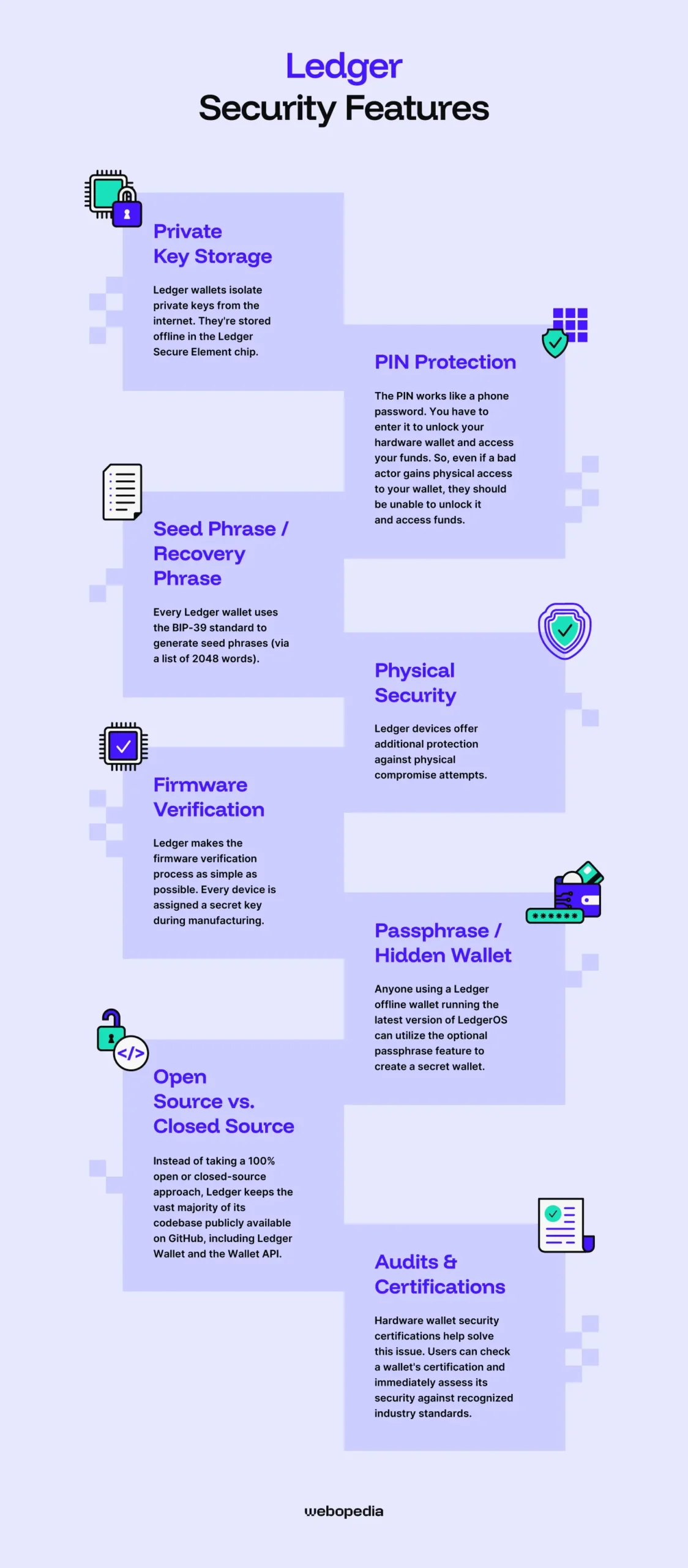
The primary role of a hardware wallet is to store cryptocurrency securely. Is Ledger safe? The devices feature several special mechanisms to protect user assets, including:
Private Key Storage
Ledger wallets isolate private keys from the internet. They're stored offline in the Ledger Secure Element chip. Because Ledger wallets do not connect to the internet, they're protected from malware.
Transaction signing occurs directly on the hardware wallet, before it's sent back to an internet-connected device and broadcast to the blockchain.
Seed phrases and private keys are essential to the security of a hardware wallet. The seed is a sequence of words used to recover a wallet, while private keys are derived from it and used to sign transactions. As such, neither must be exposed nor easy to steal.
PIN Protection
Regardless of which Ledger crypto storage device users can enable PIN protection to better secure their devices. The process occurs during initial setup, but users can add or change the PIN later in their device's settings.
The PIN works like a phone password. You have to enter it to unlock your hardware wallet and access your funds. So, even if a bad actor gains physical access to your wallet, they would be unable to unlock it and access funds.
We recommend you choose a secure, memorable PIN that's not linked to you directly. Birthdays or common sequences (e.g., 000000) are easy to guess, so you should avoid them. If you forget your PIN, you can still recover your wallet using the seed phrase.
Seed Phrase / Recovery Phrase
Every Ledger wallet uses the BIP-39 standard to generate seed phrases (via a list of 2048 words). Because the seed recovers a wallet and private keys sign transactions, it's essential that the device stores both securely and isolates them from the internet.
Ledger wallets store the seed and private keys linked to a wallet physically on the device, within the secure element. This sensitive data is kept offline and never exposed to the internet.
The Ledger Wallet app sends the transaction to the device, which signs it offline, before sending it back to the app to broadcast it to the blockchain.
It's essential to understand the importance of a seed phrase. Anyone can use it without any additional information to recover a wallet and all its assets. Therefore, it is crucial to store the seed safely.
Use an analog method, like paper or a metal seed storage device. Never store your seed in a digital format, such as a screenshot or text file. If your device breaks or becomes infected with a virus, your seed could be compromised, causing significant losses.
Physical Security
In addition to plain shipping boxes and tamper-evident packaging, Ledger devices offer additional protection against physical compromise attempts in the form of:
- Ledger Secure Element: The security chips that Ledger wallets use are audited and approved to deliver a certain level of protection.
- Secure Screen: Driven directly by the secure element chip, Ledger's Secure Screen is tamper-resistant, making it a safe way to verify sensitive information.
- Donjon Testing: Ledger has a special team that tests the wallet's physical components and firmware. They work hard to ensure that bad actors cannot conduct side-channel attacks or inject faults to expose sensitive information or to bypass security mechanisms.
By combining these elements, Ledger protects its wallets against most physical attacks. Bad actors cannot easily dismantle a Ledger device without triggering tamper protection, nor can they inject malicious code. However, it's worth keeping in mind that nothing is 100% safe. You should still follow best practices for cryptocurrency security.
Firmware Verification
Ledger makes the firmware verification process as simple as possible. Every device is assigned a secret key during manufacturing. During setup and subsequent use, your wallet uses the key to run a Ledger Genuine Check, which automatically verifies the device's authenticity without requiring user input.
Because it's essential for managing your wallet, it's a good idea to verify the Ledger Wallet app before initially installing it. The process is considerably more difficult than authenticating firmware. You need to download the app, get its hash using (Windows-only), then confirm the value matches a Ledger Wallet Download Signatures entry.
Passphrase/Hidden Wallet
Anyone using a Ledger offline wallet running the latest version of LedgerOS can utilize the optional passphrase feature to create a secret wallet. However, if you forget your passphrase, your wallet will be unrecoverable, so backing it up is essential.
The passphrase functions as an extra word added to the seed phrase. Users can unlock their device using a PIN and access the main wallet. However, funds stored in the secret wallet will be inaccessible until you enter the passphrase. Entering the wrong passphrase creates a new secret wallet.
It's generally worth setting a passphrase. Having one in place will help limit losses if you're forced to unlock your wallet under duress. You can enter a PIN to unlock the main wallet with a small amount of funds, while the secret wallet containing the bulk of your assets remains safe.
Open Source vs. Closed Source
Instead of taking a 100% open or closed-source approach, Ledger keeps the vast majority of its codebase publicly available on GitHub, including Ledger Wallet and the Wallet API. However, secure element code is proprietary and cannot be open-sourced by Ledger, as it remains the original manufacturer's intellectual property.
Which is better: an open-source or a closed-source wallet? There's no concrete answer. Open-source wallets can be audited by anyone, enabling people to collaboratively find and patch exploits. Although a bug may go unnoticed and unfixed for extended periods, bad actors cannot analyze closed-source code to find potential weaknesses.
I prefer wallets that are mostly open-source. You feel reassured that other users have reviewed and trusted the product. Moreover, cryptocurrency reflects the core virtues of open-source software: transparency, decentralization, and accountability.
Audits & Certifications
It can be challenging to determine the level of protection a hardware wallet offers. Most devices feature different security mechanisms, and some take unique approaches. For example, BitKey devices do not reveal seed phrases; instead, they use native 2-of-3 multisig.
Hardware wallet security certifications help solve this issue. Users can check a wallet's certification and immediately assess its security against recognized industry standards.
Ledger devices feature Evaluation Assurance Level (EAL)-rated security chips, the most widely used standard for hardware wallet security. The lowest EAL rating is 1, while the highest is 7. The Ledger Nano X has an EAL5+ chip, while the Nano S Plus, Nano Gen5, Flex, and Stax have EAL6+ chips.
While the Nano X is somewhat under-equipped compared to modern alternatives, Ledger's EAL6+ devices are on par with most other popular hardware wallets, such as the Trezor Safe 5 or Safe 7.
Additionally, LedgerOS, the operating system powering Ledger wallets, undergoes semi-regular third-party audits to verify its security and patch exploits. Ledger shares the audits on the LedgerOS audit GitHub page, with the most recent conducted by Synacktiv in January 2026.
Supported Cryptocurrencies & Tokens
The primary role of a hardware wallet is to store crypto assets securely. If you have a diverse portfolio, it's considerably more convenient to be able to store all your holdings in one location. Splitting your investments across multiple wallets or platforms makes management challenging.
Native Support
Ledger's wallets are multi-asset devices. They can store thousands of crypto assets across dozens of blockchains, including popular coins (cryptos built on their own blockchain, such as Ethereum) and lesser-known tokens (assets built on existing networks, such as Polygon).
There are over 15,000 Ledger coins supported by the Nano S Plus, Nano X, Nano Gen5, Flex, and Stax, including:
- Bitcoin
- Ethereum
- XRP
- Solana
- Tron
- USDT
While it supports many popular and lesser-known cryptocurrencies, a few important assets are missing from Ledger's roster. Users cannot store Canton, Toncoin, or PI, all of which are among the top 100 largest cryptocurrencies. As such, it's worth double-checking Ledger's supported assets page to determine whether it's suitable for you.
ERC-20 Tokens & Other Standards
Tokens are crypto assets built on established networks. A token standard is a set of rules that define an asset's characteristics and ensure it complies with the network on which it runs. For example, ERC-20 is Ethereum's token standard, requiring six core functions, including displaying the total supply and a wallet's balance.
Ledger wallets support a variety of token standards, enabling people to store thousands of smaller assets in one wallet. The devices support ERC-20, BEP-20 (Binance Smart Chain), TRC-20 (Tron), and SPL (Solana) token standards, making them highly flexible crypto wallets.
NFT Support
NFTs are an alternative crypto asset that took the world by storm in 2021. NFTs are unique assets typically inscribed with video or text data. They're commonly used to display art or act as an access pass for certain services. Some NFTs are highly collectible and cost over $10,000.
Ledger wallets offer broad NFT support. They can store ERC-721 and ERC-1155 NFTs, as well as those issued on the Polygon and the XRP Ledger. Users can view, receive, and send NFTs directly within the Ledger Wallet app. As such, Ledger devices are versatile and secure crypto wallets for NFTs.
Integration with Wallets/dApps
While they're excellent standalone devices, Ledger wallets can also connect to various third-party platforms, expanding their features and use cases. The devices officially integrate with 28 platforms, including a mixture of wallets, Decentralized Exchanges (DEXs), and swap platforms.
However, you're not limited to officially supported third-party services. While conducting this hardware wallet review, I found that Ledger integrates WalletConnect and features a Decentralized Application (dApp) browser, enabling users to easily connect to dApps, such as Lido (staking), PancakeSwap (DEX), and OpenSea (NFT marketplace), vastly expanding the available services.
Connectivity & Compatibility
Connectivity and device compatibility are essential to a hardware wallet's usability. Devices that are difficult to link to a phone or computer will be inconvenient for daily use. So, it's advisable to select a Bitcoin wallet that features your preferred connection method (USB-C, Bluetooth, NFC, etc).
Connection Type
Ledger offers five hardware wallet models, priced from $59 to $399. Connection methods vary between devices, so we've outlined them in a table for easy referencing.
| Wallet Name | Connection Type |
| Ledger Stax | USB-C, Bluetooth, NFC, Wireless Charging |
| Ledger Flex | USB-C, Bluetooth, NFC |
| Ledger Nano Gen5 | USB-C, Bluetooth, NFC |
| Ledger Nano X | USB-A to USB-C, Bluetooth |
| Ledger Nano S Plus | USB-A to USB-C |
Most modern computers and mobile phones feature a USB-C port, so all of Ledger's devices are fairly accessible. However, the more recent Nano Gen5, Flex, or Stax models feature Bluetooth, making mobile connections considerably more convenient.
Device Compatibility
An easily overlooked but essential consideration when conducting a Ledger review and deciding which model to buy is device compatibility. If you use an iPhone daily, there's no point in purchasing a wallet that only supports Android.
Thankfully, Ledger devices are compatible with most devices. The Stax, Flex, Nano Gen5, and Nano X all feature Bluetooth and USB connections, enabling them to work with Android mobile devices and Windows, MacOS, and Linux computers. However, the Nano S Plus is USB-only and therefore doesn't support iOS devices.
Companion App/Software
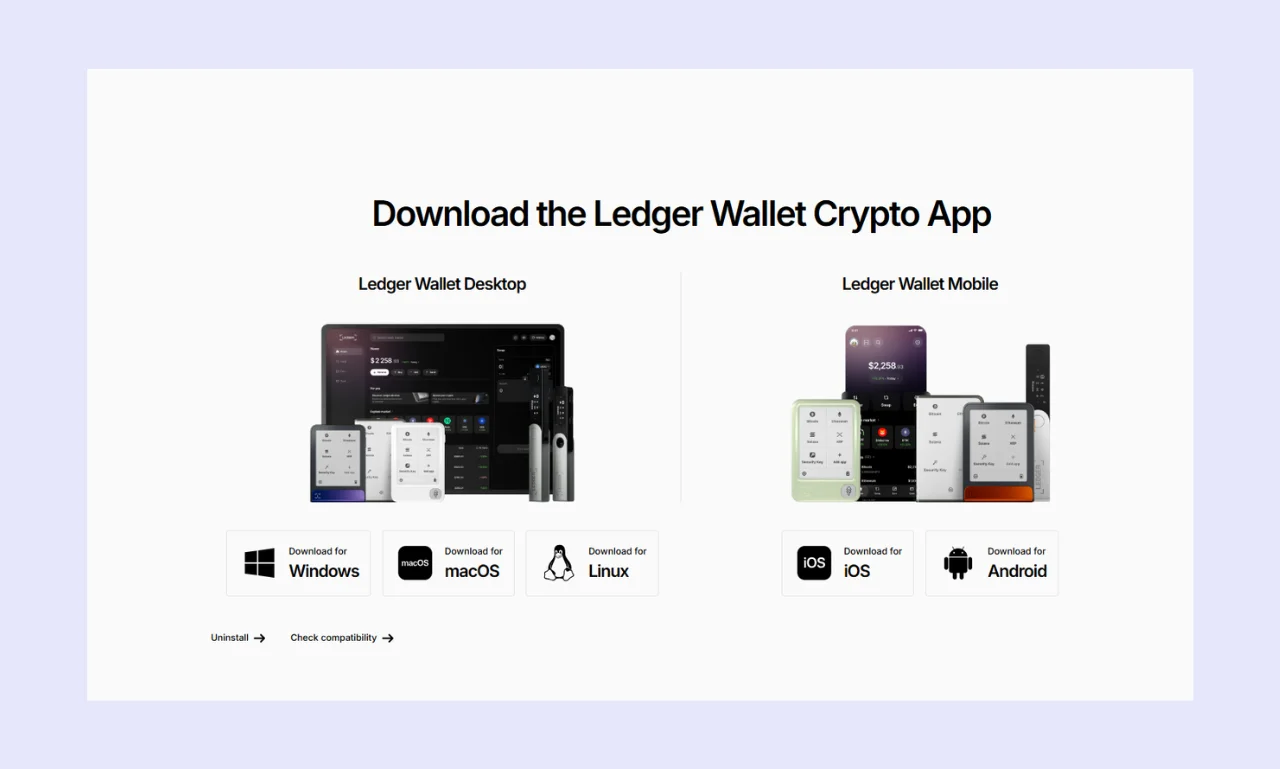
The Ledger Wallet app is the heart of the Ledger ecosystem. You use it to manage Ledger's hardware wallets, including sending assets, tracking your portfolio, and updating firmware.
In addition to standard crypto management capabilities, the Ledger Wallet app features a tool for buying/selling crypto, native staking support, straightforward dApp connectivity, a referral program, and a crypto-to-crypto swaps tool. While fees may be higher than those of dedicated platforms, the Ledger companion app is versatile and convenient.
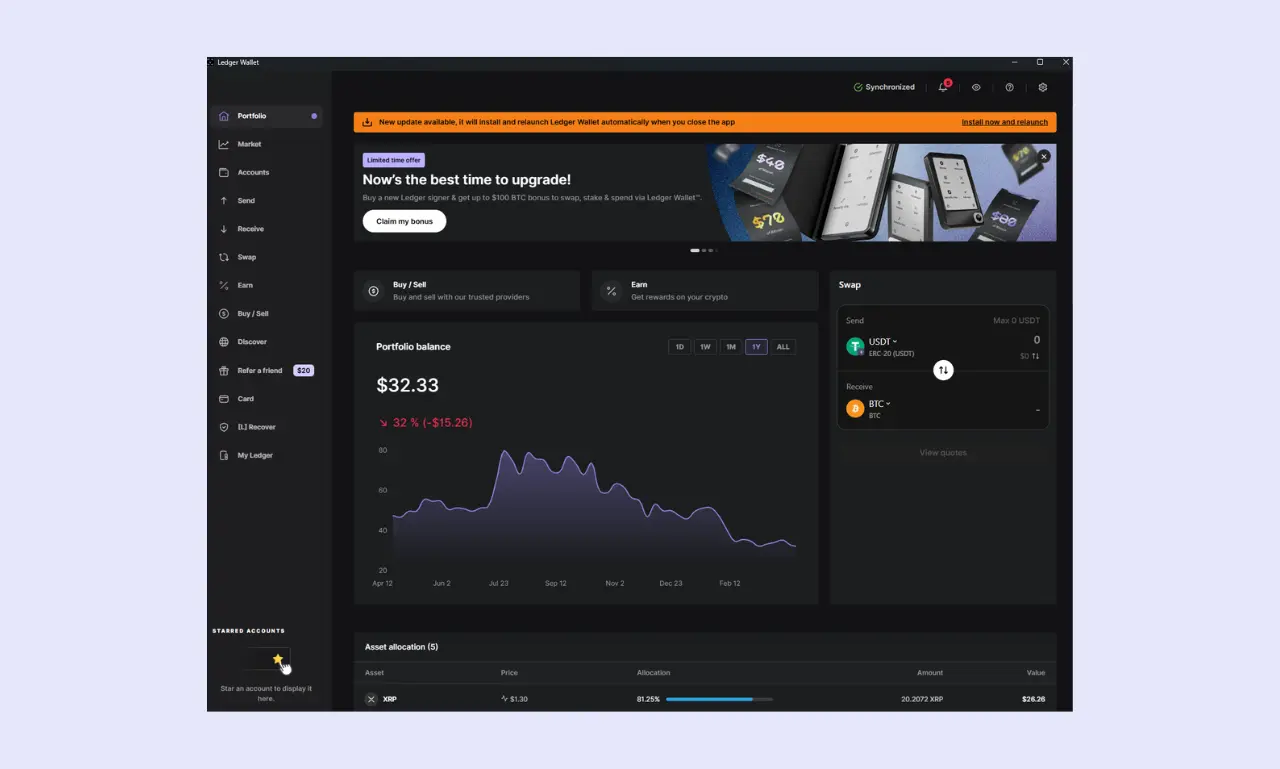
During testing for this Ledger review, I found that the companion app is well-designed and intuitive. Although the number of features can be confusing for beginners, it's relatively easy to get the hang of them. Moreover, people can quickly complete common actions, making it a valuable tool for time-sensitive situations.
Ledger Wallet Advanced Features
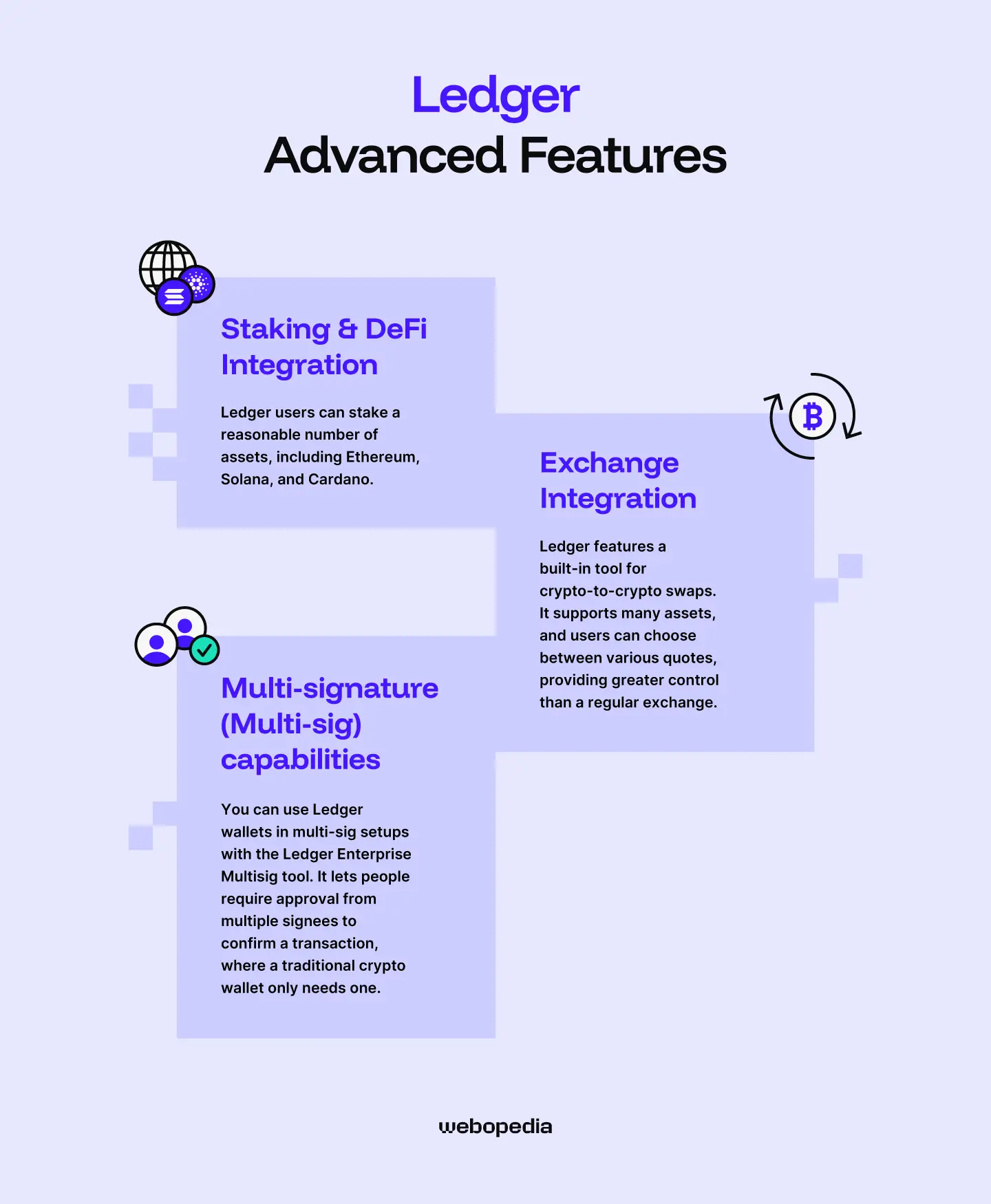
It's common for the best hardware wallets to include additional features outside of receiving/storing/sending crypto. These tools typically focus on enhancing convenience by providing access to popular services without requiring a third-party platform.
Staking & DeFi Integration
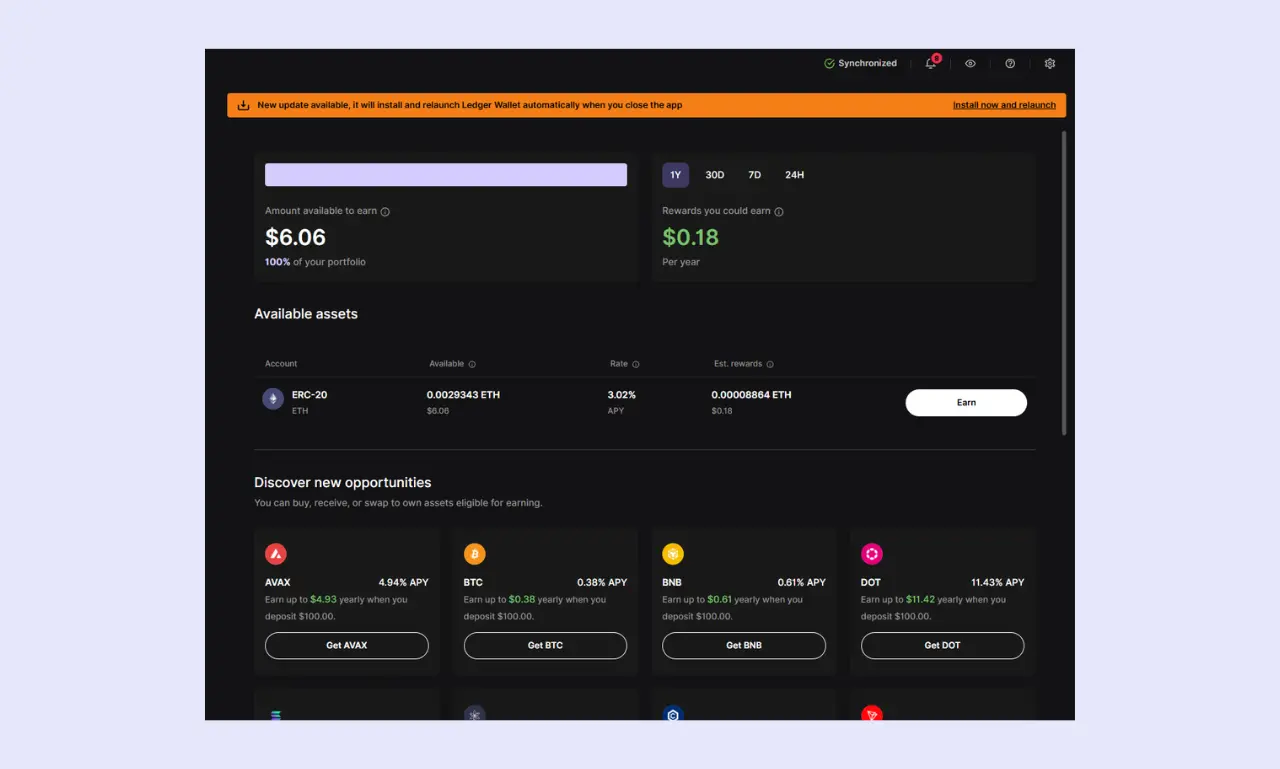
Ledger users can stake a reasonable number of assets, including Ethereum, Solana, and Cardano. Users can even earn rewards on Bitcoin holdings (0.38%). APRs vary, so it's advisable to check the rates before delegating your assets.
It's possible to stake a range of crypto assets directly within the Ledger Wallet app. The companion app will automatically show which of your holdings are eligible for staking, displaying an annual earnings estimate to help users decide which assets to delegate.
Users can choose from multiple staking pools, each with unique minimum staking amounts and APRs. These details can be viewed directly in the Ledger Wallet app, making it a solid choice for beginners and people seeking a straightforward workflow.
The Ledger Wallet app also includes a built-in dApp browser with quick links to popular staking/yield farming platforms, such as Lido, Kelp DAO, and Stader Labs. If you're looking for a hardware wallet with a versatile, intuitive staking system, any Ledger device is worth considering.
Exchange Integration
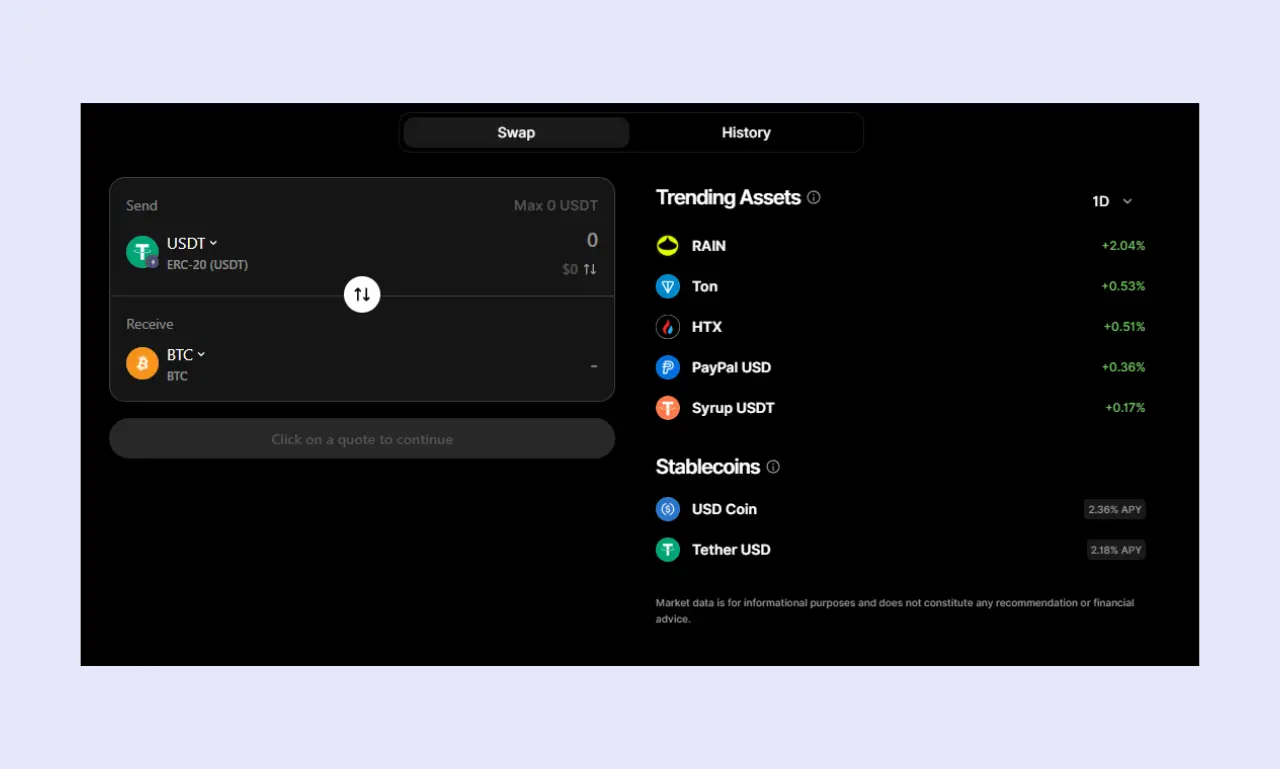
While the primary role of a hardware wallet is to act as a crypto cold storage device, many wallets offer trading capabilities, enabling users to swap their assets without having to send funds to an external exchange, which would require them to cover network costs, then withdrawal fees after swapping.
Ledger features a built-in tool for crypto-to-crypto swaps. It supports many assets, and users can choose between various quotes, providing greater control than a regular exchange. However, fees are around 2.5% on a $100 transaction and 1.5% on a $1,000 transaction, which are higher than those of dedicated exchanges.
Ledger devices are also suitable for people without existing crypto holdings. The companion app features a fiat on/off-ramp so people can purchase crypto or cash out seamlessly. However, fees vary significantly between quote providers, so checking which firm offers the best rate is essential.
Multi-signature (Multi-sig) capabilities
You can use Ledger wallets in multi-sig setups with the Ledger Enterprise Multisig tool. It lets people require approval from multiple signees to confirm a transaction, where a traditional crypto wallet only needs one. Multi-sig wallets typically require majority approval; for example, 2-of-3 is a common approach.
However, there are some restrictions. Most crucially, only Ledger Stax and Flex devices can sign transactions; Nano X and Nano S Plus wallets can only view balances/requests. Moreover, Ledger multi-sig setups can be prohibitively expensive. You need at least three devices, and the Ledger Flex costs $249.
While multi-sig setups can enhance security for everyone, they're particularly beneficial for applications where multiple people need access to the same pool of funds. For example, a Decentralized Autonomous Organization (DAO) or a company treasury.
Pricing & Value for Money
The price of hardware wallets varies significantly by manufacturer and model. Oftentimes, cheaper models are just as secure as premium options. So, it's considering whether you're looking for a cheap, well-rounded, or premium hardware wallet and purchasing accordingly.
Current Price
As we mentioned, Ledger offers many devices at vastly different price points. It's worth comparing each model to determine which best matches your use case and budget.
- Leger Stax ($399): The most premium device, featuring a 3.7–inch display and integrated magnets.
- Leger Flex ($249): Adds an aluminum frame for a high-quality feel.
- Leger Nano Gen5 ($179): The cheapest modern Ledger, made of plastic with a large screen.
- Leger Nano X ($99): Older model, introduces Bluetooth.
- Leger Nano S Plus ($59): Budget option, no iOS support.
What's included
When you purchase a Ledger wallet, you receive everything you need to get started and secure your assets. Most models also include various Ledger-branded accessories, enhancing the unboxing experience.
Ledger users have complete access to the Ledger Wallet App. While receiving and storing crypto are free, you must pay network fees to send a transaction. Moreover, services such as buying/selling, swapping, or staking crypto incur additional fees that vary by service provider.
Is it worth it?
Because there's such a large difference between the cheapest and most expensive Ledger prices, it's difficult to say whether the devices are worth buying. Personally, I feel the Ledger Nano S Plus is most worth it because it's tried and tested, supports many assets, and has an EAL6+ chip.
When it comes to the more expensive devices, like the Flex and the Stax, whether they're worth buying will depend on your goal. If you want a premium device and a best-in-class user experience, they're worth considering. But they offer relatively poor value compared to other models.
Other Brand Products
When debating whether to buy a Ledger, it can be difficult to determine how each wallet device compares, so we'll be providing a brief overview of each model:
Ledger Stax
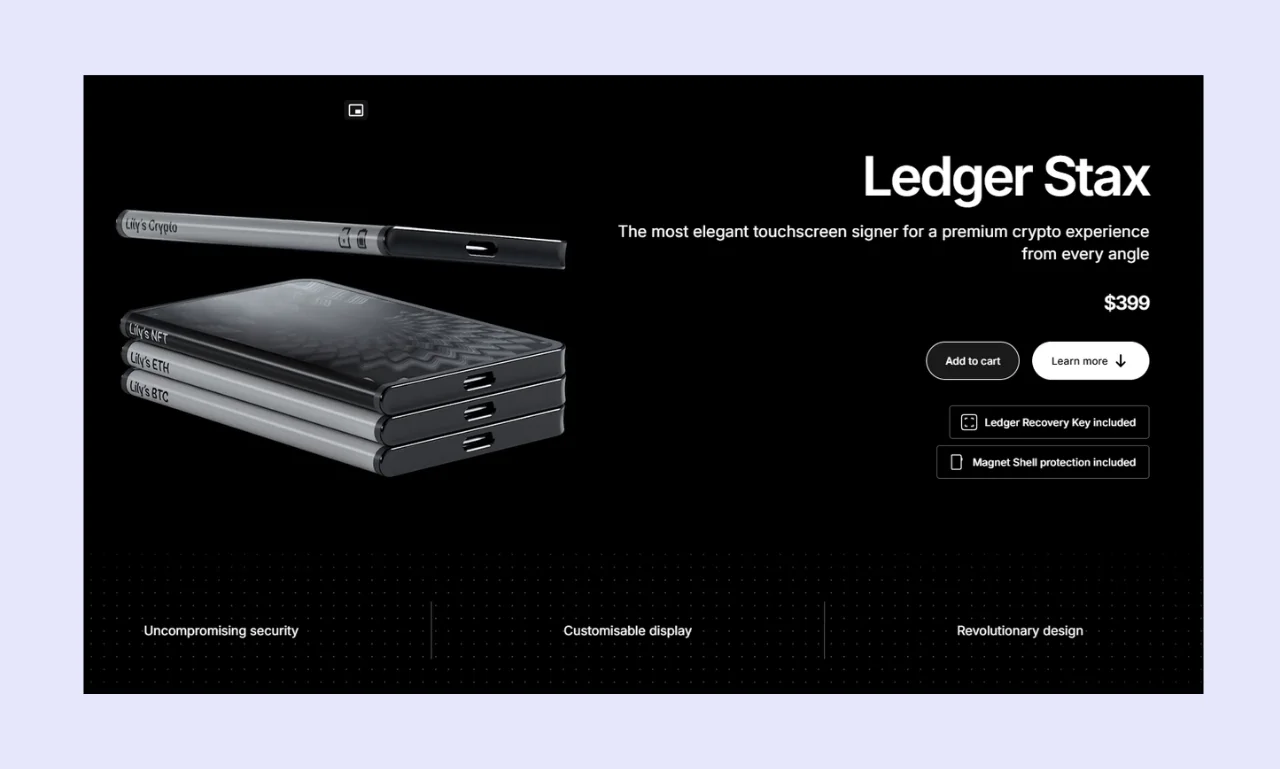
Ledger's most premium device, the Stax, costs $399 and features an EAL6+ security chip. It delivers optimal readability with a 3.7-inch 400x670px display. It's highly durable, with an aluminum frame and magnets that enable the devices to stack.
While unsuitable for value-oriented investors, the Ledger Stax delivers the best user experience of any Ledger hardware wallet.
Ledger Flex
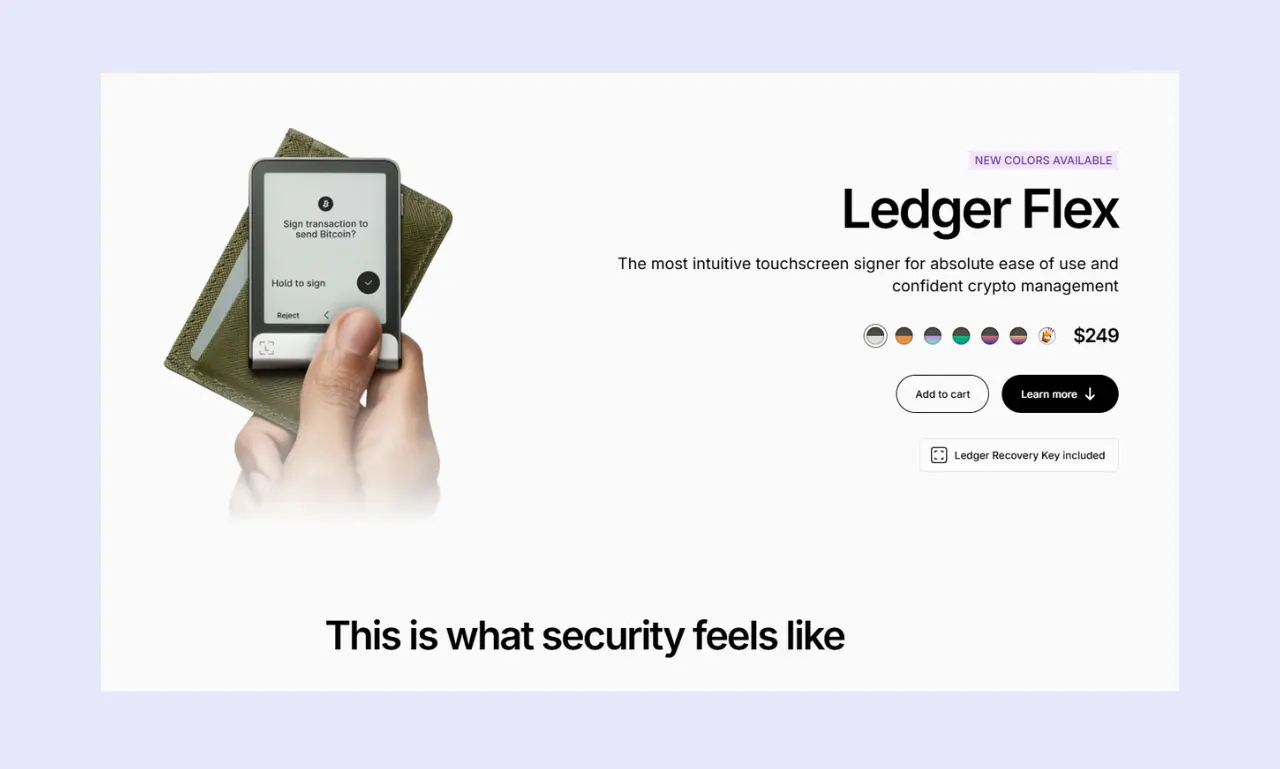
The Ledger Flex ($249) bridges the gap between the Gen5 and the Stax. It features a large 2.8-inch display, along with USB-C, Bluetooth, and NFC. It uses an EAL6+ chip, an aluminum frame, and a plastic back. For durability, the Flex features a Gorilla Glass touchscreen.
If you're looking for a premium device but don't want to spend extra on Stax, which offers only a superior display, the Flex is a solid choice.
Ledger Nano Gen5
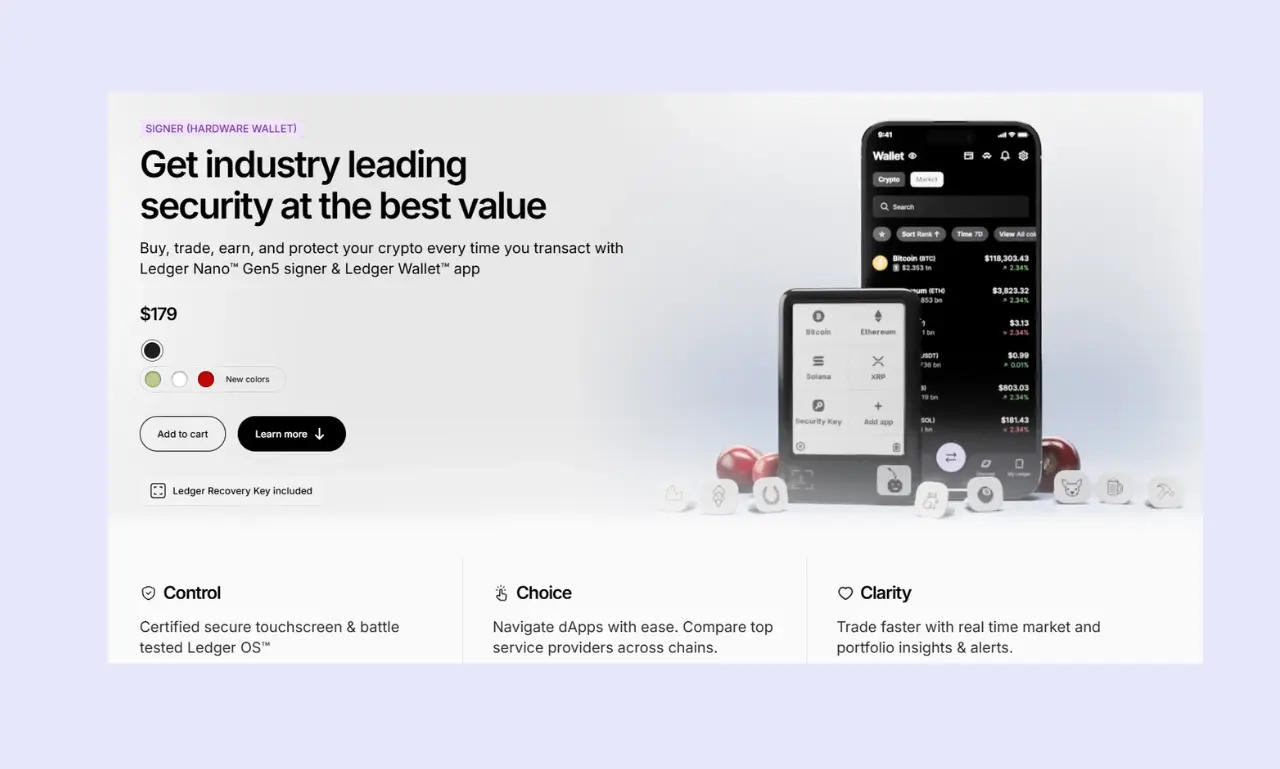
While it features a large 2.8-inch display, it's monochrome and has a lower resolution than the Flex or Stax. Moreover, the device is entirely plastic, which makes it feel like a budget device despite its $179 price tag. The device features an EAL6+ secure element and Bluetooth.
I felt the Nano S Plus overshadows the Nano Gen5, offering similar security for less than half the price. However, it could suit people seeking a larger display but unwilling to spend the extra $70 on the Flex.
Ledger Nano X
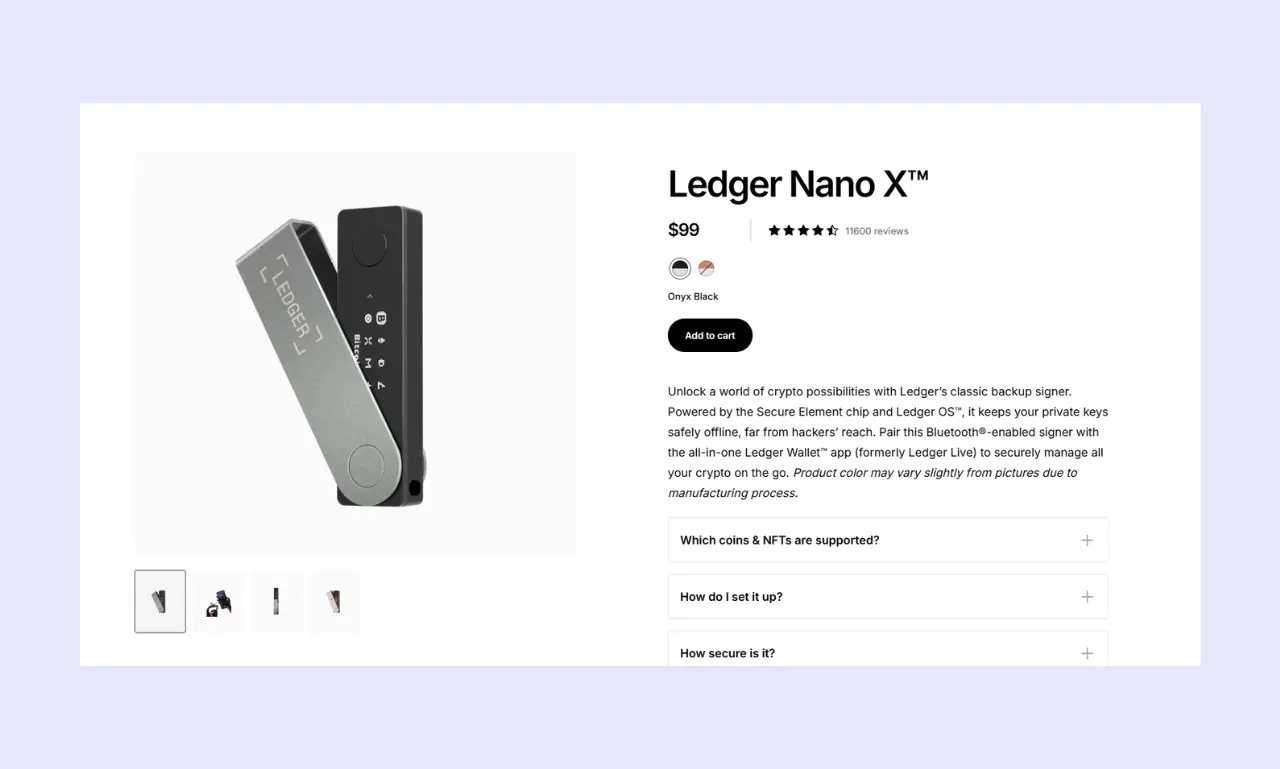
The Ledger Nano X was one of the company's original flagship products. It features an EAL5+ secure element, which is slightly weaker than Ledger's other devices. It's a smaller device with a 1.1-inch display. However, it features Bluetooth, enabling it to be used with iOS devices.
If you're an iPhone user, the Ledger Nano X offers the best value of any Ledger hardware wallet. However, the Nano S Plus provides superior security at a lower price.
Ledger Nano S Plus
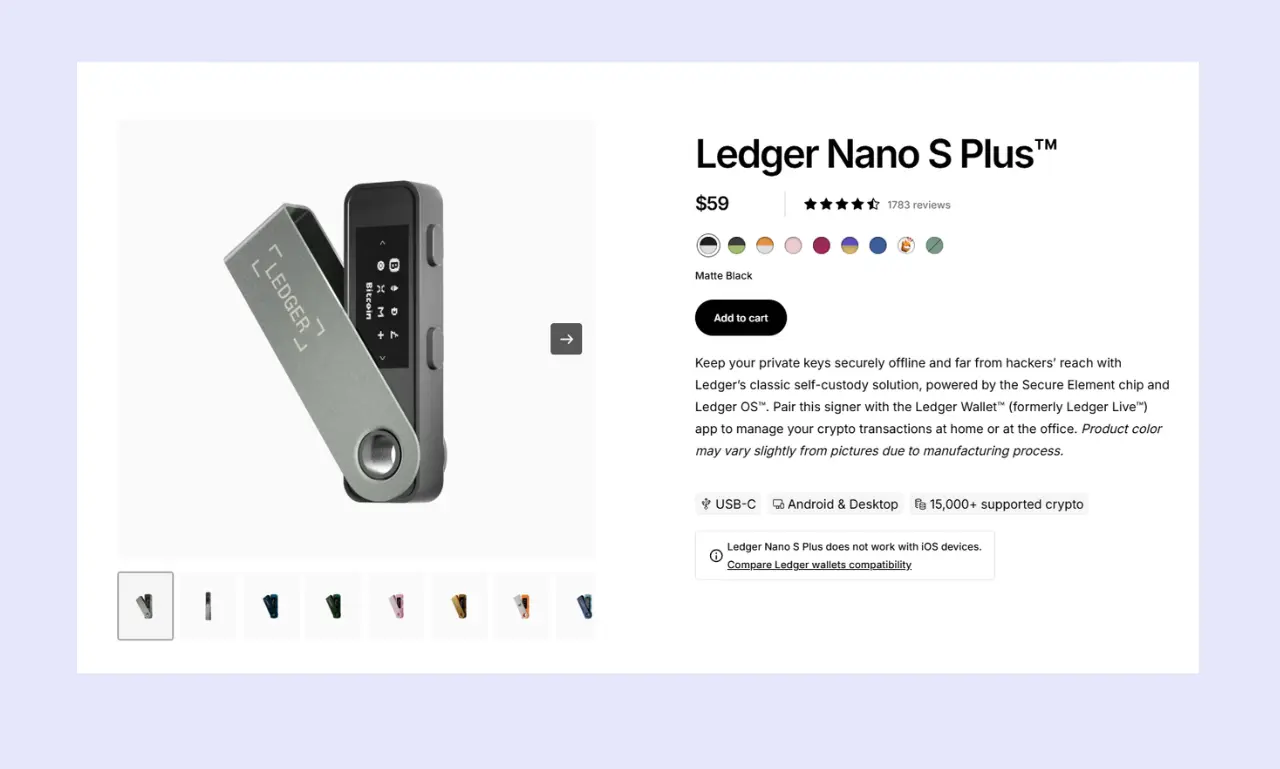
The Nano S Plus is Ledger's cheapest and best-value hardware wallet. It lacks Bluetooth for iOS support and only has a 1.1-inch monochrome display. However, it costs $59 and features an EAL6+ secure element, along with most of the other features discussed in this Ledger review.
If you're looking for a convenient and affordable way to secure your crypto investments, it's worth checking out the Ledger Nano S Plus.
Ledger Hardware Wallets - Compared
To help our readers compare each Ledger hardware wallet model and decide which is best for their needs, we've outlined the core aspects of each and compared them to a couple of popular alternatives.
| Wallet Name | Ledger Nano S Plus | Ledger Nano X | Ledger Nano Gen5 | Ledger Flex | Ledger Stax | BitBox02 Nova | SafePal X1 |
|---|---|---|---|---|---|---|---|
| Security Architecture | Mostly open-source, EAL6+ secure element | Mostly open-source, EAL5+ secure element | Mostly open-source, EAL6+ secure element | Mostly open-source, EAL6+ secure element | Mostly open-source, EAL6+ secure element | Open-source, EAL6+ security chip | Open-source EAL6+ security chip |
| Supported Coins/Tokens | 15,000+ | 15,000+ | 15,000+ | 15,000+ | 15,000+ | 15,000+ | 10,000+ across 200+ blockchains |
| Price | $59 | $99 | $179 | $249 | $399 | $202 | $69.99 |
| Ease of Use | Straightforward | Straightforward | Beginner-friendly (large display) | Beginner-friendly (large display) | Beginner-friendly (large display) | Touch sliders take some getting used to | Straightforward keypad for easy inputs |
| Connectivity | USB-C | USB-C, Bluetooth | USB-C, Bluetooth, NFC | USB-C, Bluetooth, NFC | USB-C, Bluetooth, NFC | USB-C, Bluetooth | USB-C, Bluetooth |
| Display | 1.1-inch monochrome | 1.1-inch monochrome | 2.8-inch monochrome touchscreen | 2.8-inch monochrome touchscreen | 3.7-inch grayscale touchscreen | 1.38-inch OLED | 1.8-inch monochrome |
| Advanced Features | Buy/sell crypto, staking, dApp browser, swaps, third-party connectivity | Buy/sell crypto, staking, dApp browser, swaps, third-party connectivity | Buy/sell crypto, staking, dApp browser, swaps, third-party connectivity | Buy/sell crypto, staking, dApp browser, swaps, third-party connectivity | Buy/sell crypto, staking, dApp browser, swaps, third-party connectivity | Buy/sell crypto, staking, dApp browser, swaps, third-party connectivity | In-app trading, staking, dApp browser, NFT support |
| Build Quality | Feels solid but relatively cheap | Durable but not premium | Mostly plastic, feels cheap | Aluminum and plastic feel solid | Mostly aluminum, thin bezels for a premium feel | High quality with a modern design | Durable and functional |
- The Nano S Plus delivers the best value for most people, but iOS users will need to opt for another model, such as the Nano X or SafePal X1.
- While the Ledger Nano S Plus and Nano X are small and pocket-friendly, the Flex and Stax are larger and easier to read.
- The Ledger Nano S Plus, Nano X, and SafePal X1 are suited to budget-conscious investors, while the Flex, Stax, and BitBox02 Nova cater to those seeking a premium experience.
Who is Ledger Best Suited For?
Ledger wallets are excellent general-purpose devices. They're easy to use, support a wide range of assets (including tokens and NFTs), and offer additional features like a dApp browser, a staking system, and trading capabilities.
Because there are several different Ledger models, people can choose one that best matches their budget and preferences. The company offers something for everyone, so regardless of whether you're a new investor, a day trader, or an advanced user with significant holdings, Ledger devices are worth checking out.
Conclusion & Final Verdict
Ledger is one of the world's foremost hardware wallet manufacturers, and for good reason. The company creates well-rounded devices that blend convenience and security to deliver a user-friendly experience suitable for both novice traders holding a few assets and experienced traders with diverse holdings and advanced requirements.
Based on my research and testing for this Ledger review, I found that the Nano S Plus offers the best value for money. It has an EAL6+ secure element and only costs $59. The main disadvantage is the lack of iOS support, but the Nano X addresses this.
Ledger's other wallets, the Nano Gen5, Flex, and Stax, are solid devices, but they cater to people seeking a premium experience. They're costly and offer largely the same security as the Nano S Plus. However, the addition of Bluetooth and a larger display makes day-to-day use far more convenient.
FAQs (Frequently Asked Questions)
Can I use Ledger with my phone?
Ledger devices work with desktop computers, laptops, and mobile phones. They’re highly accessible, although there are a couple of caveats. Ledger Nano S Plus devices only work on Android, not iOS. However, the Nano X, Nano Gen5, Flex, and Stax support both operating systems.
What happens if I lose my Ledger?
Even if you lose your physical Ledger hardware wallet or the device you use to manage it, recovery is possible. As long as you have the seed phrase, you can input it into any compatible wallet software to recover your assets. You don’t even need a hardware wallet.
Can Ledger freeze my wallet?
Ledger wallets are entirely non-custodial (often called self-custody). As such, users have complete control over their private keys and seed phrase; a third-party, intermediary, or authority cannot control or freeze the wallet and has no access to sensitive information.
How do I update my Ledger's firmware?
Regardless of which device you’re using, the Ledger firmware update process follows the same core steps. Connect your device to the Ledger Wallet app, then click the ‘Update Firmware’ banner notification and confirm it on your device. The update process will initiate and complete automatically, displaying a ‘Firmware Updated’ message.